

3 clues
to compare
Store, product and ad activity. One clue alone is too weak to choose a product test.
2 readings
to separate
Estimated store performance and the real quality of the offer do not always tell the same story.
100 000
SBC credits/month
Included in the Spybox offer at 29.99 EUR/month.
ShopHunter is useful when you already have a store or product to verify. Where Minea or WinningHunter may surface an idea, ShopHunter helps inspect the Shopify store behind it: highlighted products, estimated revenue, ads, price movement and signs of traction.
The point is not to chase a perfect number. The useful question is whether several clues tell the same story: an active store, a coherent product, a defensible offer and ad activity that supports demand.
The trap to avoid
Do not confuse an estimate with certainty. A store tracker helps prioritize research; it does not replace margin, sourcing, page quality and a controlled test.
Tool preview
What ShopHunter makes visible
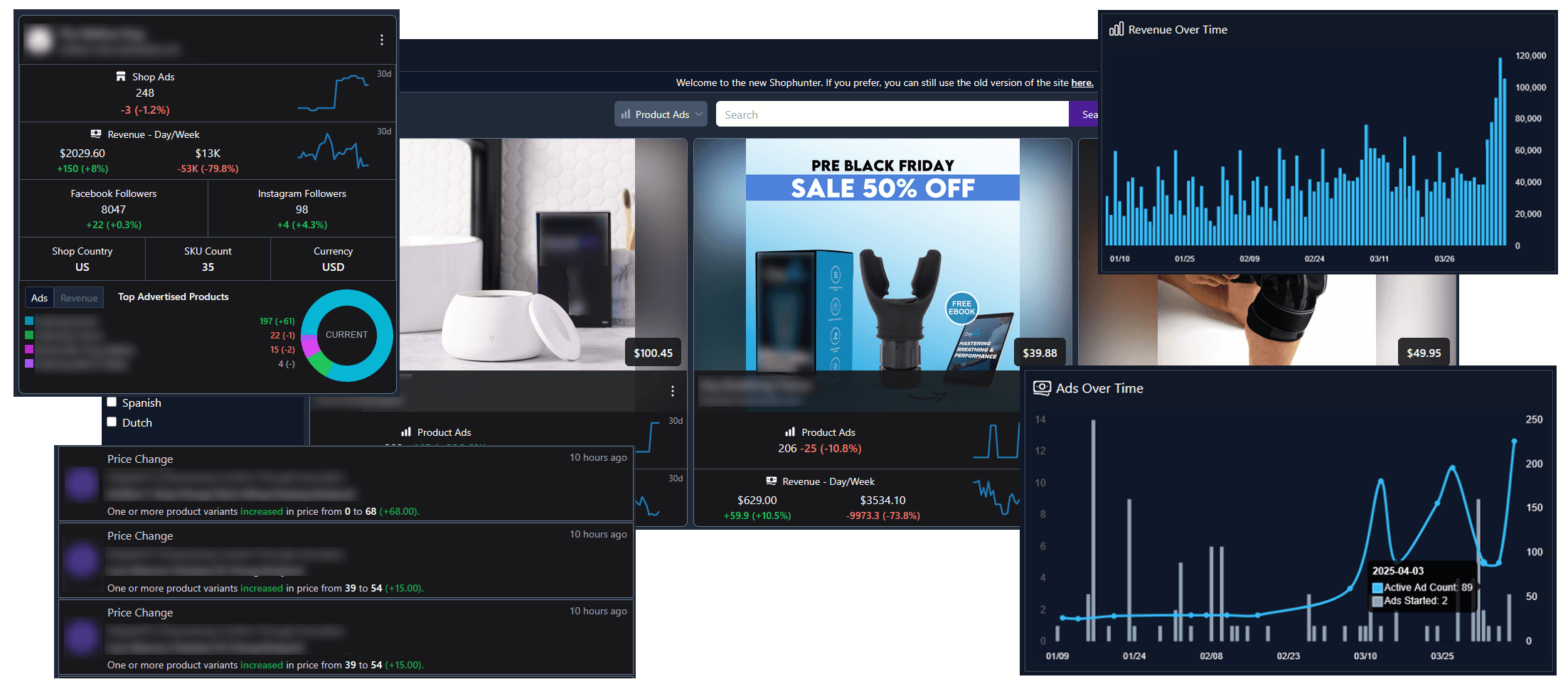
These images come from the public ShopHunter page. They show the analysis logic around stores, products, ads, estimated revenue, prices and movement over time.
Read a Shopify store from several angles
The public ShopHunter preview shows the core idea: products, ads, estimated revenue, price changes and activity charts. Inside Spybox, the useful output is a clearer test decision.
View ShopHunter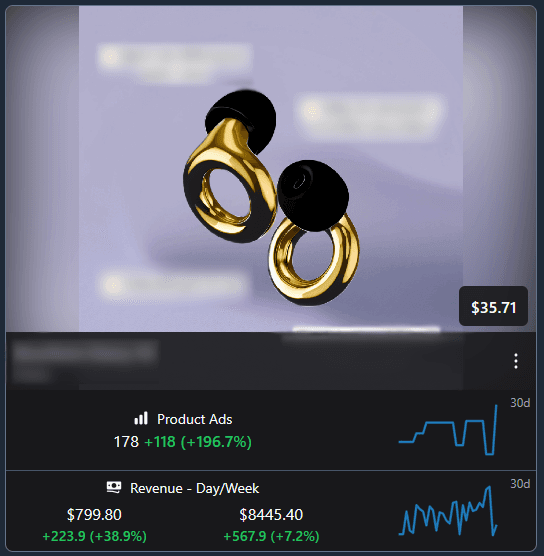
Look at the product behind the store
A product can show ads and encouraging revenue curves without being profitable for you. The useful check is price, margin, offer, product page quality and saturation.
View ShopHunterSignals to read first
Store
Domain, country, catalogue, price range, visual consistency, promise and visible maturity of the offer.
Product
Best sellers, variants, price, visible stock, bundles, complementary products and repeated clues.
Estimated revenue
Curves, spikes, drops and growth. These are prioritization clues, not certified accounting data.
Ads
Active ads, creative effort, repeated angles and fit between the ad, the product and the sales page.
ShopHunter routine in 6 steps
Start from one store
Analyze a store found through Minea, WinningHunter, AdSpy, TikTok or competitor research.
Identify stronger products
Look for products that appear in estimated sales, ads, collections and highlighted store sections.
Read the curve over time
A stable trend, a recent rise or an isolated spike should lead to different decisions.
Compare the offer
Price, bundle, guarantee, proof, delivery, product page and reviews should explain why the store may convert.
Cross-check with ads
A strong store signal should be compared with creatives, hooks, platforms and ad duration.
Prepare a limited test
Keep one hypothesis, two ad angles and a clean product page before increasing budget.
Turn a clue into a decision
Product near the top of estimated sales
Is demand durable, or is it carried by a short promotion?
Check price, margin, sourcing, delivery and whether the same product appears elsewhere.
Estimated revenue is rising
Has the movement lasted long enough to deserve a deeper review?
Compare with active ads and the rhythm of catalogue updates.
Several ads are visible
Are competitors testing several angles or repeating the same message?
Group the hooks, then build your own version through AdSpy or PiPiAds.
Price changes
Is the store optimizing margin, bundle, inventory or a promotion?
Note the possible price range and check whether your offer can remain profitable.
Very broad catalogue
Is the product central, or lost inside a general store?
Review collections, nearby products and the overall niche consistency.
Use cases by profile
ShopHunter does not play the same role for every user. The output may be a product shortlist, a competitor note, an ad angle or a decision to avoid a niche.
Dropshipper
Check whether a product found elsewhere also appears in active Shopify stores.
Ecommerce operator
Monitor competitors, prices, bundles and complementary products before adjusting an offer.
Agency
Document store research for a client with clues, limits and test priorities.
Media buyer
Connect an active ad to the store and product that may support performance.
Combine it with other Spybox tools
Niche Scrapper
Find product and niche leads before checking the Shopify stores around them.
Sell The Trend
Qualify margin, suppliers and ad clues before inspecting the store behind a product.
PPSPY
Compare another Shopify read: store, theme, traffic and visible products.
WinningHunter
Compare products, stores, ads and market timing through another ecommerce research view.
Kalodata
Extend the analysis to TikTok Shop products, creators and content signals.
PiPiAds and AdSpy
Read the ad angles behind a store or product candidate.
Dropshipping workflow
Place ShopHunter inside a broader research, offer and test routine.
Read numbers calmly
An estimate helps prioritize. The decision only gets stronger when it matches other clues: active ads, coherent page, realistic price and a product you can defend.
Review the full store
A performing store is rarely just one product. Catalogue, bundles, proof, email, guarantees and brand consistency often explain part of the result.
Limits to know
ShopHunter describes its tracking as a probabilistic algorithm based on several heuristics, so numbers should be read as estimates.
High estimated revenue does not prove margin, delivery quality or an offer you can reproduce.
Some store signals may be noisy because of promotions, price changes or short tests.
A product visible in several stores may be promising, but it may also be saturated.
Access through Spybox depends on the dashboard, available credits and tools during your session.
Test ShopHunter with Spybox
Start with one store, three product candidates, two ad angles and one clear decision: test, monitor or discard.
Try Spybox with GET25