
A platform centered on product discovery
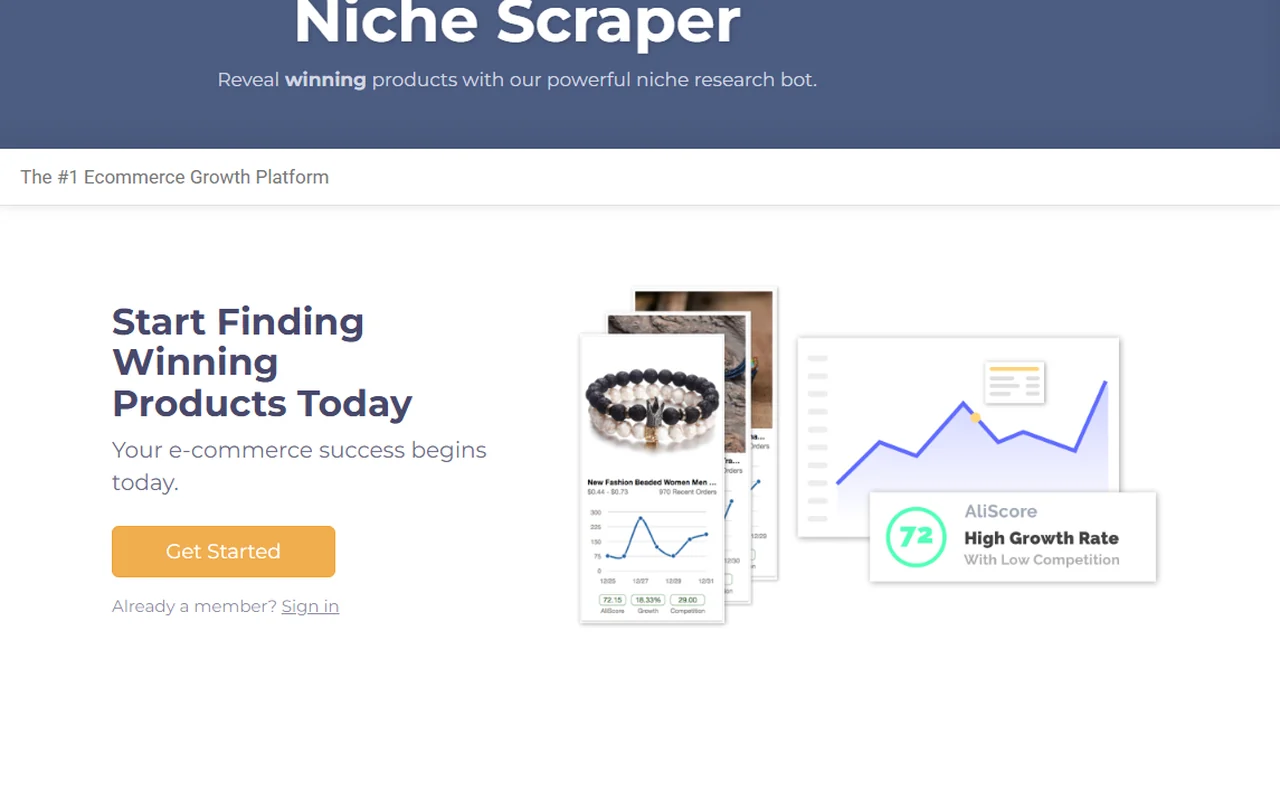
The homepage presents Niche Scraper as an ecommerce growth platform, with menu areas for product discovery, market research and marketing tools.
Niche Scraper homepageNiche Scrapper helps explore products, read Shopify stores, observe niches, check TikTok or Facebook ads and prepare a simple product video. Inside Spybox, the point is not trusting every signal at first glance, but turning those clues into a cleaner test shortlist.

Product research
Niche Scrapper
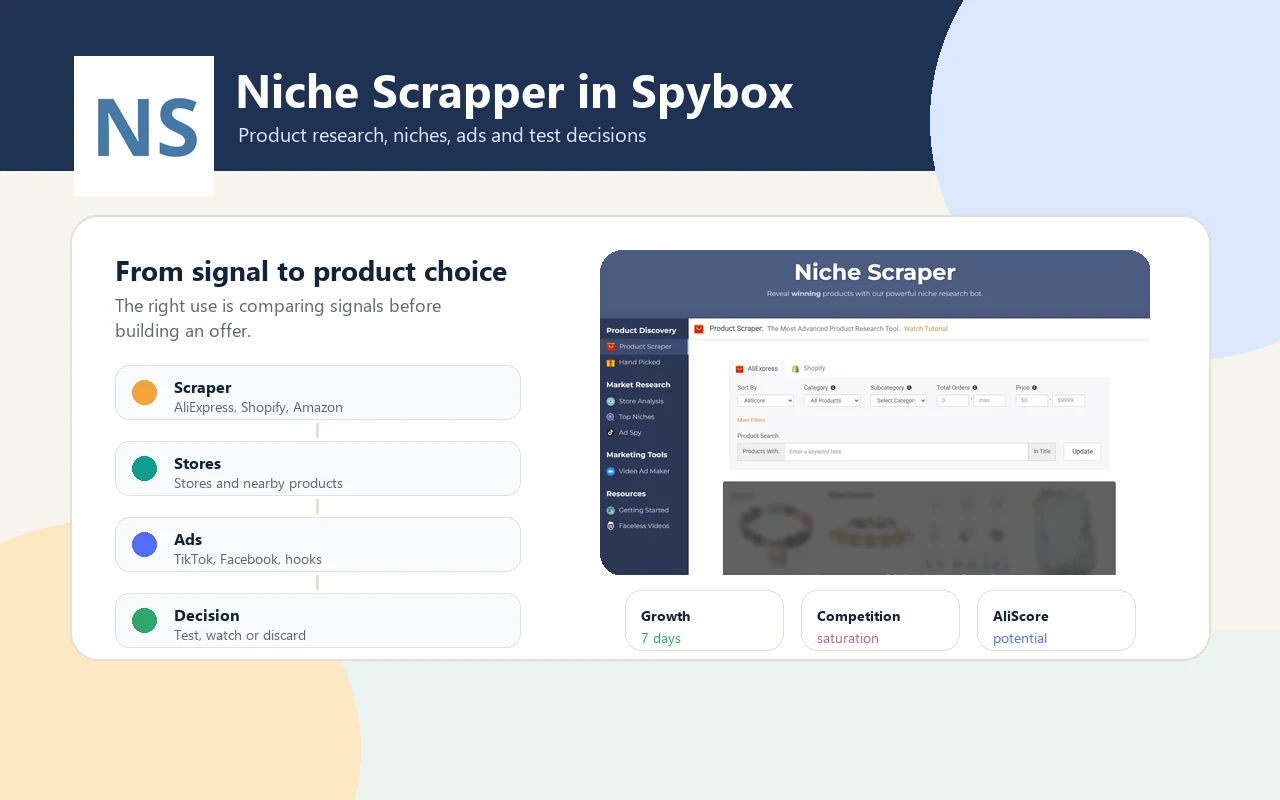
The official site spells the product Niche Scraper. Spybox lists it as Niche Scrapper: this page covers the same tool as a discovery and validation filter.
6
public surfaces
The official navigation exposes Product Scraper, Hand Picked, Store Analysis, Top Niches, Ad Spy and Video Ad Maker.
4
ecommerce contexts
The homepage positions Niche Scraper for Shopify, WooCommerce, Amazon and eBay sellers.
100 000
SBC credits/month
Within the Spybox offer at 29,99 €/mois, with the premium tool stack available from the dashboard.
Niche Scrapper is useful when there are too many product ideas and not enough method. A product in a list may look promising, but the real questions come next: is demand recent, does the price work, is there room in the niche, are there usable ads, and can the offer look different enough?
The practical routine starts broad, then narrows. Look at a category, filter by price, orders or competition, inspect a few stores, check whether ads are already running, then compare with Minea, ShopHunter, Sell The Trend or Dropispy. The expected output is not certainty. It is a cleaner decision before spending time on a product page.
A product surfaced by Niche Scrapper does not guarantee margin, stock or differentiation. Still check supplier, delivery time, proof, ad saturation, competing page quality and possible creative angle.
The tool covers several moments in a dropshipping workflow: finding a lead, understanding its surroundings, seeing how it is promoted and deciding whether it deserves a limited test.
Product Scraper gives a starting point when the team does not yet know which category to explore.
Store Analysis helps spot nearby stores, visible products and popularity signals.
Ad Spy helps look at TikTok or Facebook angles already used before producing a variation.
The useful output is simple: keep the lead, watch it, or discard it before spending budget.
Public previews
These public captures do not replace logged-in use, but they show the blocks behind the research flow: product filters, stores, hand-picked products, ads and video.
The homepage presents Niche Scraper as an ecommerce growth platform, with menu areas for product discovery, market research and marketing tools.
Niche Scraper homepage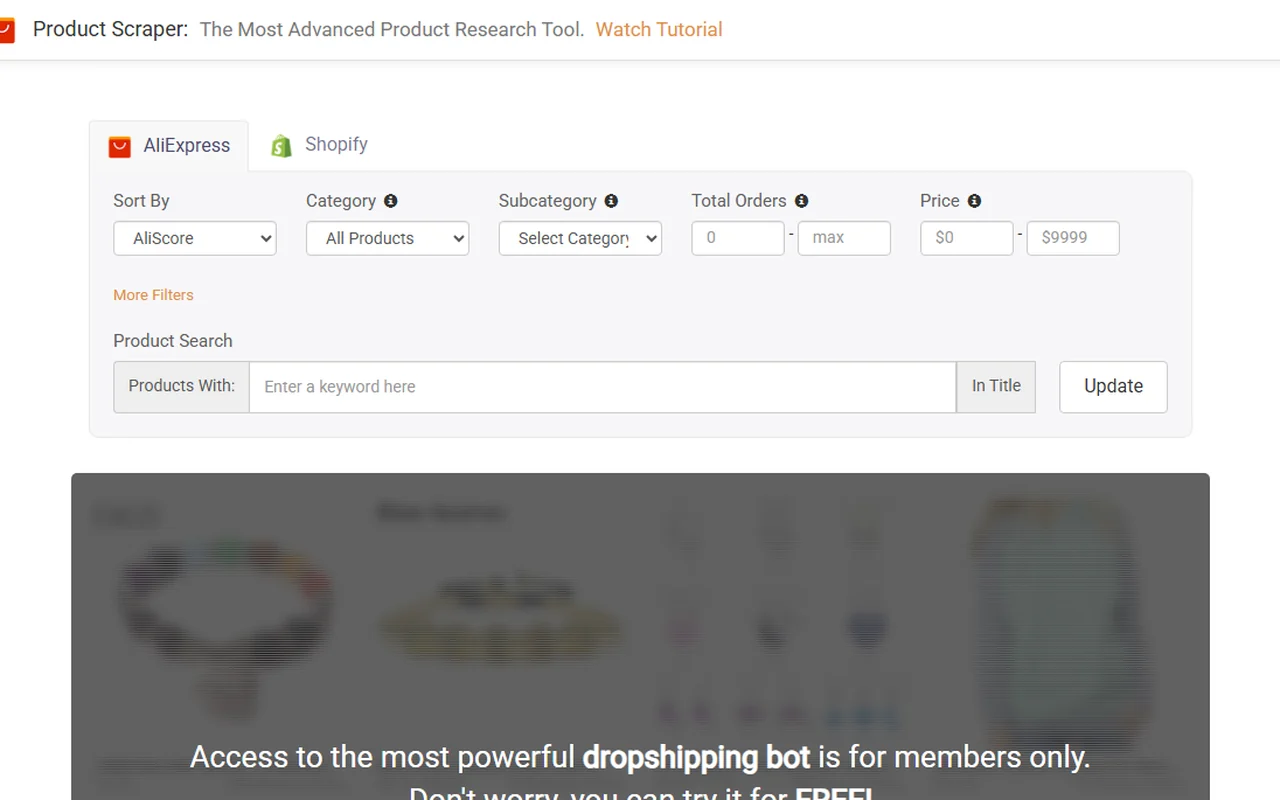
Product Scraper shows filters for score, category, orders, price and product search. In Spybox, this step creates the first shortlist.
Official Product Scraper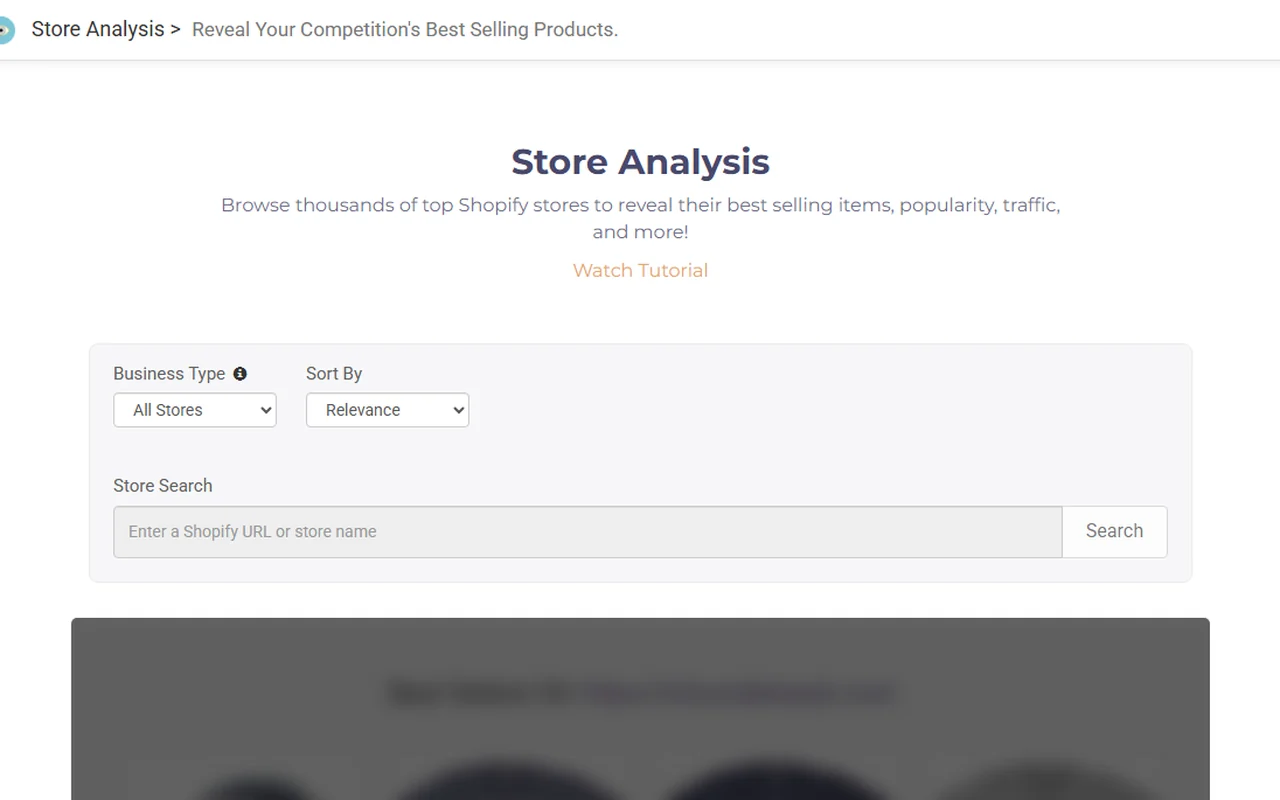
Store Analysis lets users search a Shopify store or URL and review signals around popular products. It helps read the competitive surroundings.
Official Store Analysis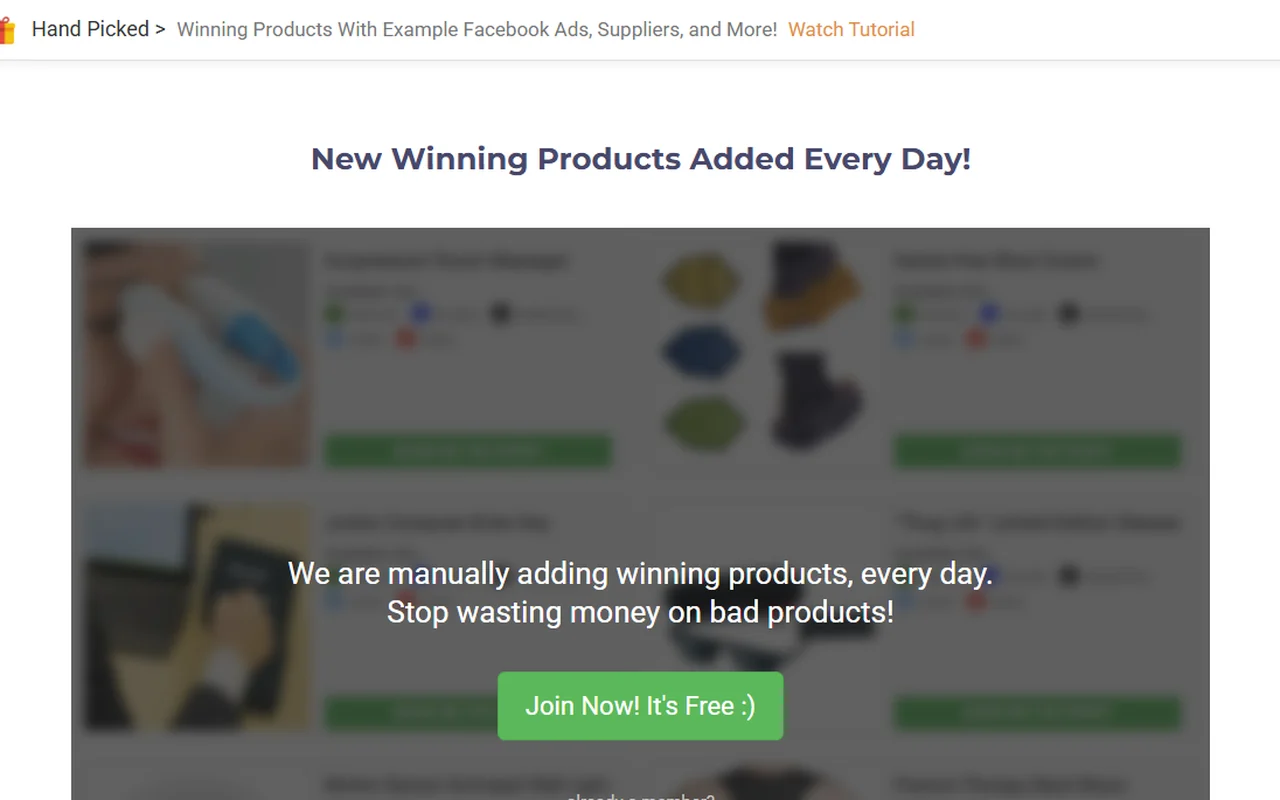
The Hand Picked section announces regularly added products with example ads and suppliers. In Spybox, read them as leads to verify, not launch commands.
Official Hand Picked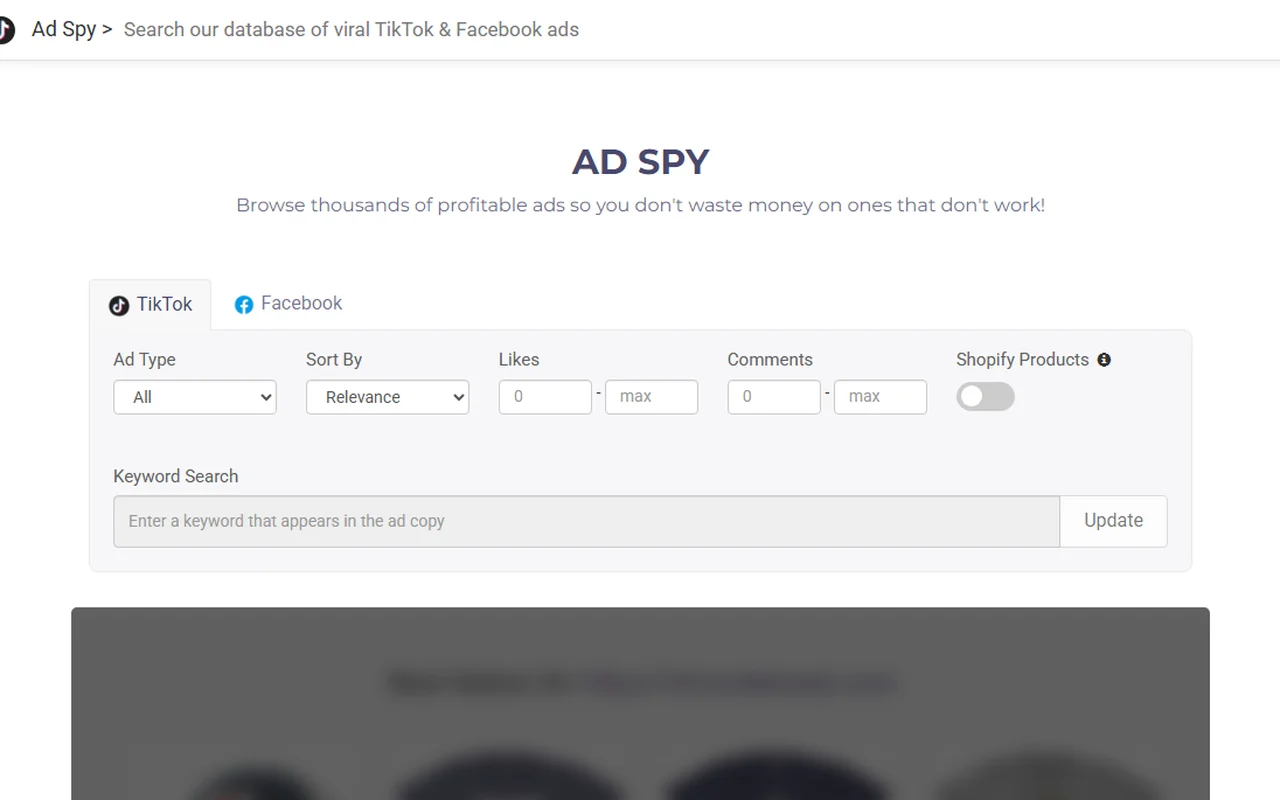
Ad Spy shows filters by network, ad type, likes, comments and Shopify product presence. This layer connects a product idea to real creative angles.
Official Ad Spy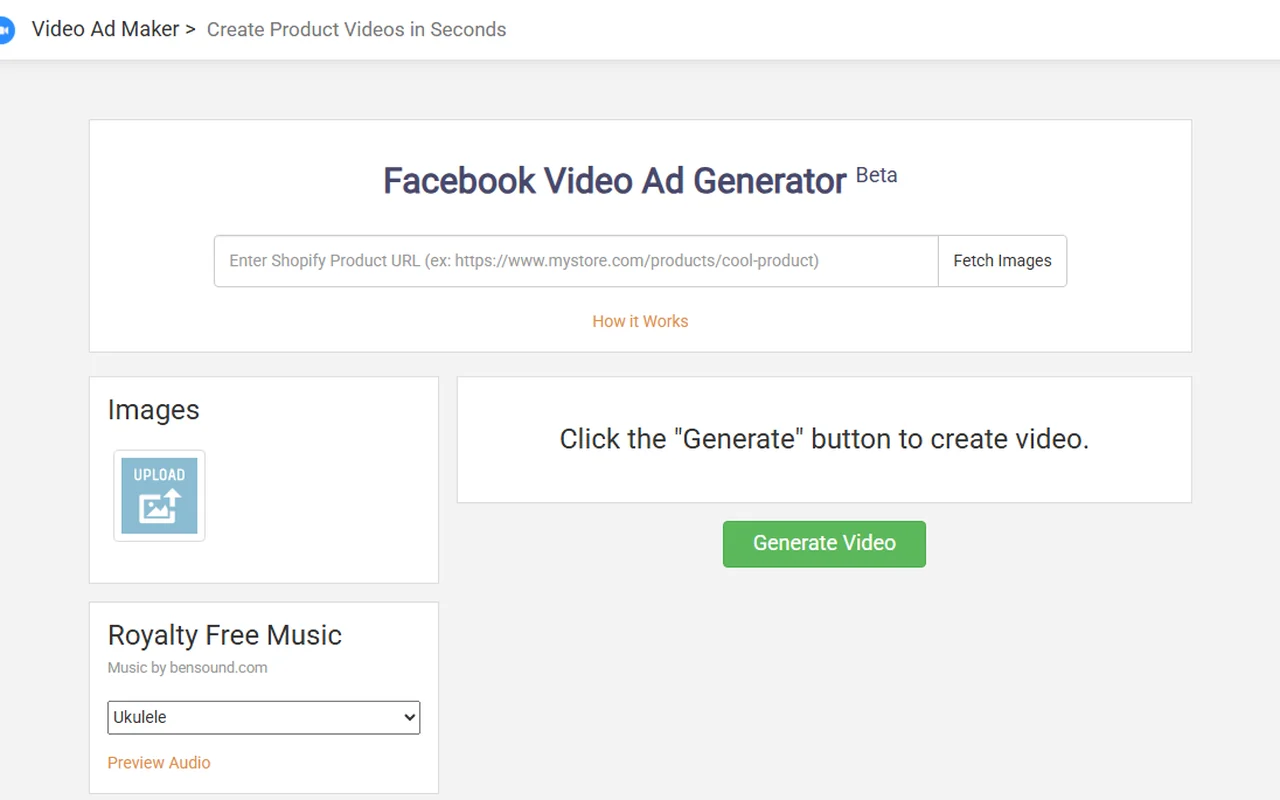
The public Video Ad Maker surface shows generation from a Shopify product URL or uploaded images. It is best treated as a quick test layer before stronger production.
Official Video Ad MakerThe page becomes useful when it describes an operating routine. The goal is moving from a product list to a clear decision, not collecting ideas.
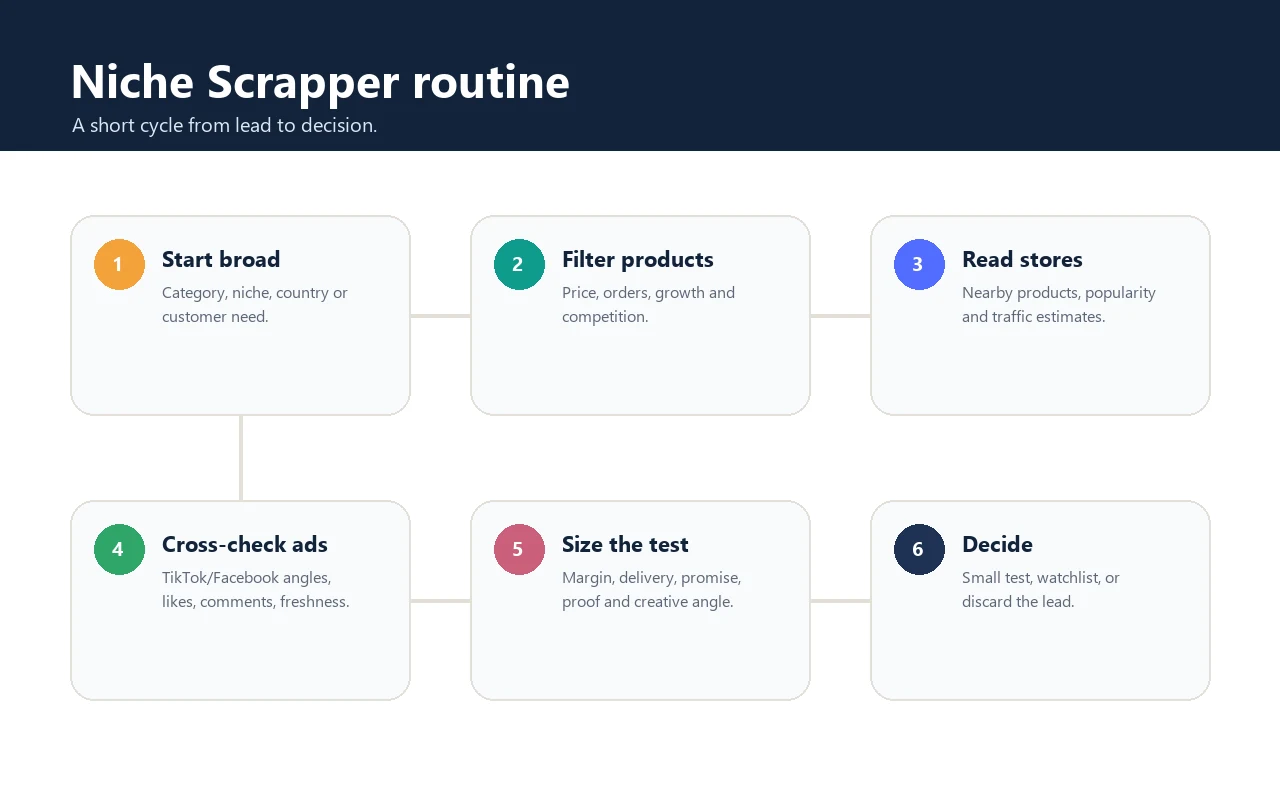
Start with a category, country, season or customer problem. A scope that is too broad creates too much noise.
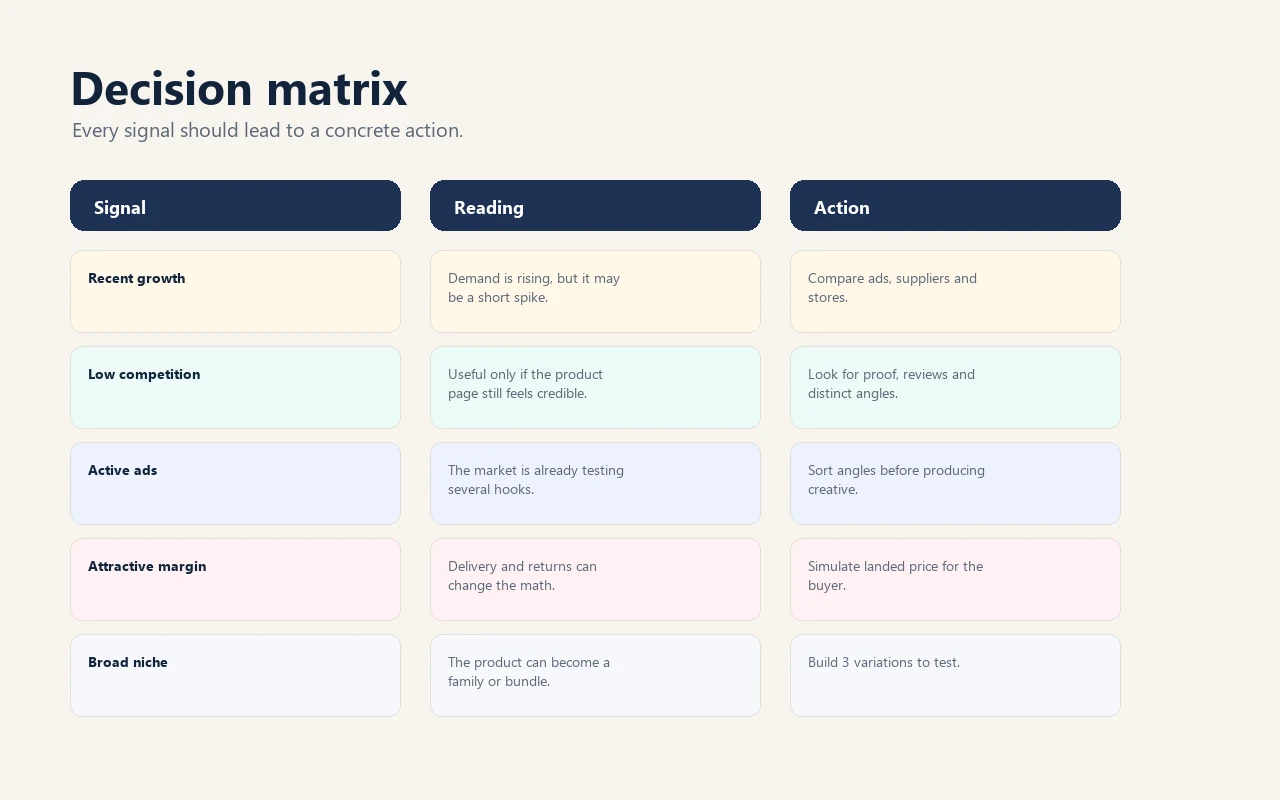
Review price, orders, competition, growth and product families that appear repeatedly.
If a product appears in several stores, inspect the page, bundle, proof, variants and differentiation level.
With Ad Spy, Minea or Dropispy, classify angles: demo, solved problem, before-after, social proof, comparison or urgency.
Before producing, check product cost, shipping, margin after discount, refund scenario and supplier quality.
The lead ends in one of three boxes: limited test, watchlist, or discard. Make that choice explicit.
A product idea becomes usable when every signal triggers a precise check. This matrix avoids launching only because a visual looks attractive.
Niche Scrapper is best for profiles that must choose quickly between several leads while keeping some method around margin, ads and differentiation.
Find products to inspect, check stores and ads, then decide what to test without relying on a simple gut reaction.
Watch categories close to the current catalog and spot accessories, bundles or complementary products.
Document a client lead with product, competitor, ad angle and saturation risk.
Understand visible uses and objections before writing a short demonstration.
Read existing ads to avoid producing a weak copy or something already overused.
Spot product families to compare later with RankerFox, search demand and content potential.
Niche Scrapper gives the first reading. Nearby tools verify the product, store, ad, creative and search demand.
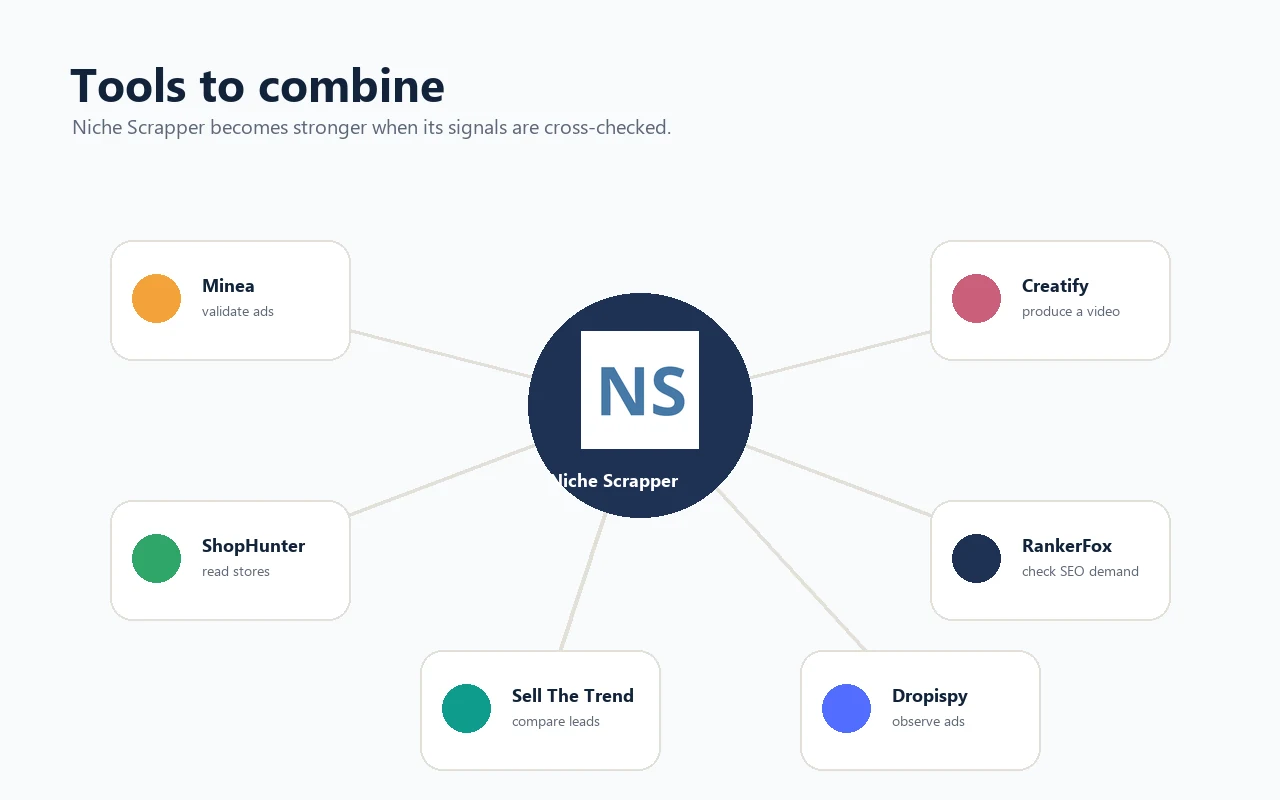
Cross-check products, ads and stores in a wider ecommerce read.
Analyze the Shopify store that appears to sell the product and nearby offers.
Compare the lead with another product research and dropshipping validation layer.
Read TikTok Shop products, stores, advertisers and sales signals before keeping the lead.
Turn a shortlist into concrete AI-assisted questions about trends, ads, suppliers and offer angle.
Check Meta ads, angles, formats and repeated signals.
Turn a product URL or visual into a first video ad for testing.
Place Niche Scrapper inside a full research, offer, creative and validation routine.
A product idea should pass a few simple checks before it becomes a page, ad or asset stack.
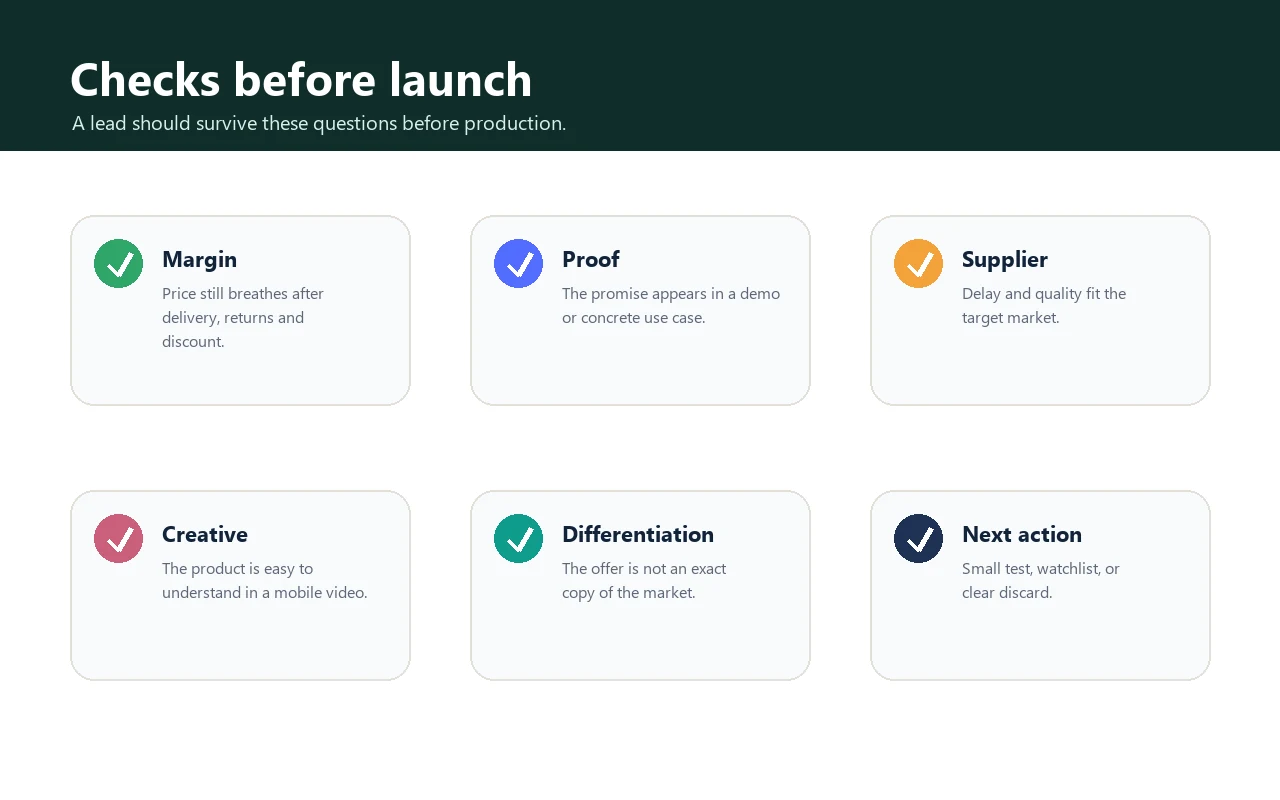
Margin still works after shipping, returns, discounts and payment fees.
The product is understood in less than five seconds on mobile.
The promise can be demonstrated with proof, use or a simple comparison.
Observed ads do not all show the same saturated angle.
The supplier seems compatible with the target country and expected delay.
A bundle, target or promise variation can differentiate the offer.
Yes. The official site spells it Niche Scraper. Spybox lists it as Niche Scrapper, and this page follows the Spybox label while citing the official pages.
Niche Scrapper is listed among Spybox product research tools. Access depends on the Spybox dashboard and the tools available in your session.
No. It mainly helps discover and qualify leads. Minea, ShopHunter, Sell The Trend and Dropispy help cross-check ads, stores and demand signals.
It is not recommended. Margin, supplier, competitor page, ad saturation, promise and creative ability still need review.
Spybox combines Niche Scrapper with Minea, ShopHunter, Sell The Trend, Dropispy, Creatify, Canva, RankerFox and other tools to turn a product lead into a test decision.
Open Spybox