
Updated October 3, 2026
Ecommerce ad creatives with Spybox
Demonstration, creator video, comparison or image: choose what explains your product best. Annotated examples, openings and a filming plan using Spybox tools.
Contents
Start with what the customer needs to see
An ad creative is the content of an advertisement: image or video, copy, voice and presentation of the offer. To prepare it, start with one question: what stops someone understanding or choosing this product? An unclear mechanism calls for a demonstration. A size that is hard to picture needs a reference. A price difference deserves a specific explanation of what the package contains.
Before opening a tool, write one sentence your images can support. For a phone stand, ‘folds for transport’ is something you can film; ‘changes your everyday life’ remains vague. That sentence guides your shots and avoids filling a video with arguments that never appear on screen. An ad can be simple and carefully made: lighting, sound and product details matter more than deliberately making it look improvised.
- The angle
- The reason to care about the product: freeing your hands, saving space or seeing a dimension before buying.
- The format
- How you show that reason: demonstration, testimonial, comparison, image or carousel.
- The hook
- The opening image or phrase that makes the subject clear and gives people a reason to keep watching.
Which format fits your product?
First choose what needs showing, then how to film it. A person talking to camera does not replace a close-up of the mechanism. Conversely, a sequence of details may leave viewers unsure how the product is used. The options below are starting points: more than one can suit the same product.
UGC means user-generated content; in advertising it is also used to describe the style of a creator-led video. Be clear about who is speaking. An actor can present an item, but a customer experience must come from someone who actually had it. If you do not yet have reviews, an honest demonstration is more useful than an invented testimonial.
| Your question | Format to consider | What to show |
|---|---|---|
| How does it work? | Close-up demonstration | The complete action from starting point to result, without editing out an important step. |
| What would I use it for? | Use case or creator video | A person, a recognisable setting and the product in use rather than a list of qualities. |
| Will it fit my equipment? | Comparison or explanatory carousel | Dimensions, package contents and compatibility measured on the configurations you advertise. |
| Why this model rather than another? | Side-by-side comparison | The same task under the same conditions. Compare a verifiable difference rather than artificially making a competitor look bad. |
| What do customers say? | Testimonial with a demonstration | Real feedback used with permission, and images matching the experience being described. |
How does it work?
- Format to consider
- Close-up demonstration
- What to show
- The complete action from starting point to result, without editing out an important step.
What would I use it for?
- Format to consider
- Use case or creator video
- What to show
- A person, a recognisable setting and the product in use rather than a list of qualities.
Will it fit my equipment?
- Format to consider
- Comparison or explanatory carousel
- What to show
- Dimensions, package contents and compatibility measured on the configurations you advertise.
Why this model rather than another?
- Format to consider
- Side-by-side comparison
- What to show
- The same task under the same conditions. Compare a verifiable difference rather than artificially making a competitor look bad.
What do customers say?
- Format to consider
- Testimonial with a demonstration
- What to show
- Real feedback used with permission, and images matching the experience being described.
Read a public example without simply copying it
Keep a few references showing different approaches. Note the opening, action, copy, offer and destination. Then ask what you can explain with your own product. Adapting the structure of a demonstration is different from reusing another brand's video, voice or testimonial.
PiPiAds or Adsparo help find ads; Foreplay helps save and organise references. The ad research guide explains that search. Here the aim is to take a staging idea from an ad, not infer profitability from its views or how long it has been visible.
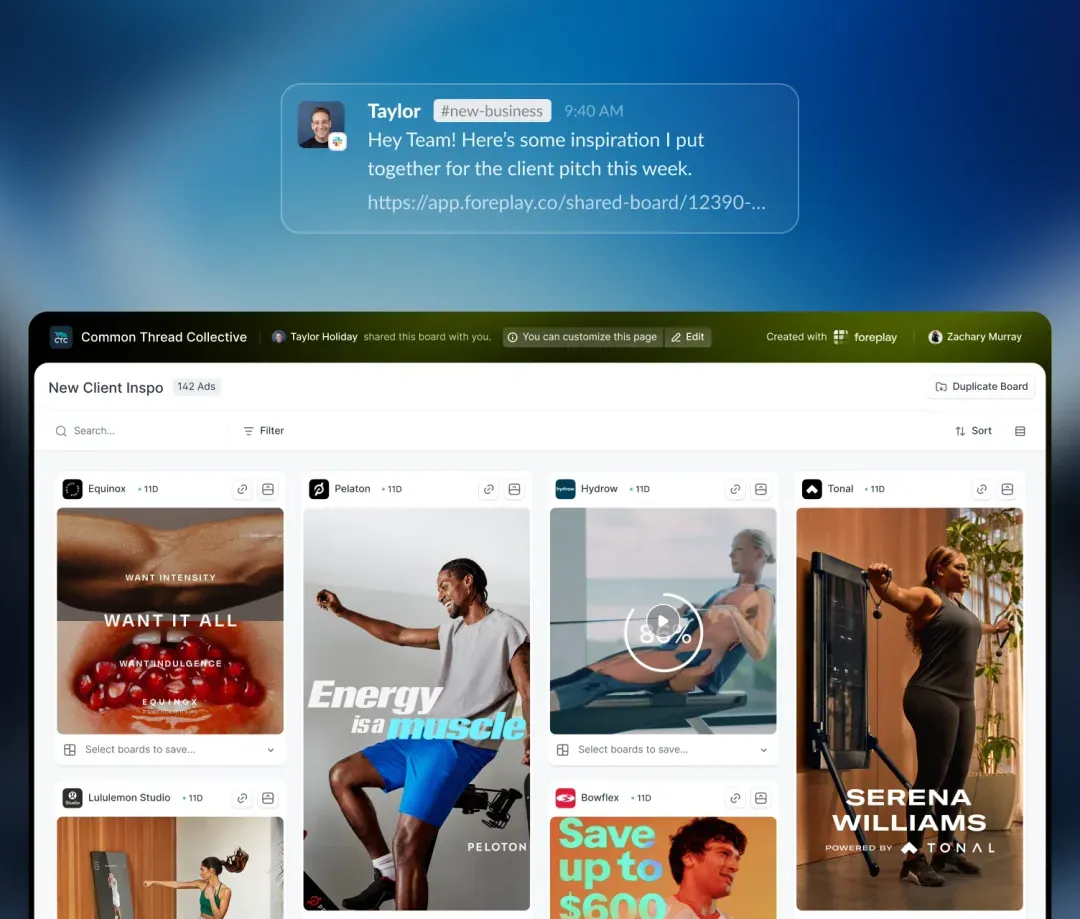
Foreplay: compare what each ad shows
The public board includes a bike, a rowing machine and strength equipment. The products are shown in use: look at framing, the person and the visible action. For your own reference, add a note as specific as ‘the mechanism stays on screen throughout the movement’. The library then becomes a filming reminder rather than a collection of ads to imitate.
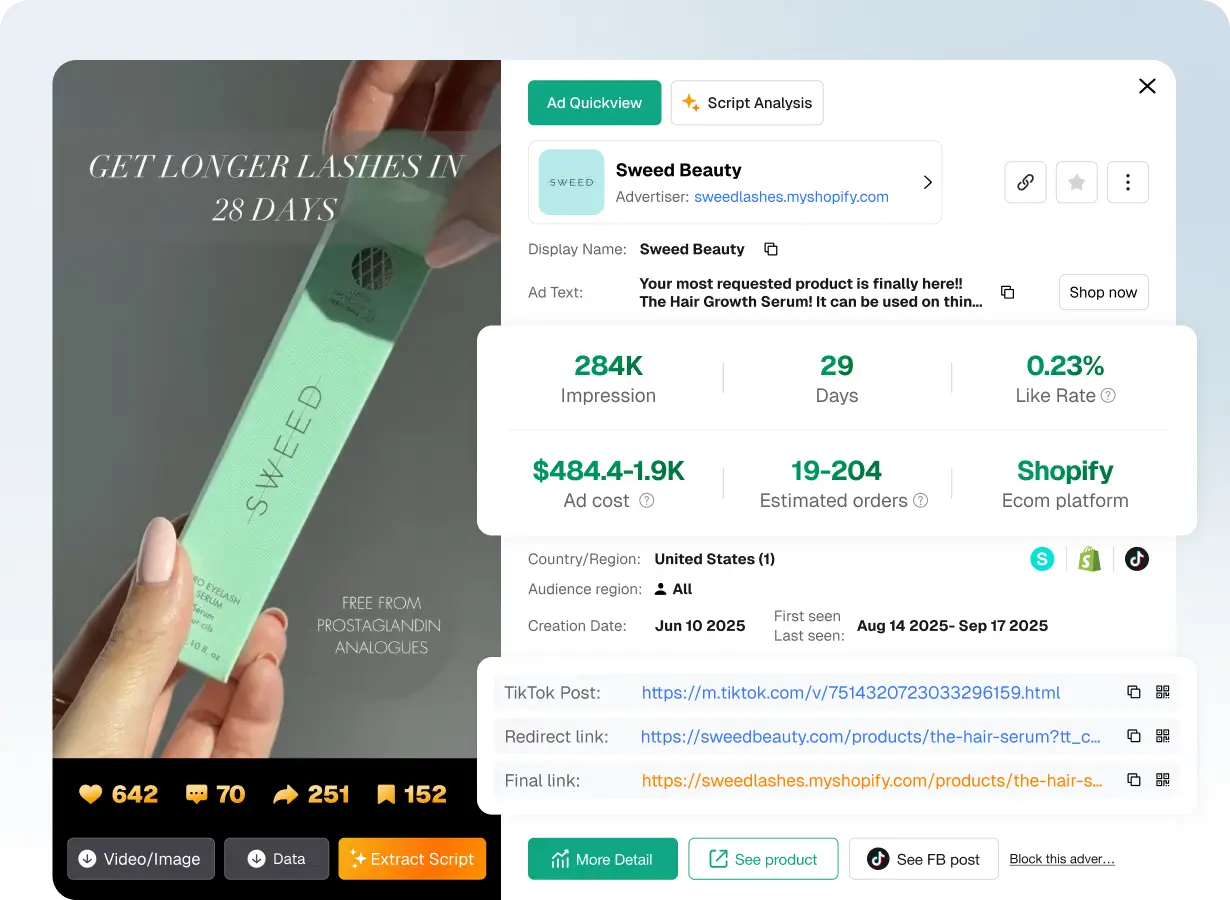
PiPiAds: separate the ad content from its estimates
This public example shows the product held in a hand and a result timeframe in the ad. You can study packaging and text placement; you cannot transfer that promise to a different product. PiPiAds' displayed cost and order ranges are estimates. Dates in the image are historical and the figures are not a report on your campaigns.
Worked example: three openings for a phone stand
Consider a fictional exercise: a store is preparing a video for a folding phone stand with adjustable tilt, sold on its own. It has a sample and wants to show the item before serving an ad. No campaign results are associated with this example.
The starting point is the same in all three versions: show use on a table and make the folding action visible. Before filming, the store measures the product and tries the phones and cases it intends to mention. If one configuration does not hold, it removes that compatibility claim instead of concealing the problem in a close-up.
- Product sold: one stand, without the phone or kitchen accessories; package contents appear on the product page.
- Action to film: unfold the stand, adjust its tilt, place the phone, then fold it again.
- Details to document: folded dimensions, support points, compatibility and cable access if that use is advertised.
- Destination: the same stand's product page, with images, variant and shipping conditions matching the ad.
| Opening | First shot and possible line | Question it answers |
|---|---|---|
| A. The mechanism | The closed stand opens on screen. ‘A stand that unfolds when you need it.’ | Is it immediately clear how the item works? |
| B. Kitchen use | Someone places their phone to read a recipe. ‘Your recipe on screen, your hands free.’ | Does the setting make the stand's purpose more tangible? |
| C. Transport | The stand folds and fits into a suitable pocket. ‘Unfolded on the table, folded for transport.’ | Can viewers see the item's actual bulk without misleading framing? |
A. The mechanism
- First shot and possible line
- The closed stand opens on screen. ‘A stand that unfolds when you need it.’
- Question it answers
- Is it immediately clear how the item works?
B. Kitchen use
- First shot and possible line
- Someone places their phone to read a recipe. ‘Your recipe on screen, your hands free.’
- Question it answers
- Does the setting make the stand's purpose more tangible?
C. Transport
- First shot and possible line
- The stand folds and fits into a suitable pocket. ‘Unfolded on the table, folded for transport.’
- Question it answers
- Can viewers see the item's actual bulk without misleading framing?
These openings carry different messages: A explains, B sets the use case, C shows bulk. To compare openings, keep the rest of the video, offer and destination the same. You will have a clearer idea of the difference you introduced. A new title colour over the same shot does not provide that variety of message.
Someone can narrate the demonstration, but the product should stay visible. For this stand, ‘I have used this model for six months’ would be an experience to substantiate; ‘here is how it folds’ simply describes the action. This distinction lets you film natural content without inventing a customer story.
Write a filming plan you can actually shoot
Here is an 18-second plan for version A. That duration belongs to the exercise, not a rule for every ad. A slow action may require more time; a simple offer can fit in one image. Write the shot and line together: if the line claims a quality, the shot should help explain it.
Prepare lighting and camera position before recording multiple takes. Film some details separately too: hinge, support points, folding and the item next to a size reference. This avoids having to reconstruct a feature in editing because the right image is missing. Keep one continuous take of the mechanism even if the final version uses a shorter edit.
| Indicative timing | Shot to film | Copy or voice |
|---|---|---|
| 0 to 3 seconds | Close-up of the folded stand followed by visible unfolding. | ‘A stand that unfolds when you need it.’ |
| 3 to 8 seconds | Tilt adjustment and placement of a compatible phone. | ‘Place your phone and choose the angle.’ |
| 8 to 14 seconds | Use on a table, then phone removal and folding. | ‘When you are finished, it folds for transport.’ |
| 14 to 18 seconds | Stand on its own with a readable presentation of the offer. | ‘See dimensions and compatibility.’ |
0 to 3 seconds
- Shot to film
- Close-up of the folded stand followed by visible unfolding.
- Copy or voice
- ‘A stand that unfolds when you need it.’
3 to 8 seconds
- Shot to film
- Tilt adjustment and placement of a compatible phone.
- Copy or voice
- ‘Place your phone and choose the angle.’
8 to 14 seconds
- Shot to film
- Use on a table, then phone removal and folding.
- Copy or voice
- ‘When you are finished, it folds for transport.’
14 to 18 seconds
- Shot to film
- Stand on its own with a readable presentation of the offer.
- Copy or voice
- ‘See dimensions and compatibility.’
ChatGPT can shorten your lines using this description and your measurements. GetHookd offers scripts and variations. Give them confirmed information, then reread each suggestion alongside the available shots. Interesting copy you cannot illustrate needs changing, not compensation with an image that changes the product.
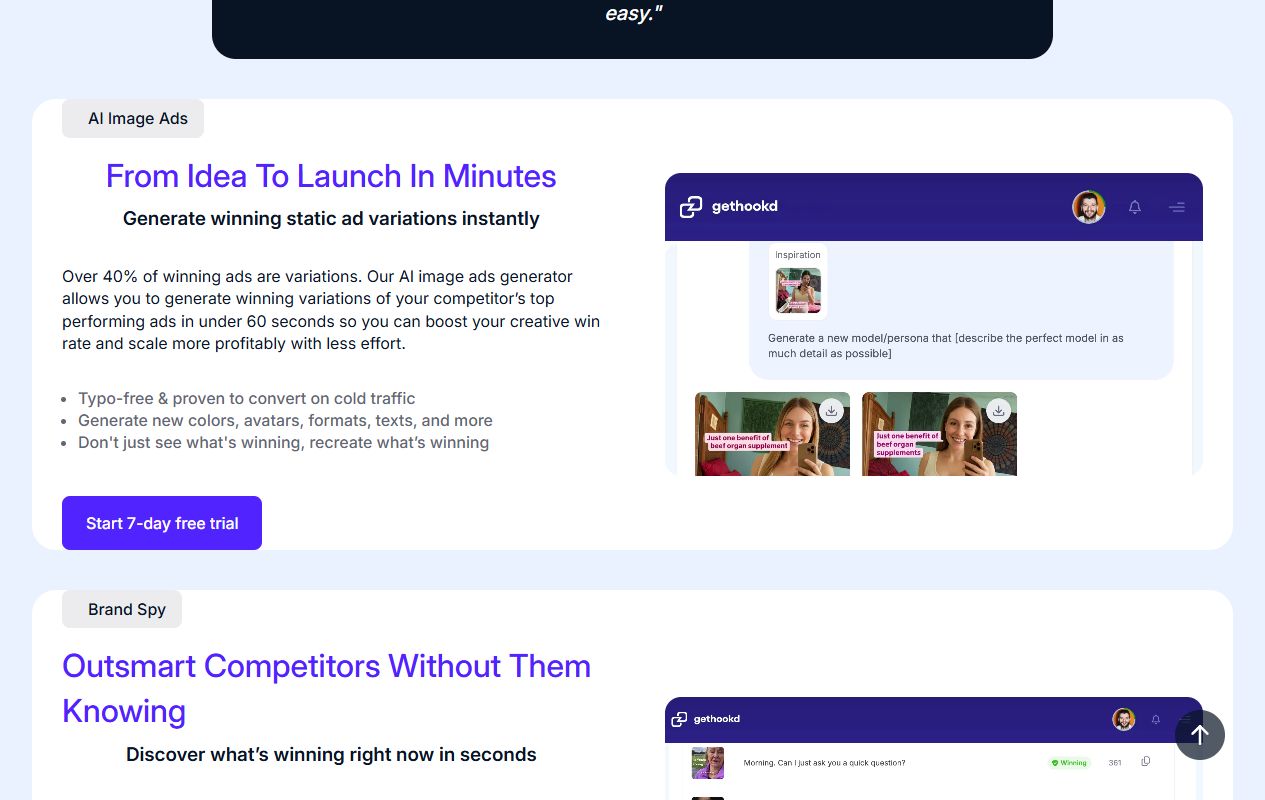
GetHookd: choose a variation for a specific reason
The demonstration panel shows suggestions with different people, copy and styles. Choose the difference that helps present your offer: a use case, detail or objection. Performance claims in the capture belong to the provider. They do not replace testing your own ads; producing more versions teaches little if nobody knows what changes between them.
Edit without hiding the demonstration
In the first edit, remove waiting and unnecessary takes but keep the essential action. For the folding stand, cutting from a closed item to a phone already in place would hide how it works. A rushed shot of the support points would make it hard to see how the phone is held. Pacing should help explain rather than simply accumulate image changes.
Review captions with sound, then watch without sound. Product names, numbers and compatibility deserve manual correction after transcription. Make lines short enough to read without covering the item; use contrasting colour and a position that hides neither the hand nor the mechanism. Animating every word may distract just when a detail needs attention.
For still images, take a real product photo and compose around its main benefit. Canva can help organise copy; Vmake can help work with available visuals. A generated image can be an illustration, but an added accessory, changed finish or unrealistic size would alter what buyers expect to receive. Use music, voices and images consistent with the rights you hold.
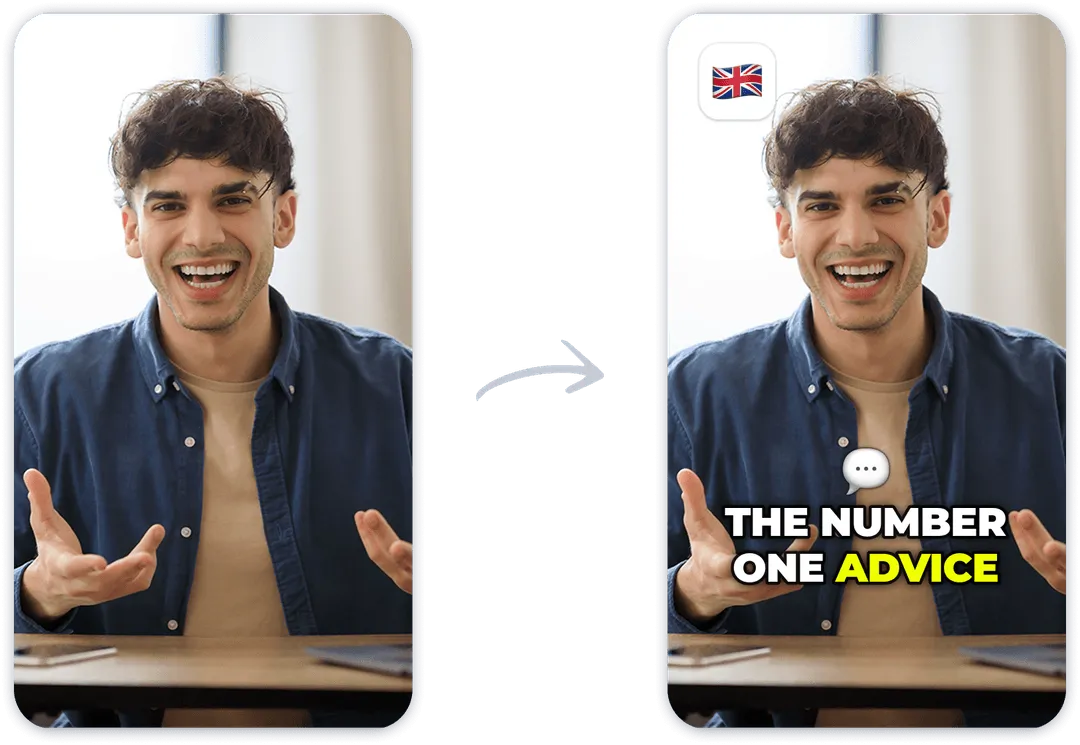
Submagic: check readability after adding captions
The presentation compares the same shot before and after adding text. For your video, examine what captions cover and how long they remain visible. A product demonstration does not need every effect in the example: the line mainly needs to be accurate and readable. Reviewing the exported file matters as much as reviewing it in the editor.
Adapt the file to where it will appear
TikTok's official recommendations include vertical 9:16, sound and keeping content clear of the interface. They distinguish introducing the content proposition in the first three seconds and working on the hook in the first six. These are starting recommendations, not proof that one duration or style will outperform another for your store.
Choose placements before exporting, then check their preview in the ad platform. The product, a dimension and price conditions should remain visible despite buttons and captions. On another placement, adapt the composition too: moving from vertical to square may require moving text or choosing a different shot. Shrinking the entire image to fit can make the product too small.
Return to the exported file on a phone. The opening should be understandable, captions readable and the final line consistent with the button actually shown. For our stand, ‘see compatibility’ should lead to a page that clearly provides it; an attractive image cannot compensate for missing information after the click.
Read TikTok's creative recommendations
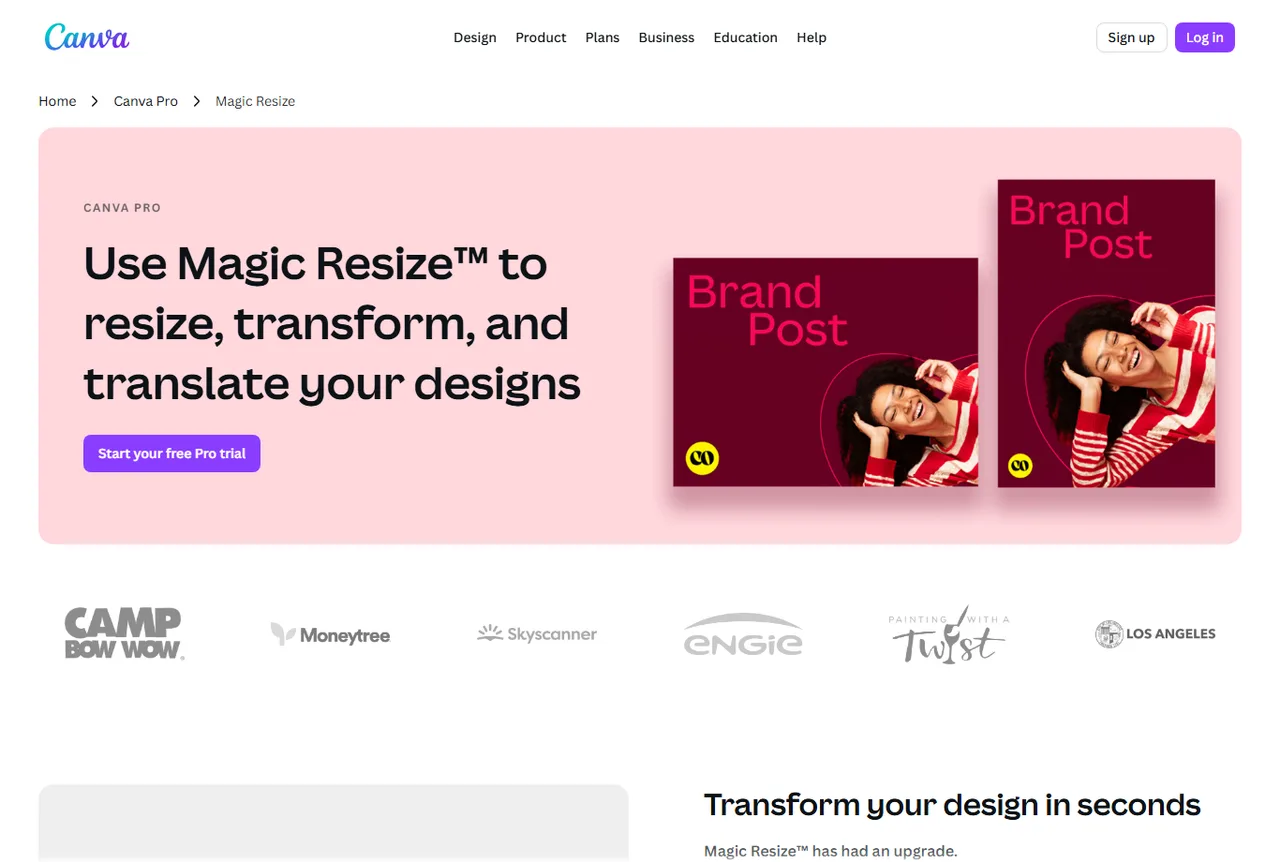
Canva: change proportions, then check composition
The example shows one design adapted to different proportions. Formatting helps prepare files, but text, framing and margins still need checking in each version. For a product ad, compare the item's size and offer readability on the small screen where people will see it.
Before the first launch
A file ready to export is not yet a complete ad. Review content, destination and the difference you want to compare. This short list avoids launching three variants whose offer or product changes at the same time as the opening.
- Model, colour and package contents match what you sell.
- The demonstration shows the action and details described in the copy.
- Reviews, voices, faces, music and other media are used with the necessary permissions.
- Captions, proportions and text areas have been checked in the final file and placement preview.
- Price, conditions and button lead to a page consistent with the ad.
- Each version has a name identifying the difference, such as stand-A-mechanism, stand-B-kitchen and stand-C-transport.
Which Spybox tools should you use, and when?
A reference library, a writing tool and an editing or design tool may be enough for this work. Start with the task holding you back: finding an example, writing a clear line, filming or formatting. Taking the same video through every tool adds work and may consume credits without solving that problem.
Spybox presents 90+ tools and 100,000 monthly SBC credits, with published pricing of €29.99 per month or €249.99 per year, based on pricing information verified August 4, 2026. The site code is GET25. Check available functions, code conditions and the final amount before payment: shared access is not necessarily equivalent to every feature of a direct subscription. Filming and media spend remain separate; SBC does not pay for ads in an advertising account.
| Task | Tools to consider | What you want to produce |
|---|---|---|
| Find a reference | PiPiAds, Adsparo | A few useful ads showing an opening or demonstration with their context. |
| Keep and explain examples | Foreplay | An annotated selection the person filming can understand. |
| Write and vary the message | ChatGPT, GetHookd | Product-accurate lines and versions whose differences are identifiable. |
| Prepare images and formats | Canva, Vmake | Files keeping the product and offer readable. |
| Finish a short video | Submagic | An edit that shows the action and reviewed captions. |
Find a reference
- Tools to consider
- PiPiAds, Adsparo
- What you want to produce
- A few useful ads showing an opening or demonstration with their context.
Keep and explain examples
- Tools to consider
- Foreplay
- What you want to produce
- An annotated selection the person filming can understand.
Write and vary the message
- Tools to consider
- ChatGPT, GetHookd
- What you want to produce
- Product-accurate lines and versions whose differences are identifiable.
Prepare images and formats
- Tools to consider
- Canva, Vmake
- What you want to produce
- Files keeping the product and offer readable.
Finish a short video
- Tools to consider
- Submagic
- What you want to produce
- An edit that shows the action and reviewed captions.
Questions about ecommerce ad creatives
What is the best creative for an ecommerce product?
Start with what shows buyers what they need to understand: operation, use, size or the difference between models. Choose a demonstration for a mechanism and a measured reference for a dimension. Your offer's best result is then measured in your own campaigns, not a competitor library.
Do I have to make a UGC video?
No. A demonstration or explanatory image may fit better. If someone appears, distinguish a creator's presentation from an actual customer experience. Do not invent a testimonial to make an ad feel natural.
What should appear in the first few seconds?
The subject and a reason to continue: an action, use case or useful detail. TikTok recommends introducing the content proposition in the first three seconds and developing the hook in the first six. Adapt pacing to what viewers need to see without hiding an essential step.
Do likes and time in circulation prove an ad sells?
They can help choose an ad to inspect but do not by themselves reveal revenue, costs and margins. Competitor indicators may be estimated. For your results, reconcile advertising data with orders and store costs.
How many variants should I prepare initially?
Prepare what you can produce and compare properly. The exercise suggests three distinct openings for the same stand, with a common video body, offer and destination. That number is not a budget prescription or result guarantee.
Can I reuse a video found in PiPiAds?
Finding it in a library does not grant reuse permission. Study the idea or structure, then film your product with your own materials or use media for which you hold the necessary rights. Do not remove a third party's attribution.
Can AI replace product images?
It can help with writing, editing or an illustration. Start with the real item when showing operation, dimensions or compatibility. An image inventing a feature or adding an accessory risks presenting a different offer from what you sell.
Does Spybox pricing include ad delivery?
No. The subscription covers tool access under the offered conditions. Media spend, products, filming and other costs remain separate. SBC credits are not a Meta, TikTok or Google Ads budget.
Sources and illustrations
Official pages consulted October 3, 2026. Reused images are providers' public presentations and may predate that visit. The phone stand and filming plan are a fictional preparation exercise without measured commercial results.