

50+
caption languages
Submagic highlights automatic transcription and captions for short-form videos.
TikTok, Reels, Shorts
social formats
The tool is mainly useful for speeding up vertical video and short clip finishing.
100 000
SBC credits/month
Included in the Spybox offer at 29.99 EUR/month.
Submagic becomes useful when the video idea already exists but finishing slows everything down: captions, cuts, B-roll, pacing, export and platform variations.
Inside Spybox, the logic is simple: Foreplay helps choose references, ChatGPT or Claude prepares the message, Runway or HeyGen can create a video base, then Submagic makes the short clearer and easier to test.
The trap to avoid
Finishing should not hide a weak message. A short video works best when the hook, proof and pacing all serve the same idea.
Tool preview
Turn a video into a usable short
These official previews show the main Submagic use cases: captions, B-roll, short clips, silence trimming, styles and automated finishing.
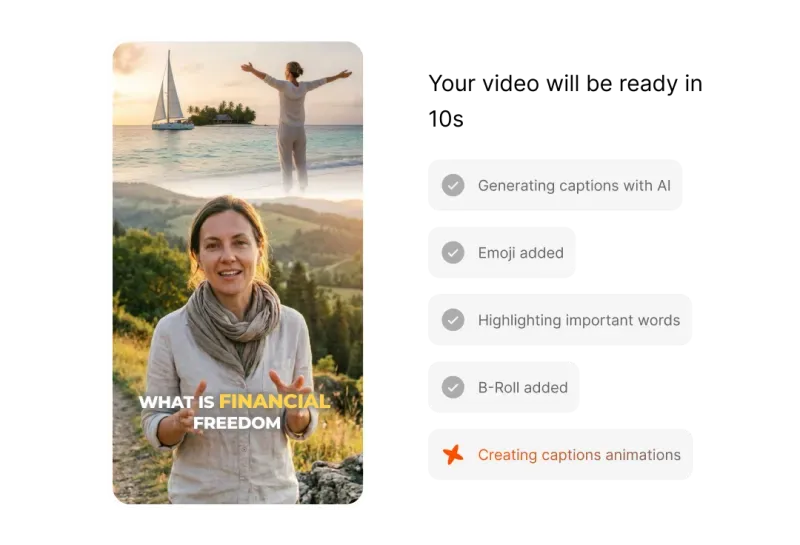
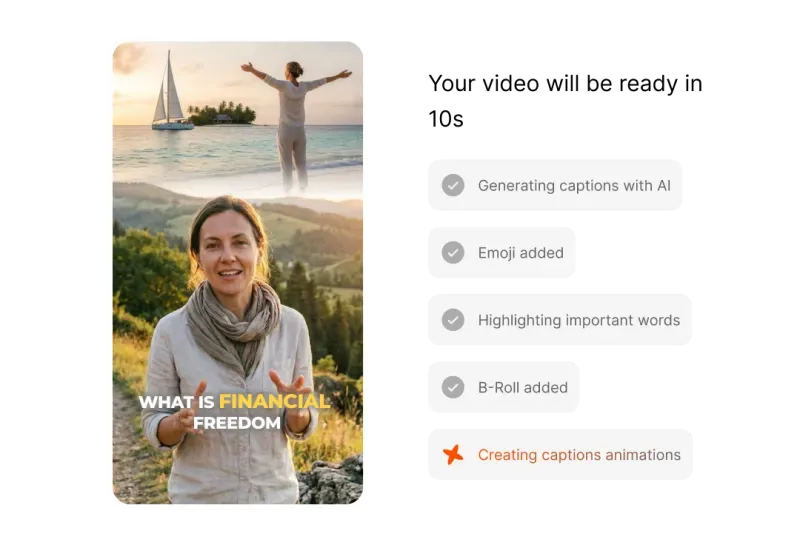
Assemble a short faster
Submagic combines several short-form finishing steps: captions, emojis, highlighted words, B-roll and animations. It helps when the video idea is already clear but needs stronger pacing.
View Auto Video Editor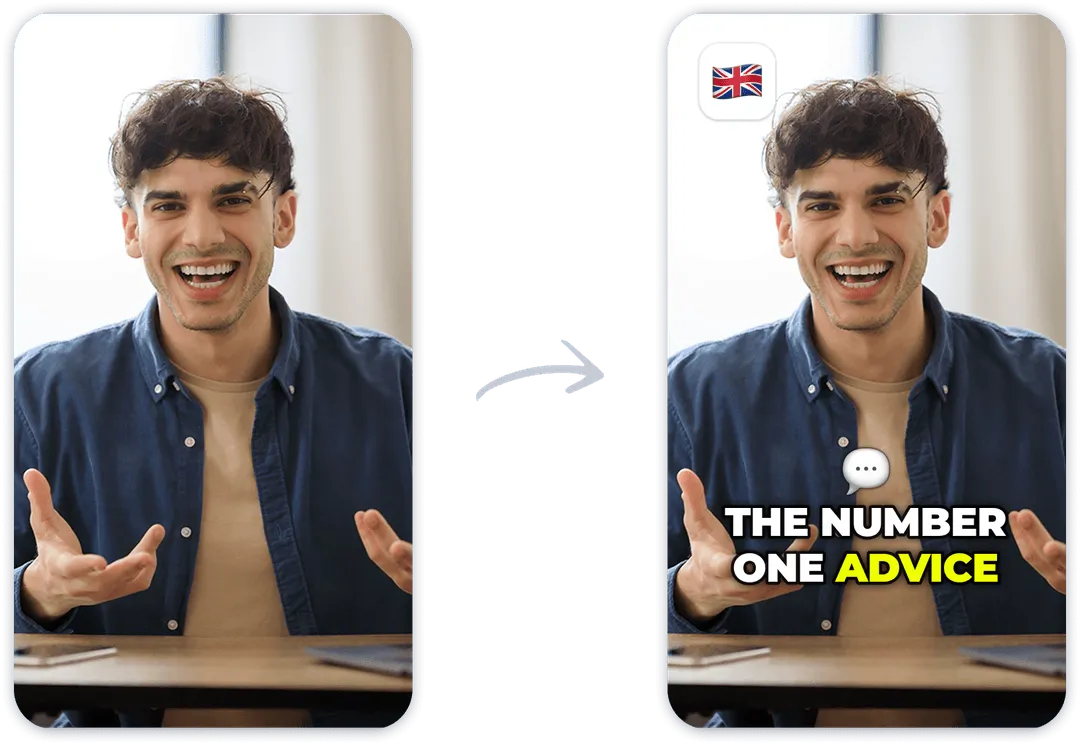
Add readable captions
Captions are the first gain: they make the message understandable without sound, reinforce the hook and reduce attention loss in the first seconds.
View Submagic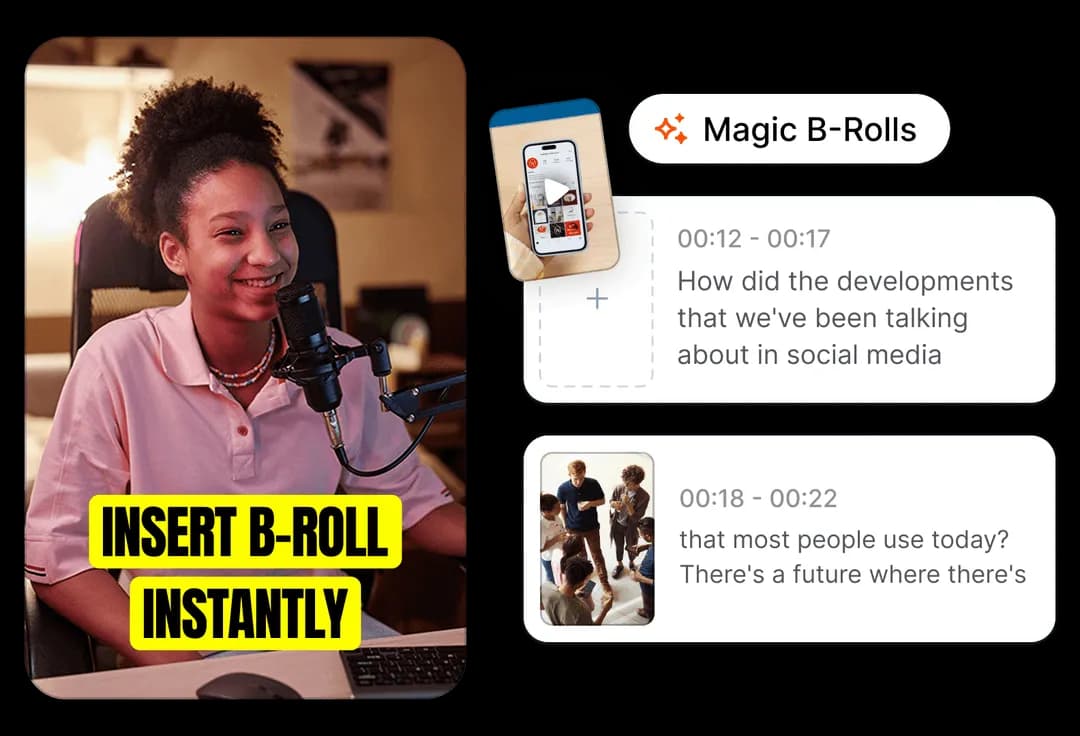
Insert B-roll at the right moment
B-roll can restart attention, hide a cut or illustrate a sentence. The useful question is where support footage truly makes the message clearer.
View Submagic B-roll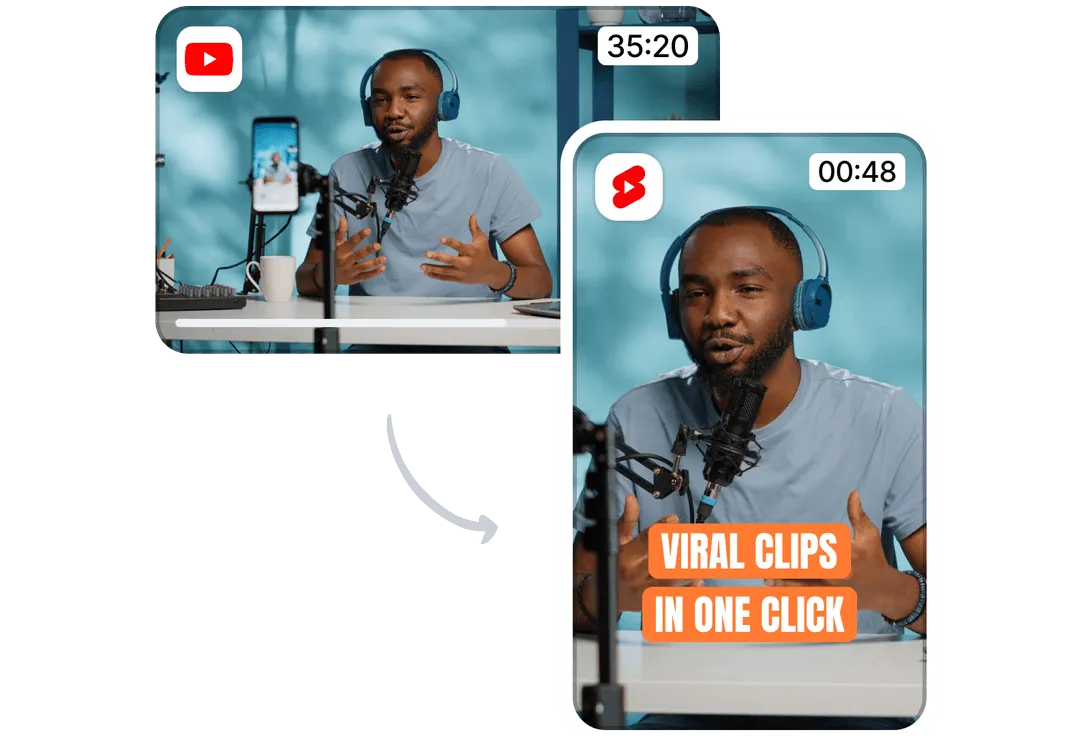
Cut a long video into short clips
Magic Clips helps identify usable moments in long content: podcast, interview, product demo, course or YouTube video. The next job is choosing clips that carry a real idea.
View Magic Clips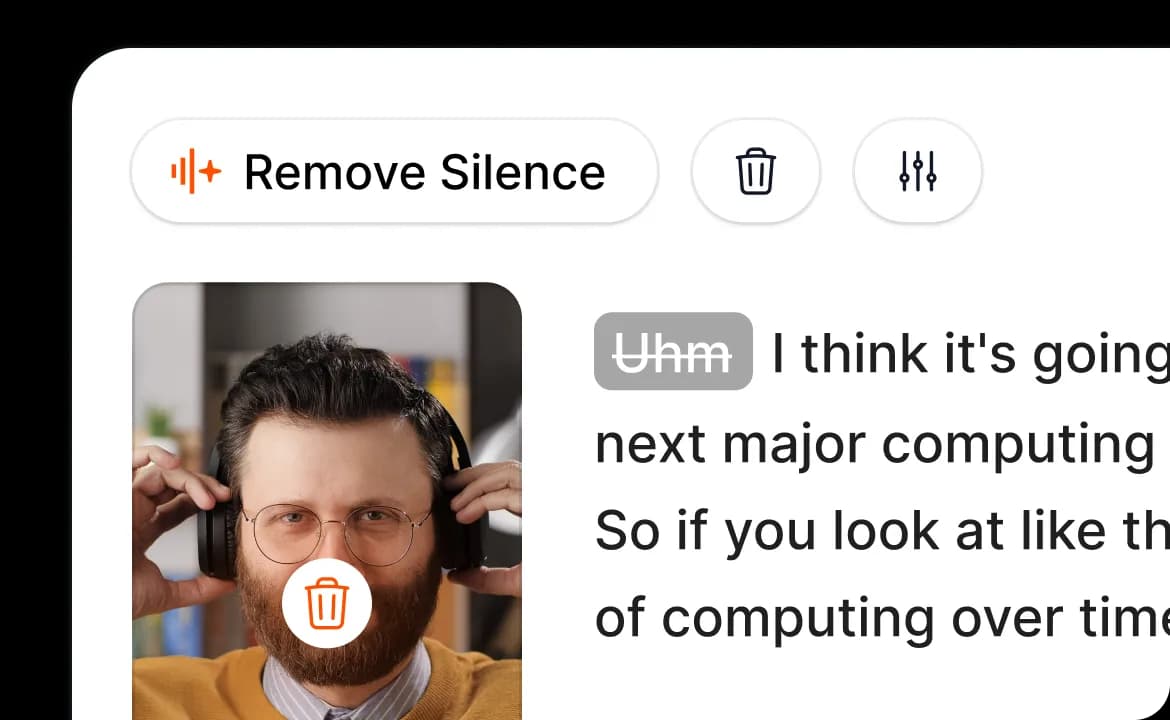
Clean pauses and hesitations
Silence trimming helps keep a short video moving, especially with talking-head footage. A final review still matters so the cut does not feel nervous or artificial.
View Auto Video Editor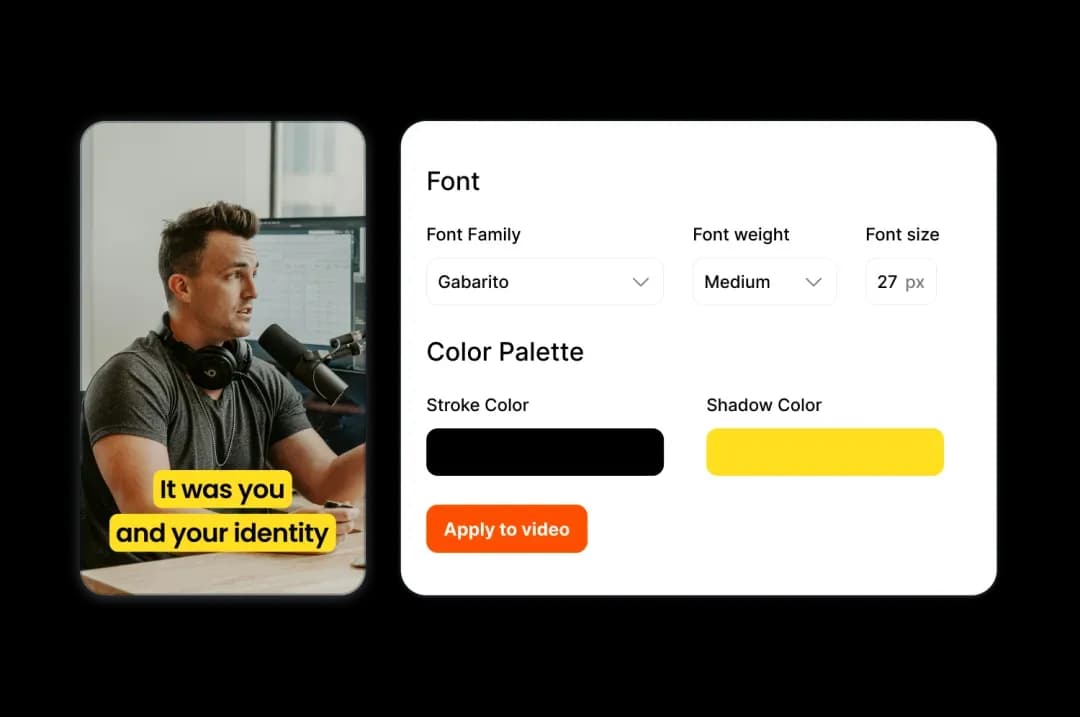
Keep caption style consistent
Text styles, colors and sizes prevent teams from rebuilding the same settings on every video. For brands and agencies, consistency matters as much as speed.
View SubmagicWhat to look at
Hook
The first sentence and first frame should give viewers a reason to stay, even without sound.
Promise
The viewer should understand what they gain: a tip, proof, demonstration, objection answered or visible result.
Captions
Mobile readability, pacing, contrast, highlighted words and no visible transcript mistakes.
B-roll
Each insert should clarify, restart attention or hide a cut. Too much B-roll makes the message noisy.
Export
Format, duration, ratio, final quality and fit with TikTok, Reels, Shorts or LinkedIn.
Series
A good output should be repeatable: same angle, another hook, another proof point or another audience segment.
Short finishing method in 6 steps
Choose a source video
Start from talking-head footage, a podcast, product demo, tutorial or long content that already has usable value.
Define the message
Before editing, write the main idea: problem, tip, proof, demo, objection or strong moment.
Generate captions
Correct sensitive words, simplify long phrases and check that text remains readable on mobile.
Clean the pace
Remove obvious dead air while keeping enough breathing room for the sentence to feel natural.
Add B-roll and simple effects
Illustrate key moments, add zooms or sounds when they help the message, then remove what tires the eye.
Export a testable variant
Create one clear version per angle, channel or audience. The useful output is a video ready to compare.
From raw video to decision
Captions
The message is clear immediately without turning sound on.
Keep the version and test another hook or caption style.
Silence trimming
The video gets shorter without losing the sentence meaning.
Validate pacing, then check that transitions still feel natural.
B-roll
A spoken section becomes clearer with supporting footage.
Keep the insert if it explains better; remove it if it only decorates.
Magic Clips
A long piece contains a standalone moment with a beginning, idea and exit.
Turn it into a complete short, then create a matching title or thumbnail.
Brand style
Text, colors and rhythm stay consistent across videos.
Create a family of variants instead of rebuilding each edit from scratch.
Use cases by profile
Submagic is mainly about saving time on short-form finishing. The useful output is a clear variant to publish, not just a busier edit.
Short-form creator
Publish more consistently with clean captions, quick cuts and coherent social finishing.
Ecommerce operator
Turn a product demo or UGC video into multiple ad variations ready to test.
Social ads agency
Standardize caption styles and speed up batches of short videos for multiple clients.
Coach or educator
Cut a long video into short clips that deliver a tip, proof or educational moment.
Podcast or media team
Find the moments inside a long episode that can stand alone as vertical clips with a clear opening.
Local brand
Turn reviews, behind-the-scenes clips, demos and phone footage into cleaner short-form content without a heavy studio setup.
Choose the right source video
Submagic works best when the starting material already carries an idea. Finishing then makes that idea clearer, shorter and easier to compare.
Talking-head UGC
Review, objection, usage proof, before/after moment or direct promise.
15 to 35 second short with very readable captions and hesitation trimming.
Product demonstration
Showing texture, handling, a solved problem or a concrete result.
Short version with B-roll where the image explains more than the voice.
Podcast or interview
Extracting a strong sentence, short story, useful tip or opinion.
Standalone Magic Clip with a clear beginning, main idea and clean ending.
Course or tutorial
Turning an educational passage into a short tip, quick check or mini lesson.
Vertical extract with cleaner pacing, short titles and dead-air removal.
Customer testimonial
Highlighting proof, transformation or a credible sentence without over-editing.
Simple short with corrected captions, light effects and a usable conclusion.
Behind the scenes or live
Recovering a spontaneous moment, product explanation or piece of social proof.
Social clip with context added in the first seconds and export matched to the channel.
Adapt the output to the channel
The same extract is not read the same way on every channel. Before exporting, choose what the video should prove and how it will be measured.
TikTok
Immediate hook, tight pacing, strong first frame and highly visible captions.
The topic should be clear without outside context or a long introduction.
Instagram Reels
Cleaner finish, brand consistency, useful B-roll and a visual loop that feels pleasant.
The video should stay readable in the feed and coherent with the brand's other content.
YouTube Shorts
Standalone idea, simple title, logical progression and an ending that does not feel abruptly cut.
The extract should work outside the original long video.
Sober captions, professional message, proof or useful advice from the start.
Effects should stay discreet and not reduce the credibility of the message.
Social ads
Measurable angle, product proof, reading pace and a clear variant to compare.
The output should connect to an offer, a page and a test hypothesis.
Combine it with other Spybox tools
Foreplay
Save creative references that inspire future shorts and UGC scripts.
Runway
Create or animate scenes before finishing them as short-form content.
Hoox
Produce a UGC base with avatar, product, B-roll and variants before Submagic finishing.
AI text
Prepare hooks, short scripts, descriptions and message variations.
Best creatives
Connect video finishing with the ad formats worth testing.
UGC creatives
Understand how Submagic fits into short-form production built around visible proof.
ChatGPT
Prepare hooks, scripts and variants before moving to cuts and captions.
Creative chain
Combine Submagic without losing the message
Submagic is strongest when it arrives at the right moment: after the angle is chosen and before publishing. Each nearby tool should support a precise decision.
Before editing
Foreplay
Collect UGC references, hooks, formats and angles that give the short a direction.
Message
ChatGPT or Claude
Prepare an opening line, shorten a script, rewrite an objection or create several angles.
Video base
Runway, HeyGen or Akool
Create a scene, avatar, variation or video support before Submagic finishing.
Voice
ElevenLabs
Create a voiceover or short narration when the source video has no usable voice.
Final creative
Canva or Spybox creative pages
Prepare a thumbnail, support visual, title or ad variation around the finished short.
Questions before publishing
Message
Can viewers understand the topic in under three seconds, even without sound?
Pacing
Does the cut keep energy without removing the pauses needed for comprehension?
Proof
Does the B-roll or supporting image explain something the spoken part does not show enough?
Test
Is the video attached to a measurable angle: hook rate, retention, click, comment or conversion?
Final check before export
A good edit sheet is not just a list of effects. It helps confirm the short can be published, compared and reused without losing the message.
The first second already gives the topic or benefit.
Captions do not cover the product, face or main action.
Important words are corrected: brand, price, proper noun, claim, technical term.
B-roll appears only when it clarifies, proves or restarts attention.
Cuts still sound natural, even when the pace is short.
The style can be reused across several videos without starting over.
The exported version matches a specific channel and test hypothesis.
The final file is watched one last time on mobile before publishing.
Mobile reading
Captions should guide the eye: large enough, contrasted, short, and highlighted without overwhelming the frame.
Short edit
Cutting faster is not always better. A good cut removes dead air while keeping the sentence understandable and credible.
What Submagic does not replace
Submagic improves finishing, but it does not turn a weak idea into a strong ad.
Automatic captions should be reviewed, especially for brand names, prices, claims and technical terms.
An edit that is too fast can reduce comprehension instead of improving retention.
B-roll should remain coherent with the brand, usage rights and product context.
A short video still has to be compared with a specific offer, page and channel.
Access through Spybox depends on the dashboard, credits and tools available during your session.
Test Submagic with Spybox
Start with one source video, one message, two caption styles and one B-roll variant. The goal is to leave with a short ready to measure, not an overloaded edit.
Try Spybox with GET25