
Promo code GET25Check the code
Spybox

Who is Spybox for?

Spybox may interest an ecommerce seller, freelancer or creator who regularly moves from research to writing and preparing visuals. Its value depends on the tasks performed and tools actually used, not just the occupation on a business card.

Only need one specific application, a shared space for several colleagues or an occasional answer? Compare direct subscriptions and free resources too. Here is how to make that choice, with examples of work and the limits of individual access.

Start with the work you need to do

Before browsing the catalogue, write down a recurring task: comparing offers, finding product demonstrations, preparing a brief or adapting a visual. Then choose the tool for the market and channel. Researching a Shopify store and analysing TikTok Shop do not answer the same question.

The table gives starting points, not a list to open in full. Features presented by a publisher do not automatically describe the plan accessible through Spybox: check the options you need before choosing a subscription.

Ecommerce: compare an offer
Starting point
Kalodata for TikTok Shop; PPSPY for Shopify.
Output to prepare
A dated product and store comparison, then the costs of your own offer.
Acquisition: research ads
Starting point
PiPiAds for TikTok or Meta; Adsparo and AdSpy for Meta research.
Output to prepare
A few references with context and scenes to observe.
Freelancing: prepare a brief
Starting point
Foreplay to organise references; ChatGPT to work on copy.
Output to prepare
A document to review with objective, product facts, scenes and required materials.
Creation: adapt content
Starting point
Canva for layout; Submagic for video captions.
Output to prepare
A channel-appropriate file reviewed at its intended viewing size.
SEO: research and prepare a page
Starting point
Tools available through Rankerfox, according to the access offered.
Output to prepare
Sourced queries and observations, then a page to measure in your own data.
Beginner: learn a search task
Starting point
One question and one tool; public resources to start.
Output to prepare
A short note separating observations, assumptions and the next check.
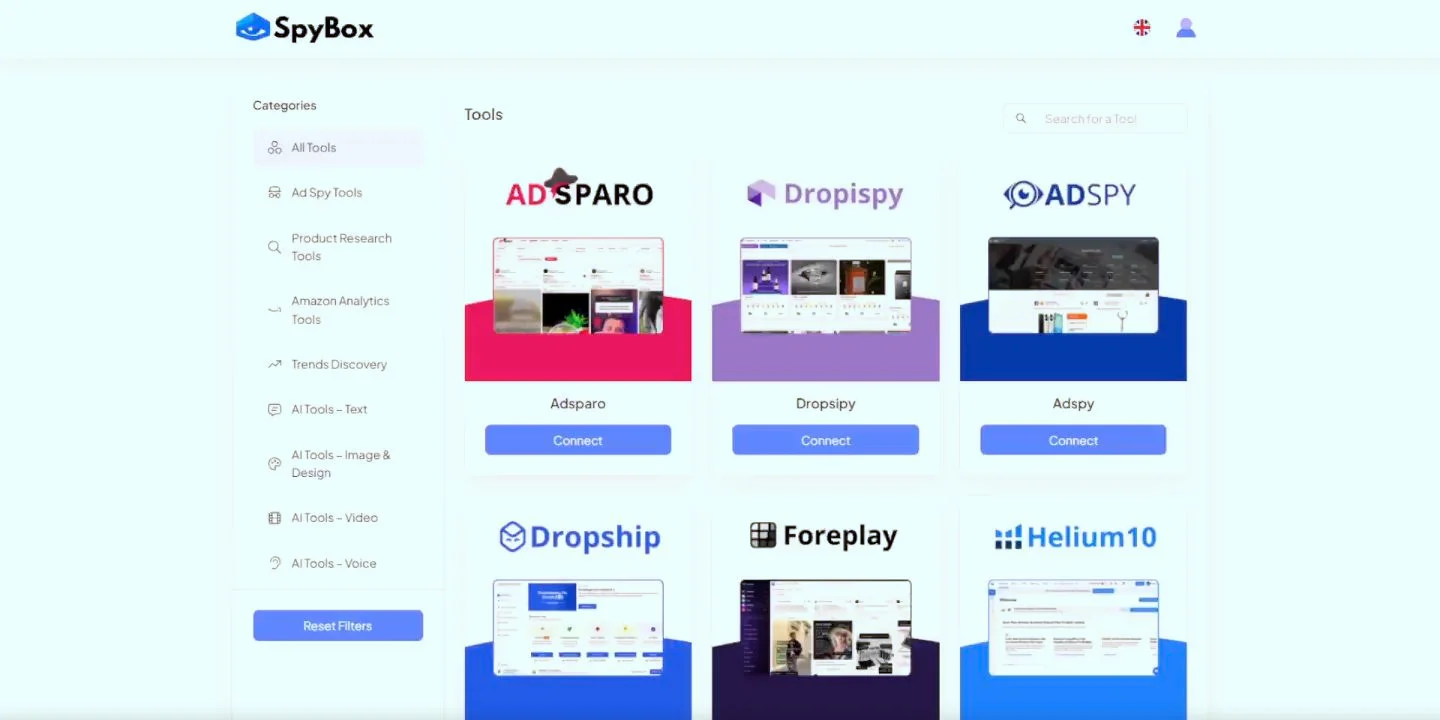
Spybox public demonstration showing categories and several catalogue tools

Several categories, one question at a time

This public preview illustrates tools grouped together, not a personal account. Its appearance may differ from the current application. Choose from your question and the relevant tool category; the catalogue is not a list of tasks to complete.

Compare ecommerce tools

Source

Ecommerce sellers: compare before selecting an offer

For an existing store, research often answers a specific question: which variant to add, how to present an accessory or which arguments other sellers emphasise. Kalodata helps explore TikTok Shop; PPSPY helps study Shopify products and stores. Keep the same country and period when comparing references.

Take a store considering selling a water bottle. Research can record three offers, their capacity, included accessories and how they show opening the bottle. The next task is to request a sample, measure the product and compare the delivered cost. The most visible product is not necessarily the one that fits your customers.

  • Record the model, observed price, quantity and date; an offer containing two units is not comparable to a single unit.
  • Separate a tool's estimated sales from confirmed orders in your store.
  • Check shipping, fees, returns and margin using your costs, not the competitor's assumed costs.

Spybox provides research and preparation tools here. It does not take over sourcing, customer support, delivery or advertising funding. If you have neither a product nor a market question yet, these checks may be more urgent than purchasing another tool.

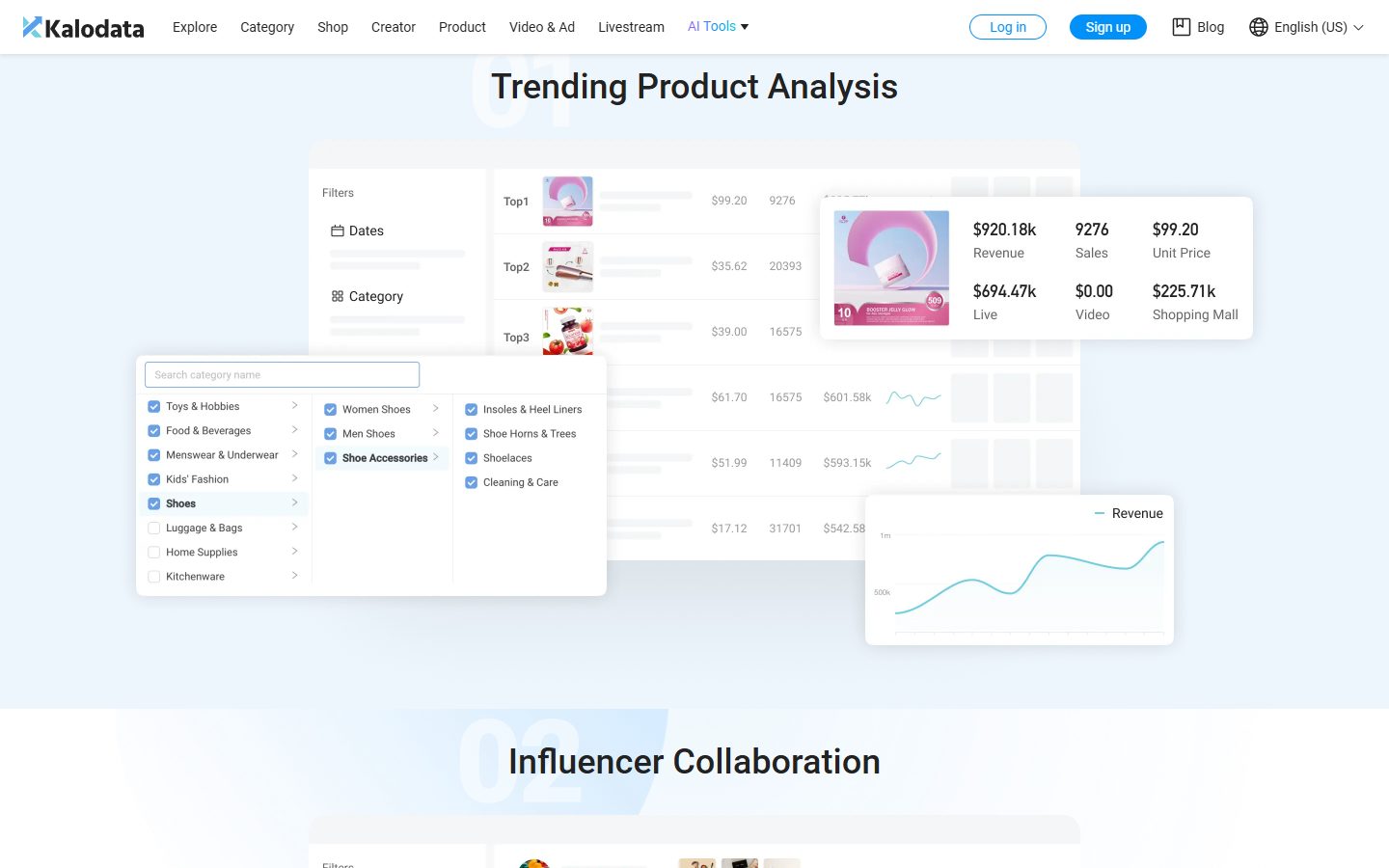
Kalodata public presentation of product analysis and category filters

Kalodata: understand the TikTok Shop market

The publisher illustrates product and category analysis. Indicators come from processed public data and can differ from actual sales. This example is neither our store nor evidence that an offer would be profitable for you.

Understand Kalodata

Source

Marketing and advertising: move from references to a brief

An acquisition manager or freelancer can use research to compare angles, video openings and demonstrations. PiPiAds, Adsparo and AdSpy address this work according to the selected network. Foreplay helps organise references and prepare a brief. The aim is to decide what to explain and show with your own product.

For our water bottle, look for how ads show filling, closing and carrying it. Keep references that make an action understandable, then write a brief: a close-up of the cap, opening in one sequence and an object of known size beside it. Film your model instead of reusing another brand's advertising file.

A running date, views or a spending estimate provide context. They prove neither an ad's profitability nor the budget appropriate for your campaign. Your spending, orders, returns and test results are read afterwards in your own accounts and commercial records.

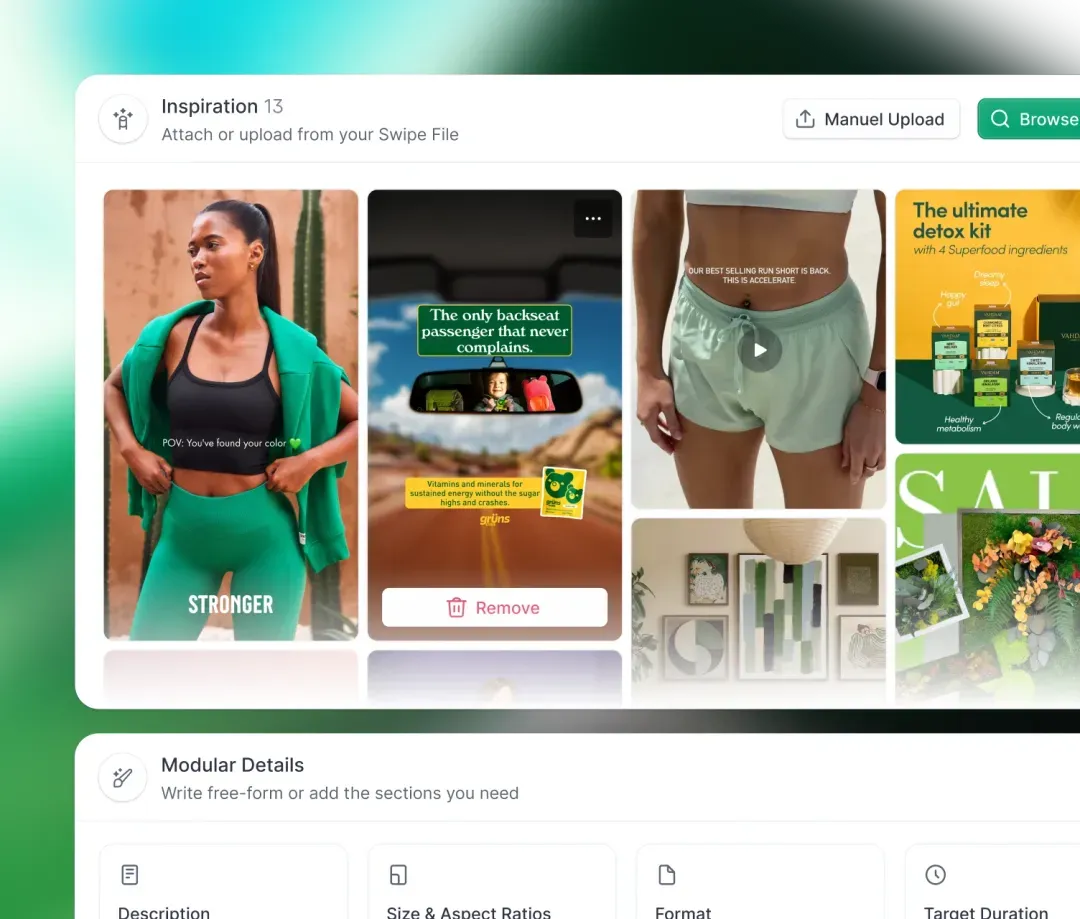
Foreplay public brief presentation with ad references and format details

Foreplay: collect scenes that inform the brief

The publisher presentation shows selected references and brief fields. It illustrates moving from inspiration to a preparation document. The direct product's collaboration and sharing options should be distinguished from Spybox's individual access.

Organise references with Foreplay

Source

Creators and freelancers: build from your own materials

Spybox can also be useful without a store: a newsletter, presentation or video sometimes needs several creation stages. ChatGPT can help suggest wording from your documentation; Canva can help with layout; Submagic can help prepare captions. Choose this combination for actual work, not to use every available tool.

A creator presenting the bottle can start with three authorised photos, measured dimensions and a short video. They prepare two titles, choose a format and review the copy beside the product. A generated image does not demonstrate a material property; persuasive wording does not replace a measurement or test.

  • Retain original files and validated information so a variant can be corrected.
  • After changing format, check framing, cut-off words and readability on a small screen.
  • Before publishing, check rights to images, music, voices and depicted people.

Regular use of several tools can justify a grouped offer. If you only make one poster per quarter, a free version covering layout may be enough. If your activity depends on a specific function, check its export, availability and terms rather than deciding on the total number of tools.
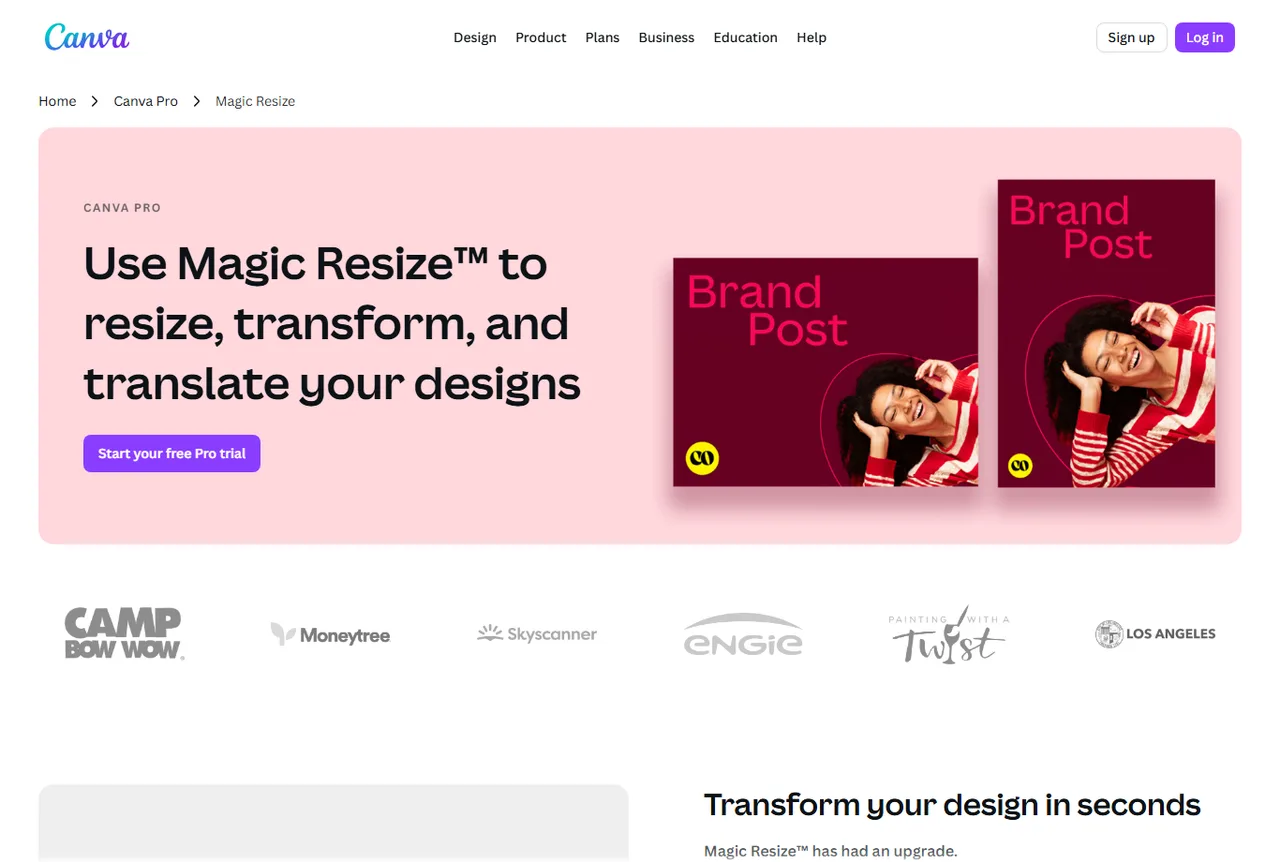
Canva public Magic Resize presentation showing two versions of one visual

Canva: adapt content to another format

Resizing helps adapt a composition. Framing and copy still need checking in the final file. The pictured functions belong to Canva's presentation; their availability in your access should be checked separately.

Prepare a layout with Canva

Source

SEO consultants: check the tools, not just the Rankerfox name

Rankerfox offers access to digital marketing tools and resources; it is not one application doing all SEO work. For an assignment, identify the need: query research, observing competitor pages, technical audit or tracking. Then check which tool is available, with which limits and exports.

For a site selling bottles, initial research can distinguish a cleaning question, a materials comparison and a purchase page. The content, product information and destinations differ. Search volume alone is not enough to decide which page to create; observed results and the site's data complete the choice.

Spybox can be interesting if this research combines with other writing, research and creation tasks. For an exclusively SEO requirement involving permanent projects, automated tracking or a particular integration, also compare a direct subscription. Do not assume grouped access includes the capabilities of every publisher plan.

Agencies: professional use does not mean a shared account

Spybox's official FAQ describes individual access and prohibits sharing credentials. An independent professional may need research for several assignments; that does not turn their account into a licence for a whole agency. If several people need to use the tools, ask Spybox about access terms before organising around that access.

Also distinguish research on public pages from processing a client's documents. A contract, customer list or commercial file does not become suitable for a tool because it is in the catalogue. Use approved access and a suitable environment for the assignment, with the necessary permissions.

Research performed by one person
What it involves
One user prepares observations and a working document.
Check before choosing
Tool availability, usage limits and the ability to retain results.
Several colleagues using tools
What it involves
Each person needs authorised access arrangements.
Check before choosing
Terms with Spybox; do not distribute an individual account's credentials.
A client's files or information
What it involves
The working environment and permissions must fit the assignment.
Check before choosing
Client approval and the chosen environment; start with public information where possible.
Deliverables and permanent projects
What it involves
Files must stay accessible to the appropriate recipient.
Check before choosing
Export, file ownership, retention period and the need for a dedicated workspace.

There is no confirmed client or site quota presented here for your subscription. One assignment may need few searches and another many actions. Estimate work by operation, then compare it with available limits, instead of promising a number of clients from the monthly price.

Beginners: learn with one limited first task

You can learn research without owning a store. Choose a simple question, find a few references and write down what you actually observed. For the bottle, that might mean comparing three ways to show the cap. You do not need to launch a campaign to learn this reading process.

Start with public pages, demonstrations and free versions answering the question. A subscription becomes easier to evaluate once you know which features you are missing. Access to tools is not a complete course in sales, SEO or advertising, even if resources and support can help you get started.

Spybox's current presentation describes an application for Windows and Mac. Check your equipment and follow your member area's instructions. The beginner guide explains a first search and reading credits; you can follow it before multiplying tasks.

Compare Spybox, a direct tool and a free solution

Compare subscriptions you would actually use and pay for. Adding up the prices of dozens of tools you do not need does not measure your savings. Start with your previous month: tasks performed, frequency, missing features and subscriptions you could replace without losing an essential service.

The offer presented on this site groups 90+ tools. Reference prices, dated August 4, 2026, are €29.99/month or €249.99/year. Code GET25 concerns Spybox, not a separate discount for each publisher. Read the final price and offer terms before paying.

Public pages or free version
When to compare it
Learning or occasional work covered by the available features.
Decision point
Can you produce the required result without a subscription?
Direct tool subscription
When to compare it
An essential specialised function, team workspace or integration.
Decision point
Does the selected plan include exactly the features and access needed?
Spybox access
When to compare it
Several recurring tasks performed individually with different tools.
Decision point
Do the access arrangements, exports and credits fit this work?

The official documentation describes 100,000 SBC as the standard allocation. Actions consume credits according to their schedule; generations can vary with model, duration or resolution. Credits measure operations, not a number of stores or clients. Consult the schedule and history to estimate usage.

The same documentation states that a monthly discount can reduce credits proportionally, while annual subscriptions are exempt. Unused monthly credits do not roll over. Check the chosen offer's allocation: weekly research and numerous video generations are not the same usage.

If frequency is uncertain, evaluate a limited need first instead of choosing annual solely for its monthly equivalent. A lower price per month does not tell you whether you will use the service throughout the year.

Read the official SBC schedule

Five questions to make your decision

Spybox deserves a comparison when several needs recur in your work. Before choosing, answer with a concrete example rather than a simple yes:

  • Which task will I perform regularly?
  • Which tools answer it, for which market or network?
  • Which features, exports and access arrangements are essential?
  • Do individual access and the proposed credits fit this usage?
  • Which paid subscription could I replace, or which additional work could I perform?

Know which tools to use, their availability fits and several tasks recur? Compare Spybox with direct options. Only have an occasional need? Start with resources that cover it. Need to share projects or give a team access? Clarify arrangements first. The number of tools does not replace these answers.

Questions about users and use cases

Is Spybox only for dropshippers?

No. Product and ad research serves stores in particular, but writing, creation and SEO resources can interest other independent professionals and creators. Choose around recurring tasks and available features, not only your occupation.

Is it useful if I am a beginner without a store?

You can learn to read references and prepare a document without a store. Start with a limited task and public resources that cover it. Spybox provides tools; it does not replace a complete course or a defined commercial project.

Can an agency share one Spybox account?

The official FAQ describes individual access and prohibits sharing credentials. For several users, ask Spybox about arrangements before choosing. Collaboration advertised by a publisher does not demonstrate that it is included in this access.

How many clients or sites can I work on?

This page does not present a confirmed client or site quota. Volume depends on actions, credits and limits of available tools. Estimate operations needed for assignments instead of deriving a number of clients from the subscription price.

Is Spybox enough for an exclusively SEO activity?

Compare tools and features accessible through Rankerfox with your research, audit, tracking and export needs. Rankerfox is an access layer, not a single SEO application. For a particular integration or permanent project, also compare the publisher's direct plan.

Does Spybox guarantee finding a profitable product?

No. Offer visibility or a tool's estimated sales do not prove your margin. Profitability depends on factors including delivered cost, fees, advertising, orders and returns in your own activity.

Are 100,000 SBC identical with every promotion?

The documentation describes 100,000 SBC as the standard allocation. It states that a monthly discount can reduce credits proportionally and that annual subscriptions are exempt. Check the price, allocation and offer terms before paying.

When should I prefer a direct subscription or free version?

A free version suits an occasional need it covers. A direct subscription merits comparison for an essential function, integration or team space. Evaluate Spybox for several regular tasks whose access arrangements and limits fit your work.

Sources and illustrations

Public sources consulted October 4, 2026. Individual access and credit terms come from official Spybox pages. Illustrations are public publisher presentations, not personal account captures. The site's separate pricing reference remains August 4, 2026.