

Avatar + voice
spoken video
The official avatar page shows the direct flow: pick an avatar, write a short spoken text, then generate a presenter-style video.
Localization
dubbing and lip sync
The video translator page focuses on adapting an existing video with translated speech, voice and lip synchronization for another audience.
100 000
SBC credits/month
Inside the Spybox plan at 29,99 €/mois, with access to the 90+ premium-tool stack depending on available credits.
HeyGen is strongest when a visible speaker genuinely helps the message. An avatar can reassure, explain a step, introduce a product demonstration or make a validated video easier to reuse in another language. It is less useful when the product itself needs most of the screen or when a simple voice-over would be clearer.
Inside Spybox, HeyGen sits after research and before finishing. You can start from an objection in comments, a creative pattern in Foreplay, a product page in Minea or a localization need. Only then should the video become a short, testable, reviewed asset.
Official HeyGen screens are useful references, but interfaces, models and credits change quickly. The right habit is to check access at the moment of use, then judge the output by clarity, trust and compliance.
The sensitive point
An avatar speaks with a face, a voice and sometimes human likeness. Before publishing, review consent, image rights, voice use, commercial claims, captions, language and ad-platform rules.
Visual reference
Understand HeyGen before producing
The previews below combine official pages available without an account and Spybox diagrams. They show what HeyGen can support, then connect the tool to a real production decision.
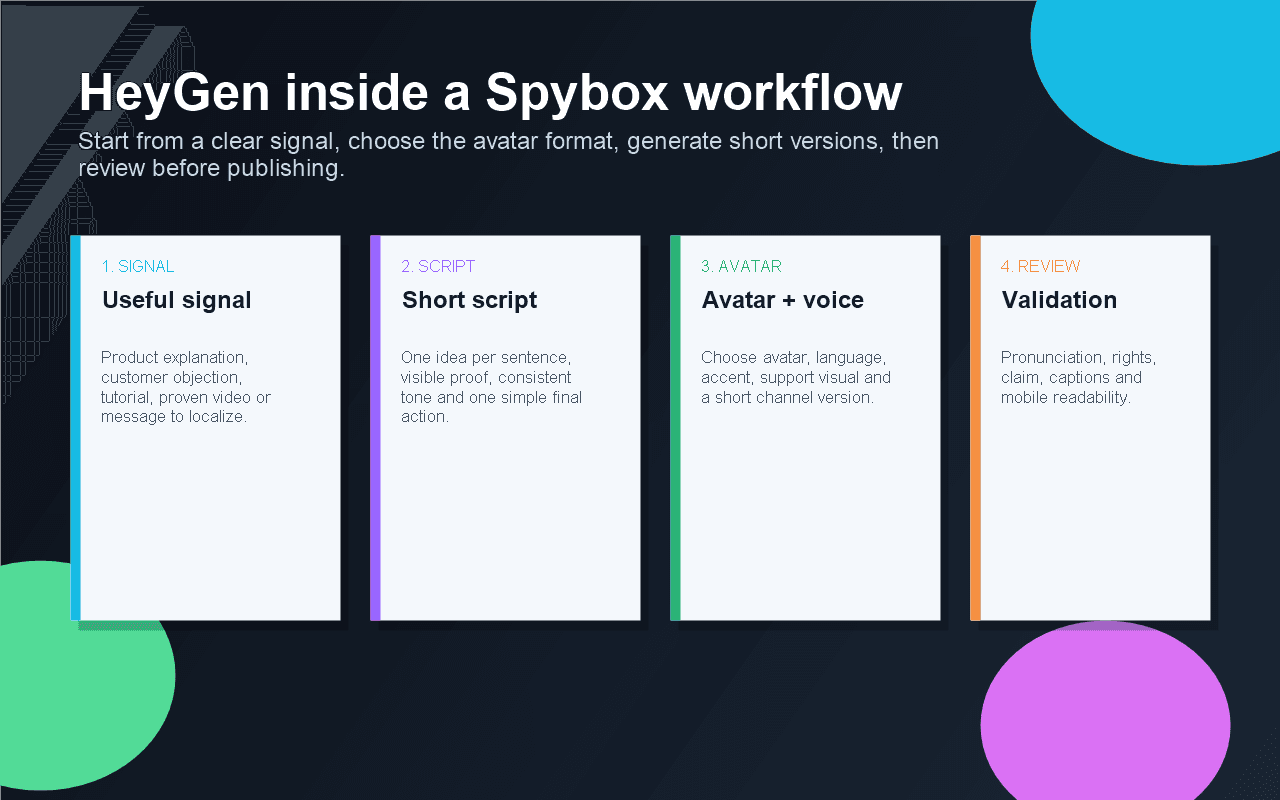
Start from a signal, not from the avatar effect
HeyGen should answer a concrete need: explain a product, remove friction, localize a video or test an angle. Without that signal, the video can look polished and still be useless.
See AI avatars
Avatar and spoken text
The official page shows the simplest use case: pick an avatar, write a short spoken text and generate a talking video. It fits tutorials, FAQs and short presentations.
Official HeyGen avatars page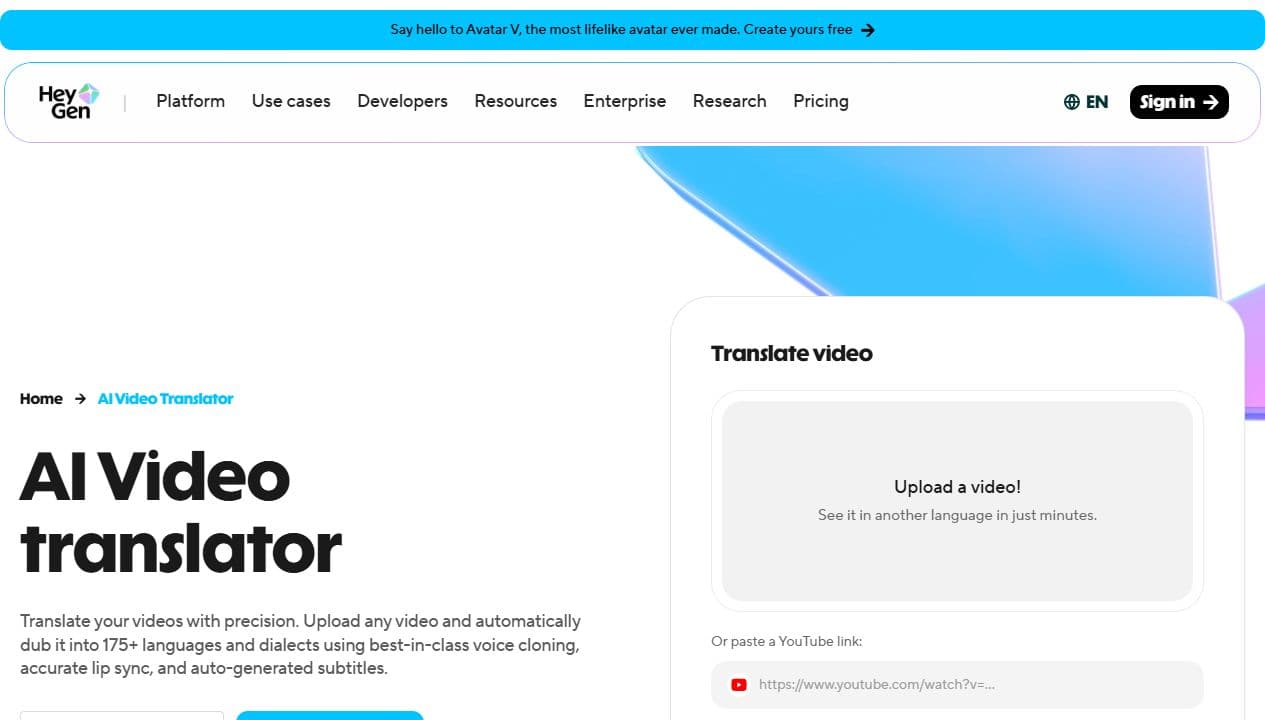
Translate an existing video
Video translation is most useful when a video already works in one language. In Spybox, it should be followed by a review of spoken naturalness and cultural fit.
Official video translator page
The quick avatar flow
HeyGen's public help article describes a simple sequence: choose an avatar, add text, select voice and motion, then generate. It is a good shape for a first short version.
HeyGen Quick Avatar Video help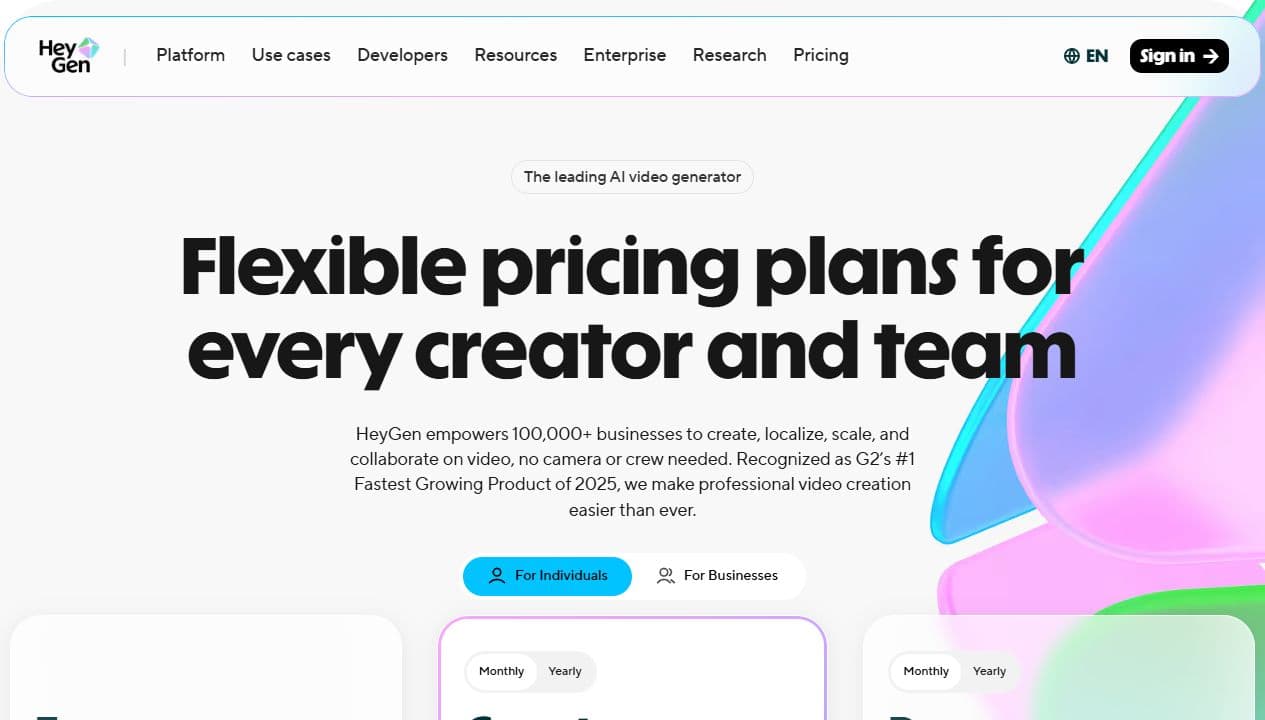
Watch plans and credits
The pricing page is a reminder that video creation depends on plans, credits and active features. Inside Spybox, keep trials short and intentional.
HeyGen pricing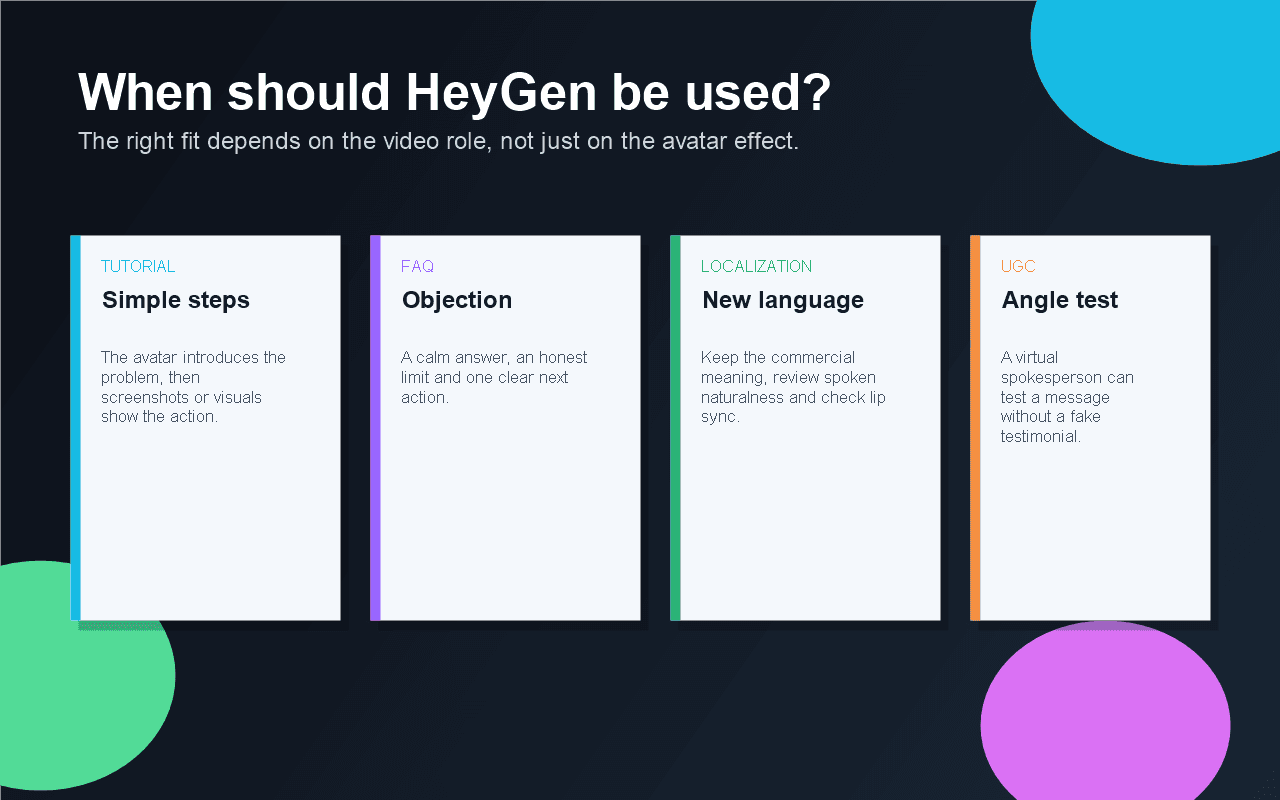
Choose the right video role
Tutorial, FAQ, localization and UGC-style testing do not need the same tone. The decision should come from the video role, not from the wish to use an avatar.
See AI video production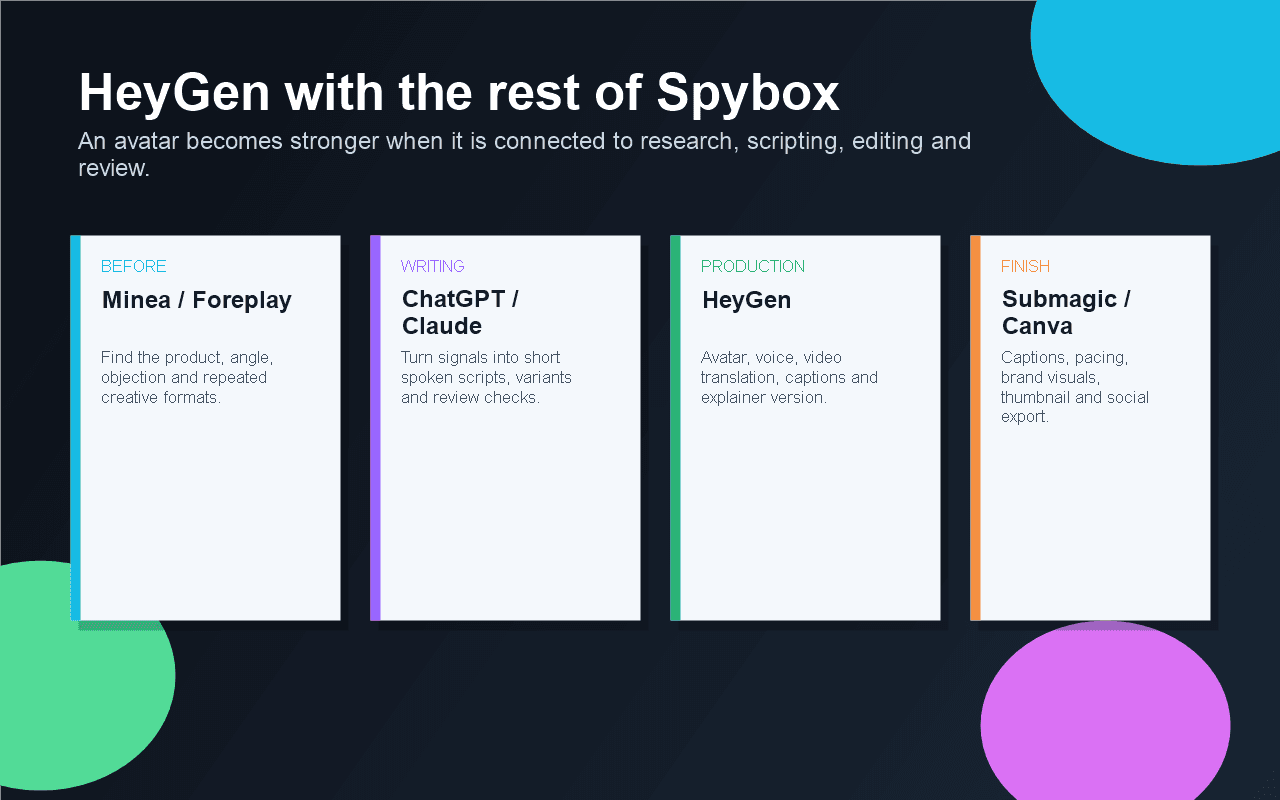
Connect HeyGen to the rest of the stack
HeyGen is stronger with Minea, Foreplay, ChatGPT, Claude, Submagic and Canva: research, angle, spoken text, avatar, captions and finishing are separate jobs.
Explore AI tools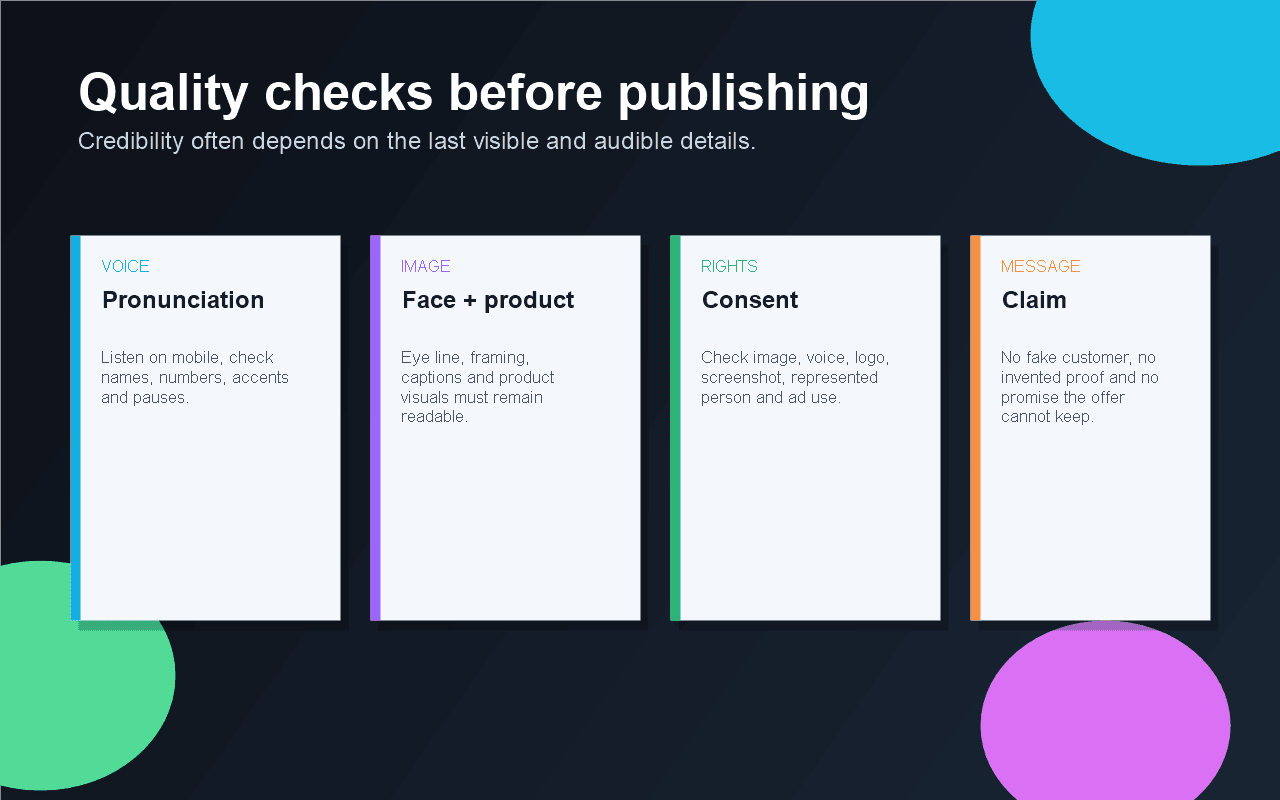
Review before publishing
The final output should be judged on mobile: voice, eye line, claim, captions, rights and readability. A weak avatar video can hurt trust faster than plain text.
See UGC creativesWho gets the most value from HeyGen
HeyGen is best for teams that need to explain, train, localize or test a human-facing message without starting a heavy video production.
Ecommerce operator
Turn a product objection into a short capsule: usage explanation, core benefit, visible proof and a path back to the product page.
Dropshipper
Test a talking angle for a product found in Minea, Kalodata or ShopHunter before investing in a more expensive creator shoot.
Acquisition agency
Produce sober variants to compare tone, avatar, language and hook without booking a studio or a creator.
Course creator
Create module introductions, lesson summaries or action reminders with a consistent face and recognizable voice.
Customer support team
Answer repeated questions with a short video that shows the important step instead of only linking to text.
International team
Adapt a validated video into another language, then review the localized version before publishing.
A 6-step HeyGen method
A useful avatar video is prepared before generation. The clearer the framing, the faster the output can be judged.
Choose the video role
Tutorial, FAQ, presentation, objection, localized version or UGC-style test. If the role is unclear, the avatar will speak without purpose.
Write for speech
Short sentences, simple vocabulary, one idea per sentence, no unverifiable claims and one clear final action.
Prepare visible proof
Product screenshot, logo, interface step, context image, captions or proof element. The avatar should not carry the whole video alone.
Pick avatar, language and voice
Face, tone, apparent age, accent, outfit and background should fit the audience. A video that is too polished can feel less credible.
Generate short
Start with a short version instead of a long video. You learn faster from 30 to 60 seconds than from an asset that is hard to correct.
Review and decide
Check pronunciation, synchronization, captions, claims, rights and mobile rendering. Keep only the versions that improve understanding.
Turn a video need into a decision
HeyGen should help decide what to produce, for whom and with which review. This matrix keeps the avatar from becoming a novelty effect.
A question blocks purchase
The customer needs a clear, reassuring answer, not a long pitch.
Create a short FAQ video, show proof on screen and finish with captions in Submagic.
A competitor ad uses a spokesperson
Face-camera formats may work, but the angle still has to be yours.
Study hooks in Foreplay, write two versions with Claude and produce a HeyGen test without fake testimonials.
A video already works in French
The priority is to keep meaning, pacing and claim strength in another language.
Test video translation, ask a competent speaker to review it, correct captions and keep a short version.
The product is visual but misunderstood
The avatar can introduce the problem, but the demonstration must show the product.
Combine HeyGen avatar, product screenshots, Canva visuals and short editing before publishing.
The output feels too artificial
The video can reduce trust even when the text is good.
Change voice, avatar or length, or switch to an ElevenLabs voice-over if the face does not help the decision.
Adapt HeyGen to the channel
The same text should not be used everywhere. A Reels avatar, product-page video, support answer or training clip needs a different pace.
TikTok, Reels, Shorts
Testing a spoken hook, objection or quick demonstration.
The benefit works without sound, captions do not cover the product and the first sentence is direct.
Product page
Explaining usage, reassuring before purchase or showing an important step.
The avatar introduces, but visuals prove. The video should not replace essential page information.
Support and FAQ
Answering a repeated question with a voice that feels more human than a text block.
The answer stays accurate, short, actionable and consistent with the real documentation.
Training
Introducing a lesson, summarizing a module or asking the viewer to take action.
The tone stays calm, length is controlled and examples remain up to date.
Localization
Adapting a validated video to another audience without starting from scratch.
Commercial meaning, accent, cultural references and captions are reviewed.
Tools to combine with HeyGen
HeyGen does not replace research, writing, voice work, editing or visuals. It becomes useful when it is placed at the right moment.
AI avatars
Compare HeyGen, Akool, ElevenLabs and presenter-led video workflows.
Akool
Compare another avatar-video workflow for spokesperson clips, Live Camera and localization.
Runway
Create or improve video shots when the product or scene needs to be shown.
Submagic
Add captions, pace, cuts and social finishing to short videos.
Creatify
Turn a product URL into a video ad when the goal is closer to UGC ads.
Canva
Prepare thumbnails, brand visuals, inserts, screenshots and presentation assets.
Claude AI
Review spoken text, simplify the argument and detect weak claims.
Video chain
Where HeyGen fits in a Spybox routine
HeyGen is the moment when the message gets a face. Before it, you need a signal and spoken text. After it, you need finishing and review.
Before HeyGen
Minea, Foreplay, Perplexity
Find the product, angle, proof, objection or localization need.
Framing
ChatGPT or Claude
Turn the signal into spoken text, Q&A, short variants and review checks.
Production
HeyGen
Create the avatar video, adapt language, choose the voice and generate a short first version.
Finishing
Submagic, Canva, ElevenLabs
Correct pacing, captions, voice, visual inserts, thumbnail and the channel-ready version.
Checklist before publishing
An avatar video should be reviewed like an ad or trust asset. The final checks prevent outputs that feel fake, confusing or too aggressive.
The viewer understands within three seconds why an avatar is speaking.
The text sounds natural when spoken and does not feel like a product page being read aloud.
The voice correctly pronounces brand names, numbers, places, currencies and technical terms.
Captions are readable on mobile and do not cover the product or the face.
The avatar does not claim to be a real customer, medical expert, financial adviser or existing person without a solid basis.
Image, voice, logo, screenshot and music rights are under control.
Translation has been reviewed by someone who understands the language, context and sales claim.
The final version keeps one simple action: watch, compare, sign up, buy, contact or keep reading.
Limits to know
FAQ
Does HeyGen replace a real UGC shoot?
No. HeyGen can test a message with an avatar or create an explainer capsule. For strong social proof, a real creator, verified customer or actual demonstration is often more credible.
Should every product video use HeyGen?
No. It helps when a presenter clarifies the message. If the product needs to be seen in action, give more room to screenshots, product shots or demonstrations.
Is video translation enough to publish in another country?
It speeds up adaptation, but claims, cultural references, captions and pronunciation still need review. A correct translation can still feel commercially awkward.
How do you avoid an artificial output?
Write shorter, choose a calmer voice, keep scenes simple, add visual proof and remove anything that feels recited. If the face does not improve trust, voice-over may be better.
Is HeyGen available exactly like on the official website?
Check inside Spybox at the moment of use. Official screens help explain the tool's role, but they do not guarantee every option is available in the same state.
Test HeyGen with a wider stack
Spybox connects product research, creative analysis, AI tools, avatars, voice, short-video finishing and sales pages. HeyGen becomes stronger when it belongs to that full chain.
Try Spybox with GET25