

50+
camera moves
The Camera Controls page presents more than 50 moves such as dolly, crane, orbit, crash zoom, FPV drone, handheld, static and 3D rotation.
Studio
product and cinema
Higgsfield highlights a Marketing Studio for product ads and a Cinema Studio for camera, lens and lighting control.
100 000
SBC credits/month
Included in the Spybox offer at 29,99 €/mois, with access to a 90+ premium-tool stack depending on available credits.
Higgsfield becomes useful when an AI video needs to be treated as a shot, not just an animated image. A product photo can receive a camera approach. A lifestyle scene can become more immersive. A Midjourney visual can take the rhythm of a vertical ad. An ecommerce creative can test a reveal, unboxing, demo or transition before more budget is committed.
Inside Spybox, Higgsfield comes after research. Minea, Foreplay, PiPiAds or AdSpy show which angles deserve a test. Midjourney, Recraft or Canva prepare a clean visual source. Higgsfield adds motion. Then ElevenLabs, Submagic, HeyGen, Canva, Runway or Kling can take over depending on the final format.
Higgsfield's public pages show three useful signals: Camera Controls for choosing motion, Marketing Studio for product ads and Cinema Studio for camera, lens and light. The point is not to pick the most spectacular effect, but to choose the move that makes the offer easier to understand.
Higgsfield sources used : Camera Controls, Marketing Studio, Cinema Studio.
The point to watch
Camera movement can improve a creative, but it can also steal attention from the product. If the viewer remembers the zoom but not the offer, the shot is not working. Higgsfield should show, prove or pace the message, not hide a weak idea.
Visual references
Understand Higgsfield before producing clips
These references combine official public captures and Spybox visuals. They connect visible product surfaces to practical decisions: movement, ad format, product studio, tool stack and final review.
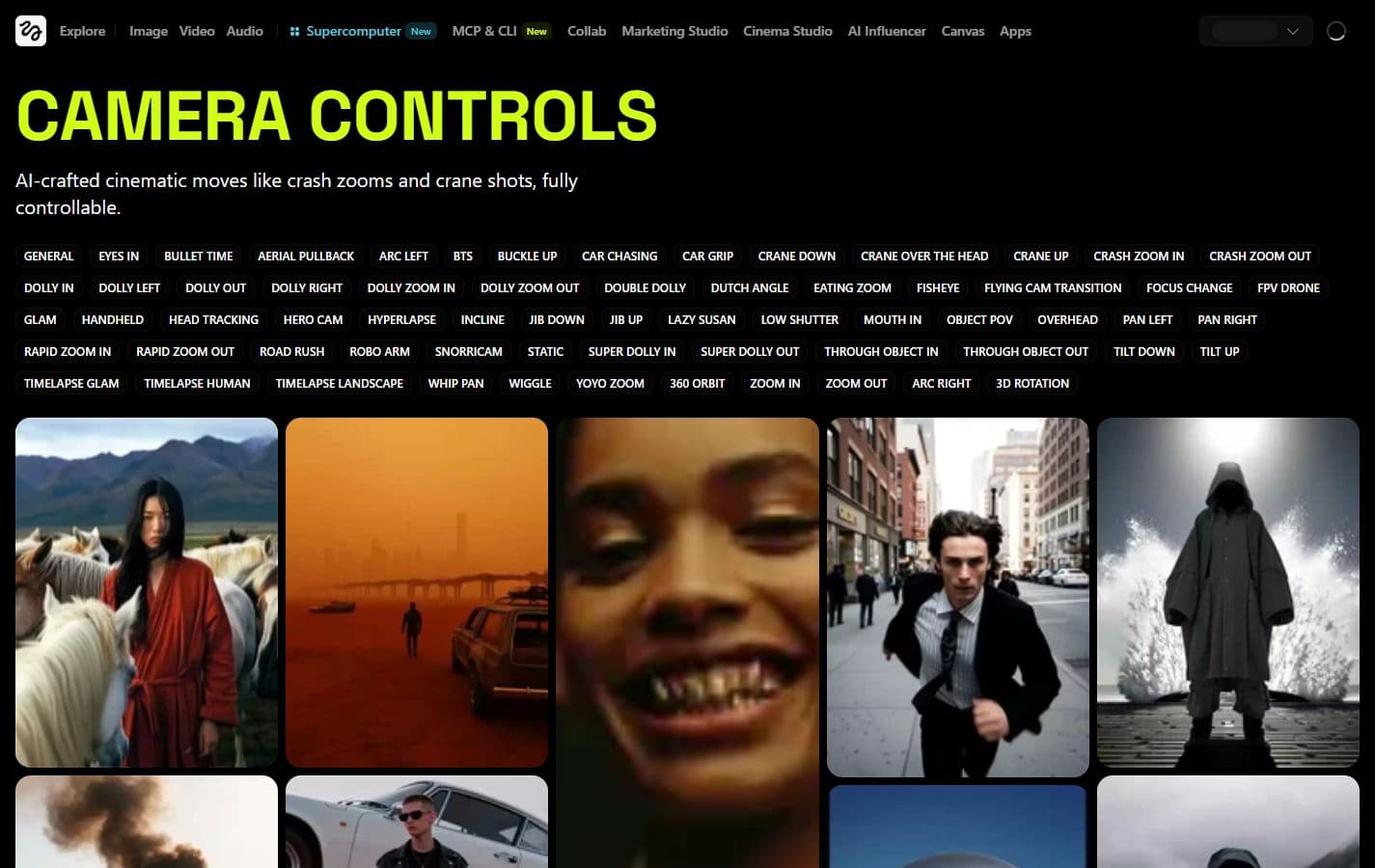
Choose a camera move
The Camera Controls page lists precise moves: dolly, crane, orbit, crash zoom, FPV drone, handheld, static and many more. This is the best starting point for deciding the role of the shot.
Higgsfield Camera Controls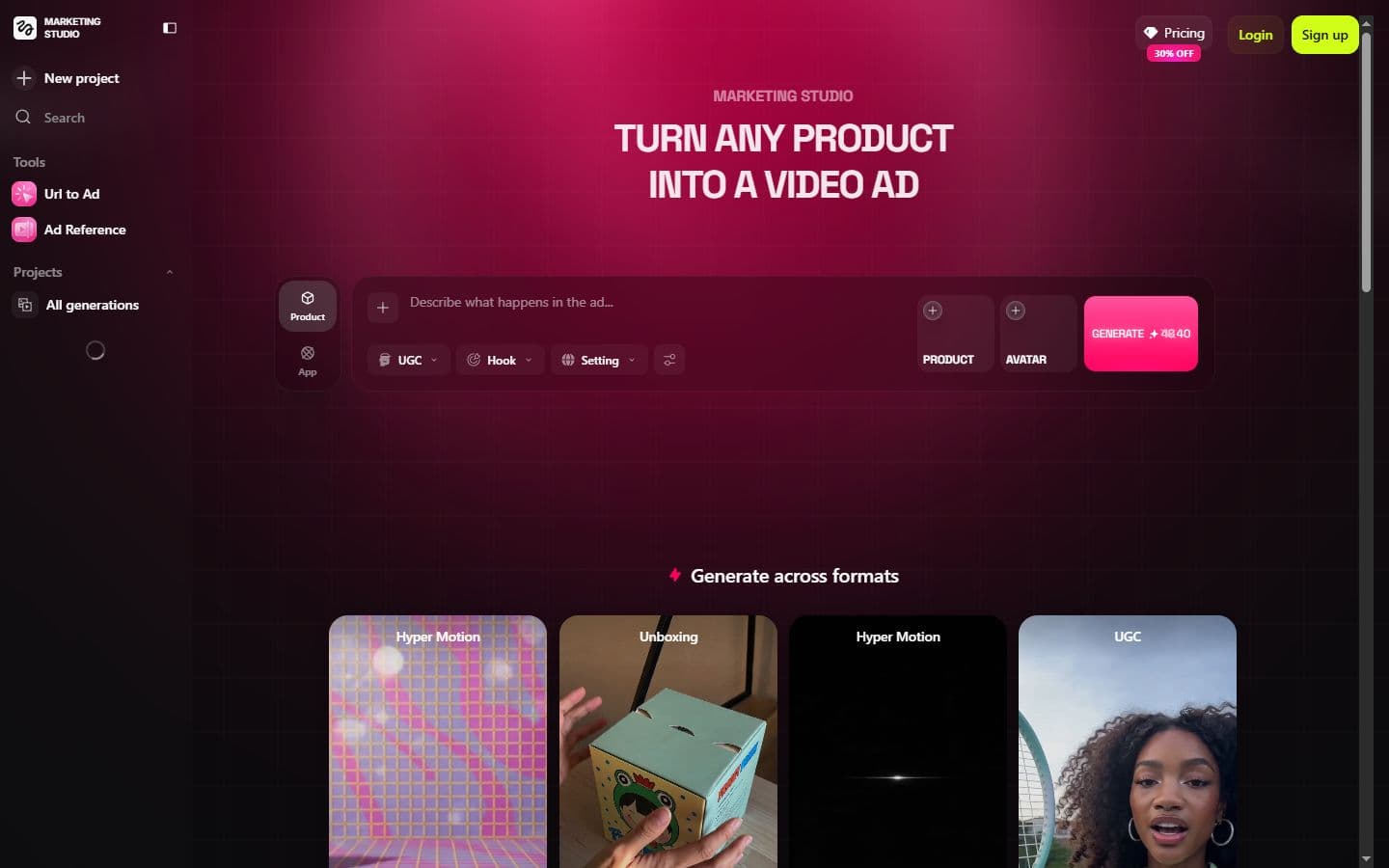
Think in product ads
Marketing Studio focuses on product ads, formats, unboxing, UGC and campaign variants. For Spybox users, this is the most direct ecommerce angle.
Higgsfield Marketing Studio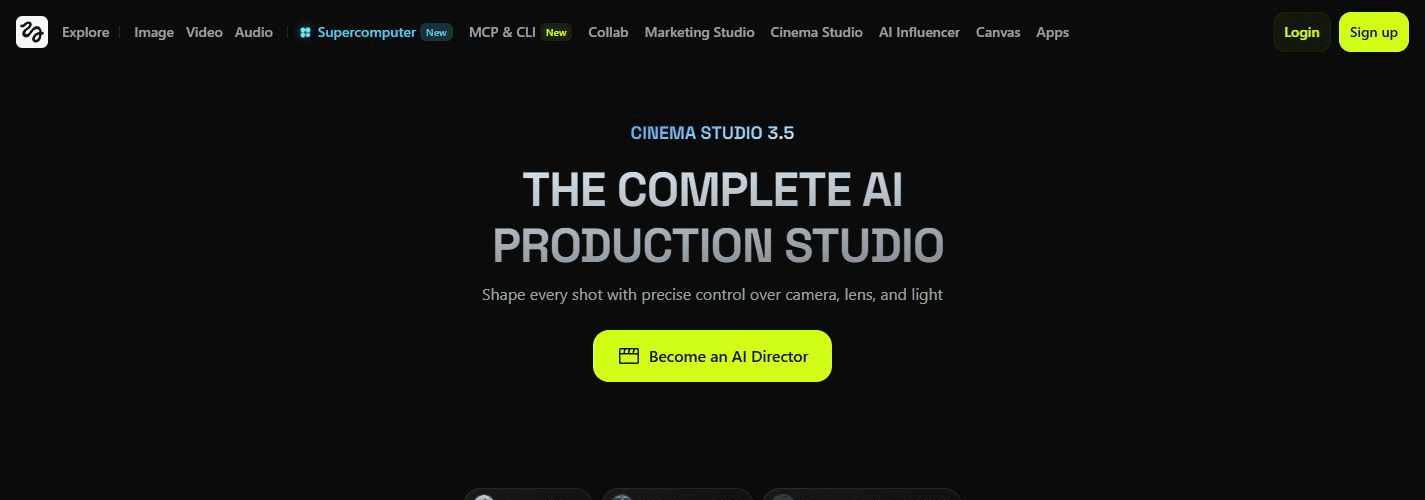
Direct the shot like a studio
Cinema Studio presents camera, lens and lighting control. It matters when a brand needs a more directed scene than a simple short animation.
Higgsfield Cinema Studio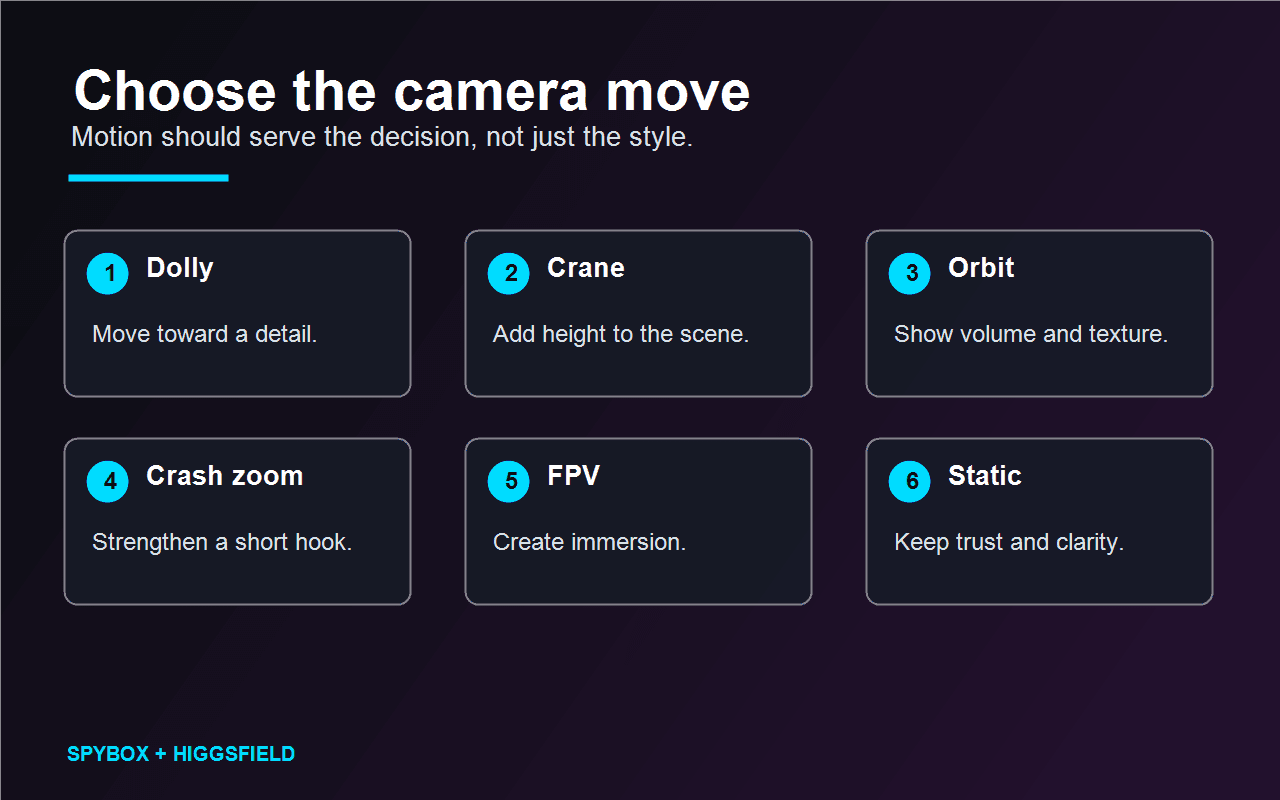
Match motion to the job
Dolly for a detail, crane for height, orbit for volume, static for trust: the camera choice should stay rational.
See AI video tools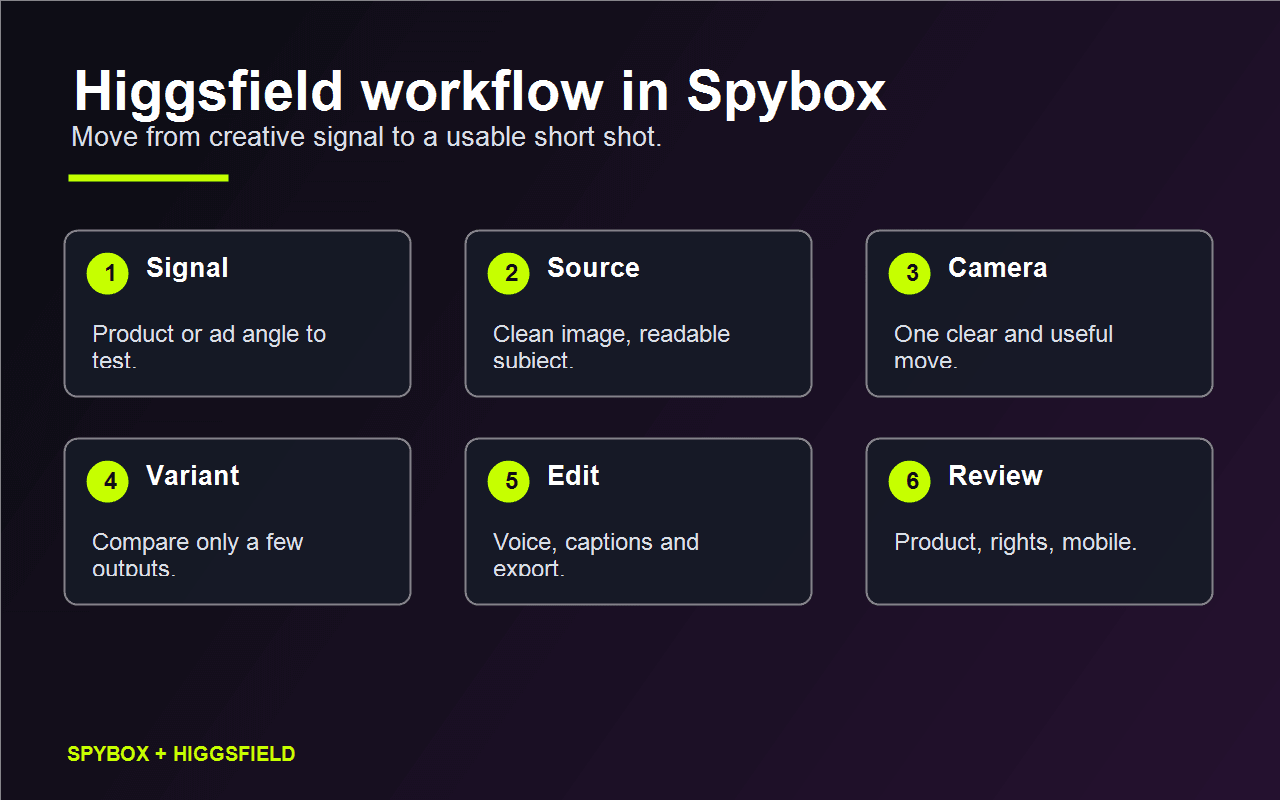
The Spybox workflow
The diagram summarizes the order of work: signal, source, camera, variant, edit and review. This avoids creating outputs without knowing what to keep.
See AI video production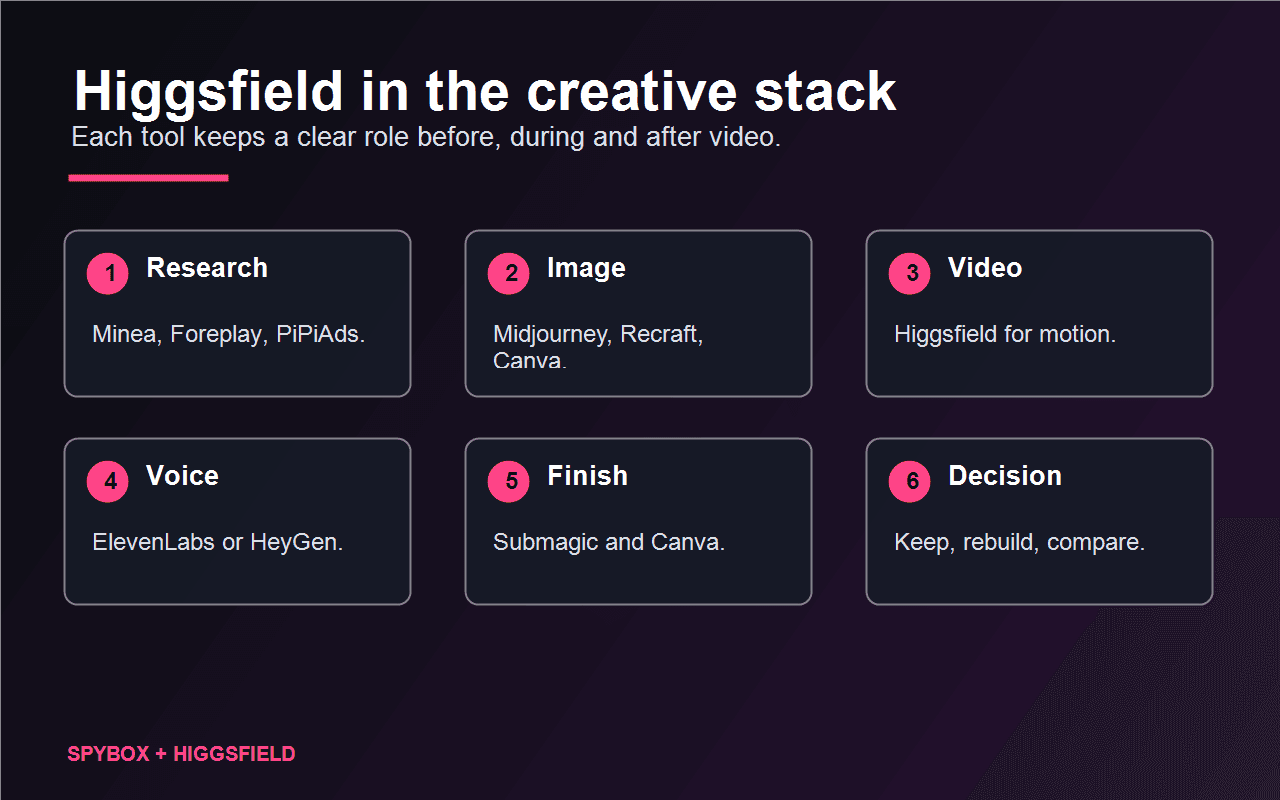
Connect Higgsfield to nearby tools
Higgsfield is more useful when the source image, ad signal, voice, captions and final layout are handled in the right order.
See UGC creatives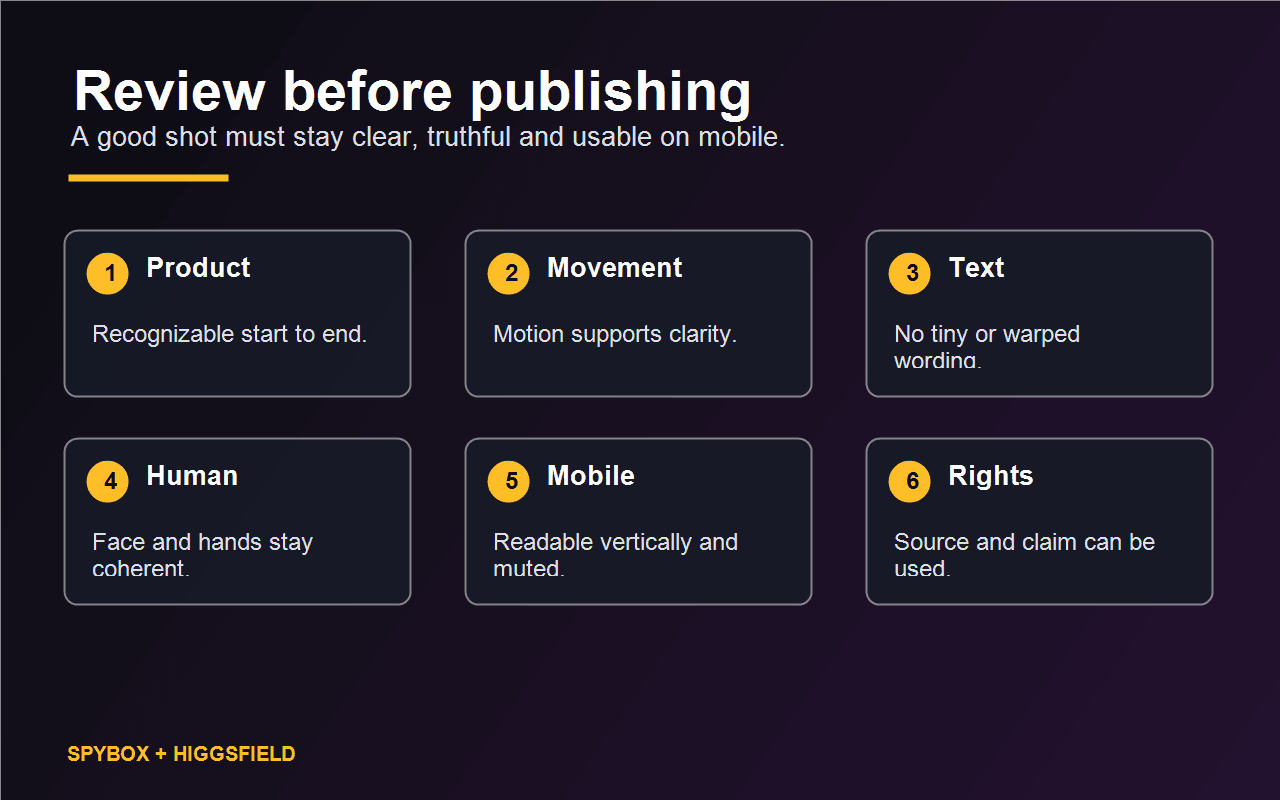
Review before publishing
Product, movement, text, people, mobile and rights decide whether the clip can enter a campaign or needs to be rebuilt.
See Submagic in SpyboxWho Higgsfield is really for inside Spybox
Higgsfield mainly helps people who already have a product, scene or angle to move. It is less about finding the first idea and more about giving camera direction to a source that is already clear enough.
Ecommerce operator
Turn a product photo into a demo shot, reveal, unboxing, rotation or visual detail for product pages and social ads.
Dropshipper
Test several moves on the same source before ordering UGC, filming or a larger batch of paid variants.
Acquisition agency
Create shot concepts from angles spotted in Foreplay, PiPiAds or AdSpy, then compare outputs with Runway, Kling or Hailuo.
Lifestyle brand
Direct a more immersive scene: travelling camera, handheld feel, drone-like movement, zoom or cinematic mood.
Content creator
Give motion to a strong image, prepare a Reels opening, a transition or a support shot for short-form editing.
Conversion consultant
Add a clip that answers an objection: size, texture, use, before/after, packaging, technical detail or visible proof.
A 6-step Higgsfield method
The method stays short because video outputs quickly consume time and credits. The goal is to decide fast whether the camera move adds anything to the message.
Start from a signal
Product spotted, recurring ad, scene to test, customer objection, UGC angle or demo need.
Prepare the source
Clear image, readable subject, clean brand assets, rights checked, suitable format and a background that will not fight the movement.
Choose one move
Dolly, crane, orbit, crash zoom, handheld, FPV or static. One strong move beats an overloaded scene.
Produce short
Start with a short shot to judge product consistency, faces, hands, text and the first second.
Compare few variants
Compare genuinely different directions: product shot, lifestyle shot, demo shot or hook shot.
Finish elsewhere
Captions in Submagic, voice in ElevenLabs, layout in Canva, or a comparison with Runway, Kling or Hailuo if stability is weak.
Turn camera motion into a creative decision
Higgsfield becomes valuable when each output answers a question. This matrix helps decide what to do after seeing the first shot.
Motion makes the product clearer
The camera improves understanding, especially if the object stays recognizable.
Keep the shot, add captions and a short voiceover, then test it in social ads or on a product page.
The movement looks good but distracts
The viewer watches the effect instead of the offer.
Reduce amplitude, switch to static or a slow dolly, then rebuild a calmer variant.
The product changes shape
The source or camera move asks too much from the model.
Change the source, simplify the move or compare with Runway, Kling or Hailuo.
The scene works without sound
The shot already carries the main idea.
Finish in Submagic, keep captions short and review the first second on mobile.
The output feels too artificial
The style may hurt trust when the claim needs realism.
Return to a simpler image, use real product proof or keep the output as a concept only.
Which camera move to choose
The name of the move matters less than its role. A short ad shot should explain one thing at a time.
Dolly / slow zoom
Move toward a product detail, texture, package or transformation.
The detail should stay sharp and recognizable by the end of the shot.
Crane / overhead
Show a scene, table, setup, before/after or wider environment.
The height should not make the product too small on mobile.
Orbit / 3D rotation
Show volume, silhouette, material, back side or lateral details.
The product should not change shape during the rotation.
Crash zoom
Create a quick hook or underline a surprise moment.
Use sparingly: when everything shouts, nothing stands out.
FPV / handheld
Make a scene feel more immersive, field-based, lifestyle or demo-oriented.
Movement must stay readable and avoid visual fatigue.
Static
Keep trust when product, face or text needs to stay stable.
A fixed shot can beat an effect when the offer needs clarity.
Tools to combine with Higgsfield
Higgsfield does not replace research, source visuals, audio or editing. It sits at the moment where the shot needs camera movement.
Runway
Compare another video approach when the scene needs more stability or advanced finishing.
Kling AI
Test image-to-video on the same source and compare the resulting motion.
Hailuo AI
Compare another short-clip reading, especially for product motion and simple shots.
Kie AI
Choose between video, image, audio or text model families before spending credits.
Midjourney
Create a strong source visual to animate later with a camera move.
Recraft
Prepare cleaner brand visuals, objects, styles and graphic elements before animation.
ElevenLabs
Add a clear voiceover after the short shot has been approved.
Submagic
Caption, trim, pace and export social formats.
Canva
Adapt the final output into a creative, story, banner or product-page asset.
Creatify
Compare a more product-ad-oriented workflow with ready-to-test variants.
Video stack
Where Higgsfield fits in a Spybox workflow
Higgsfield comes after the angle and the source have been chosen. Before it, you need to know what to show. After it, you need to know what to keep and how to distribute it.
Research
Minea / Foreplay / PiPiAds
Identify the product, angle, visual hook or ad scene worth testing.
Source
Midjourney / Recraft / Canva
Prepare an image or visual direction clean enough to receive motion.
Motion
Higgsfield
Choose the camera, produce a short shot and keep useful variants.
Comparison
Runway / Kling / Hailuo / Kie AI
Try another engine if stability, realism or ending quality is weak.
Finish
ElevenLabs / Submagic / Canva
Add voice, captions, pacing, final format and visual dressing before publishing.
Quality checklist before publishing
A Higgsfield clip should be reviewed as a customer will see it: on a phone, with little context, often without sound and with very short attention.
The product stays recognizable from start to finish.
Camera movement improves the offer's readability.
The first second already shows what to look at.
Faces, hands and objects do not visibly break.
No embedded text becomes unreadable or distorted.
The scene does not create a claim the offer cannot support.
The visual source and brand elements can be used.
The final format works vertically and without sound.
Limits to know
Higgsfield in Spybox FAQ
Is Higgsfield more of a video tool or an ad tool?
It is both, but for Spybox users the ad angle matters most: give camera motion to a product, scene or creative angle.
Why use Higgsfield when Runway, Kling and Hailuo already exist?
Because Higgsfield puts strong emphasis on camera movement and creative formats. Runway, Kling and Hailuo remain useful for comparing stability, image-to-video behavior and short outputs.
Which movement should I try first?
The simplest move that clarifies the offer. A slow dolly, short orbit or well-framed static shot often builds more trust than a dramatic move.
Can Higgsfield help product pages?
Yes, if the clip answers an objection: size, texture, usage, packaging, transformation or important detail. It should not replace real proof when proof is needed.
How should I finish a Higgsfield clip?
Once the shot is approved, add voice with ElevenLabs, captions with Submagic, visual dressing with Canva and optionally compare the same source in Runway, Kling or Hailuo.
Test Higgsfield inside a complete stack
Spybox is most useful when Higgsfield is not alone: signal research, source visual, camera movement, voice, captions, final format and review in one practical workflow.
Try Spybox with GET25