

V7 / V8.1
versions to check
Midjourney documentation lists V7 as the current default version and presents V8.1, released April 30, 2026, as faster and more precise depending on available settings.
Explore, Create, Edit
web surface
Midjourney's website highlights inspiration browsing, creation, editing, personalization and visual organization.
100 000
SBC credits/month
Included in the Spybox offer at 29,99 €/mois, with access to the premium tool stack listed in the platform.
Inside Spybox, Midjourney is more than a place to make images. It becomes useful when the team already has a signal: a product worth testing, an ad angle, a customer objection, a page that needs a clearer visual or a brand direction to explore.
The practical routine is to compare visual families, not to keep the first attractive result. An ecommerce operator can test usage scenes. An agency can prepare client concepts. A creator can set a direction before moving into video. A consultant can replace a generic stock image with something that explains the idea.
The point to keep in mind
Midjourney can produce highly convincing visuals, but a polished image does not prove an offer. Before publishing, check details, rights, product consistency, channel fit, mobile readability and alignment with the real promise.
Views and method
Use Midjourney as a visual direction workspace
The visuals below combine official public screenshots and Spybox method diagrams. They show how to move from inspiration to a usable asset without exposing private accounts or sensitive data.
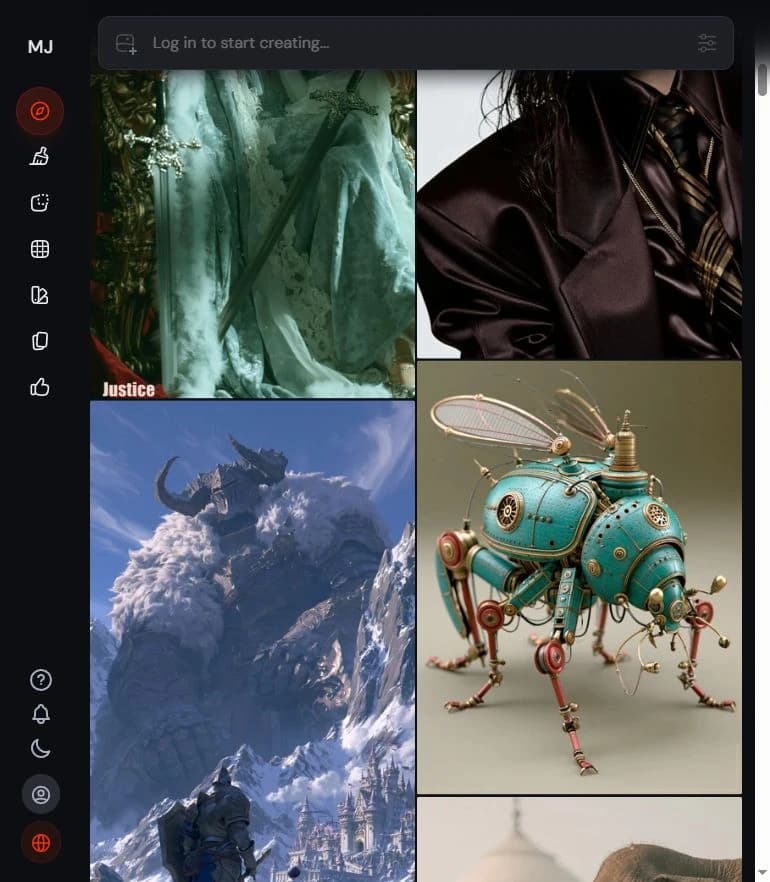
Browse public visual directions
The Explore page gives a public view of styles and formats. The useful move is to understand variety and direction, not to copy someone else's creation.
View Explore
Frame the image from the start
The official creation bar is a reminder that the output depends on the visual description, format, settings and references used.
Midjourney getting started guide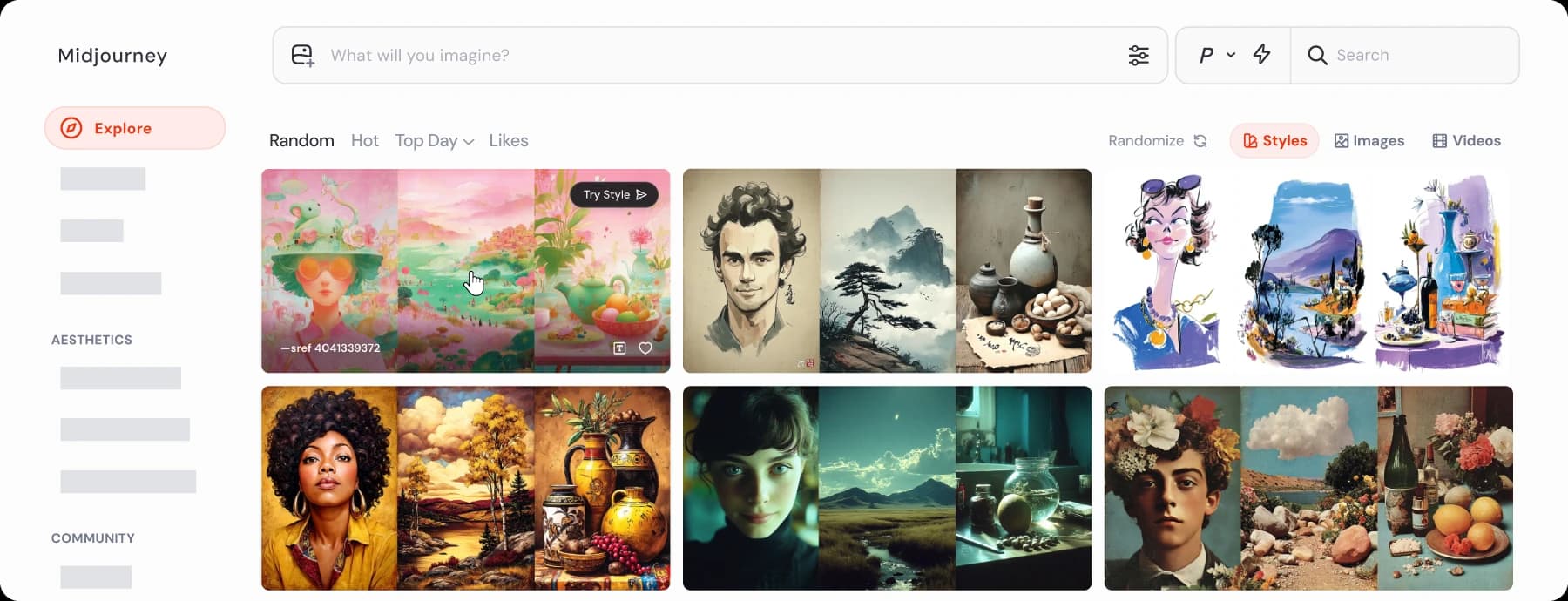
Turn inspiration into direction
Style Explorer shows how to browse looks and visual families. For Spybox, the value is to frame an atmosphere without copying a specific creative.
Midjourney website overview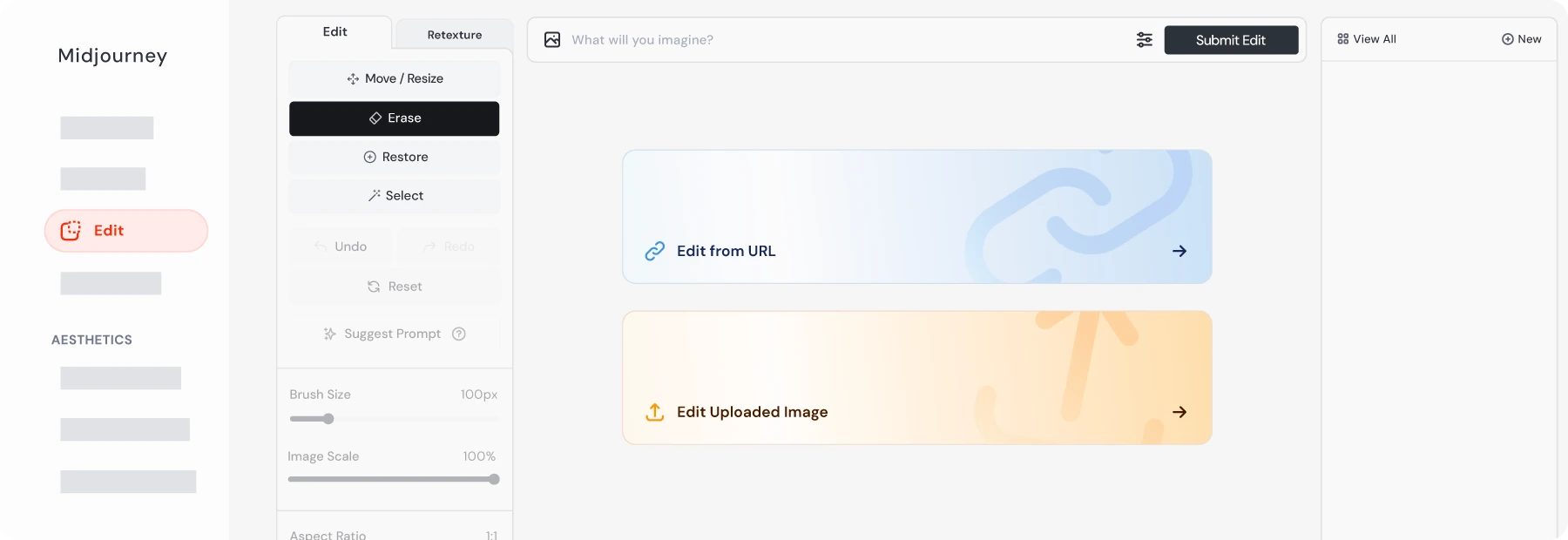
Prepare corrections
Midjourney's editor helps adjust, reframe, refine or upload an image. It becomes useful after selection, when a direction deserves more work.
Editor documentation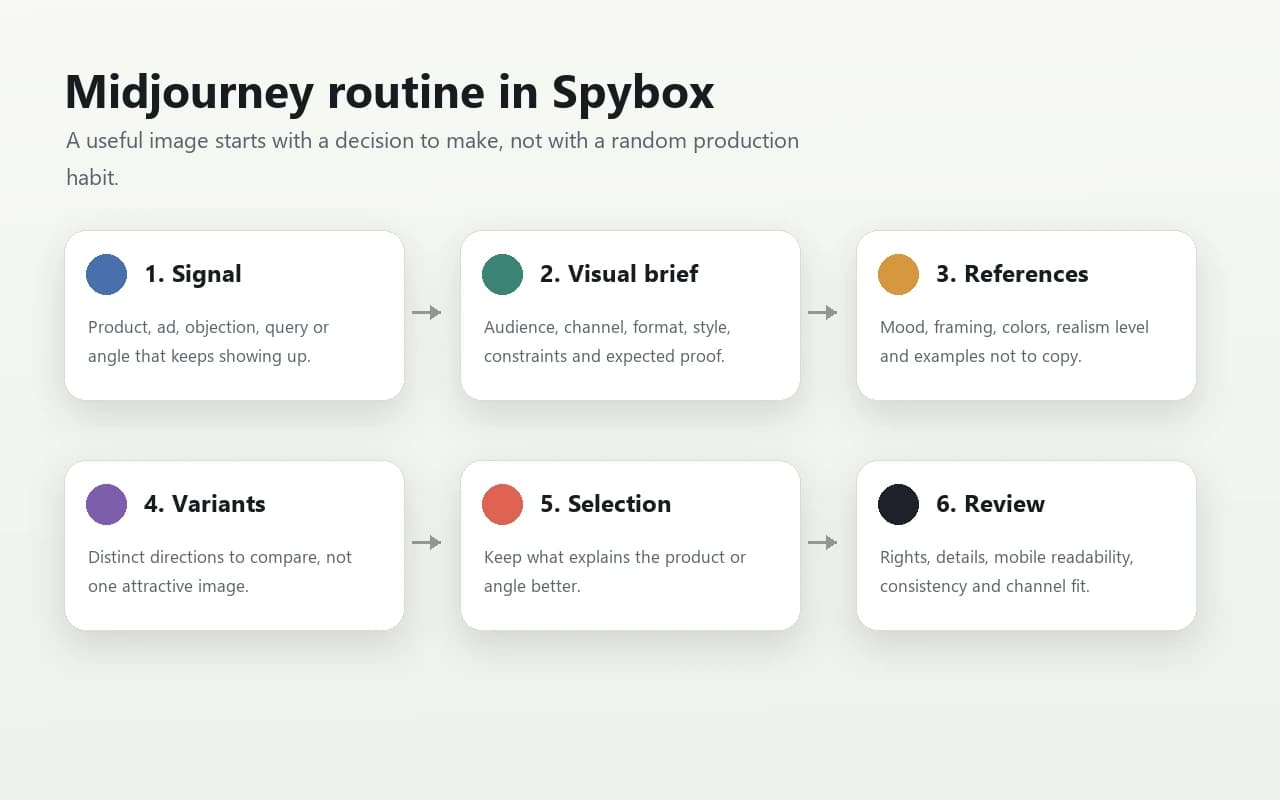
Signal-to-image routine
The Spybox workflow keeps the chain simple: signal, visual brief, references, variants, selection and final review.
AI images method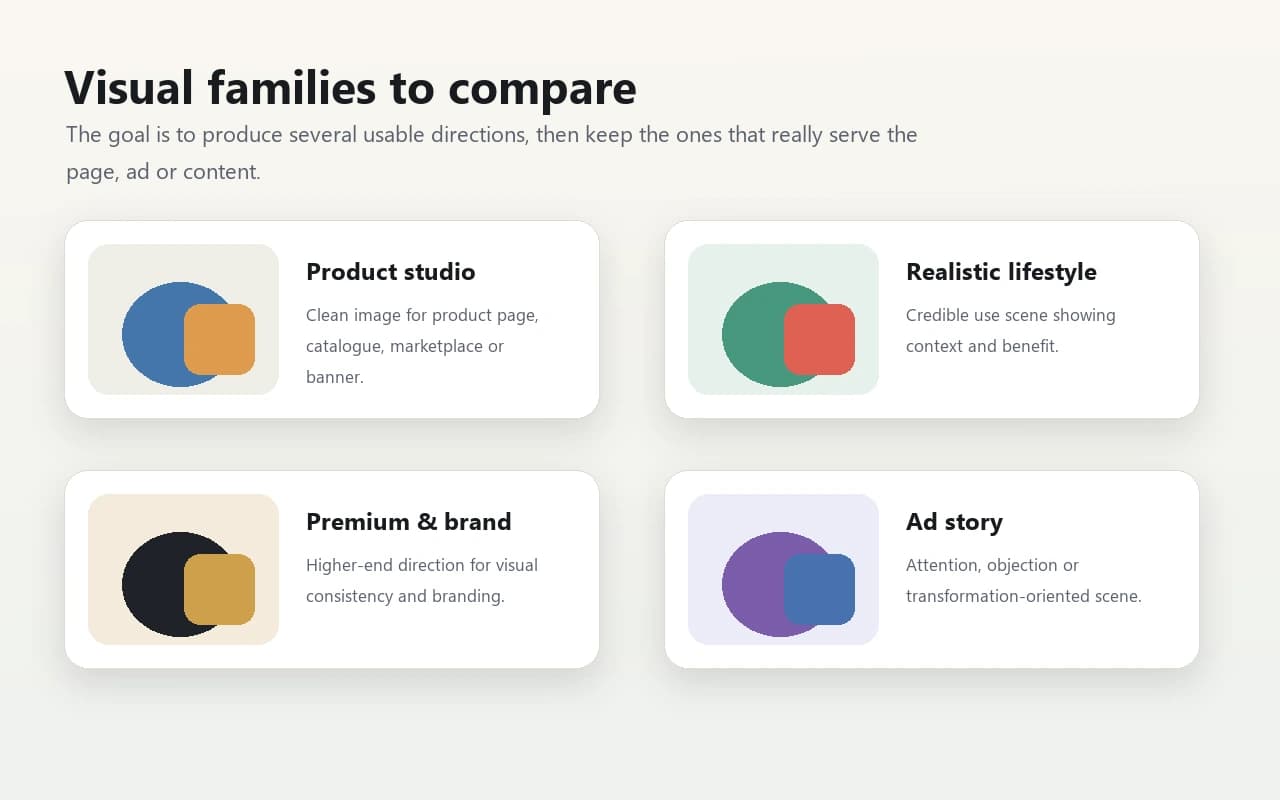
Compare visual families
Product studio, realistic lifestyle, premium brand world or ad story: the value comes from comparing directions.
Read the creative guide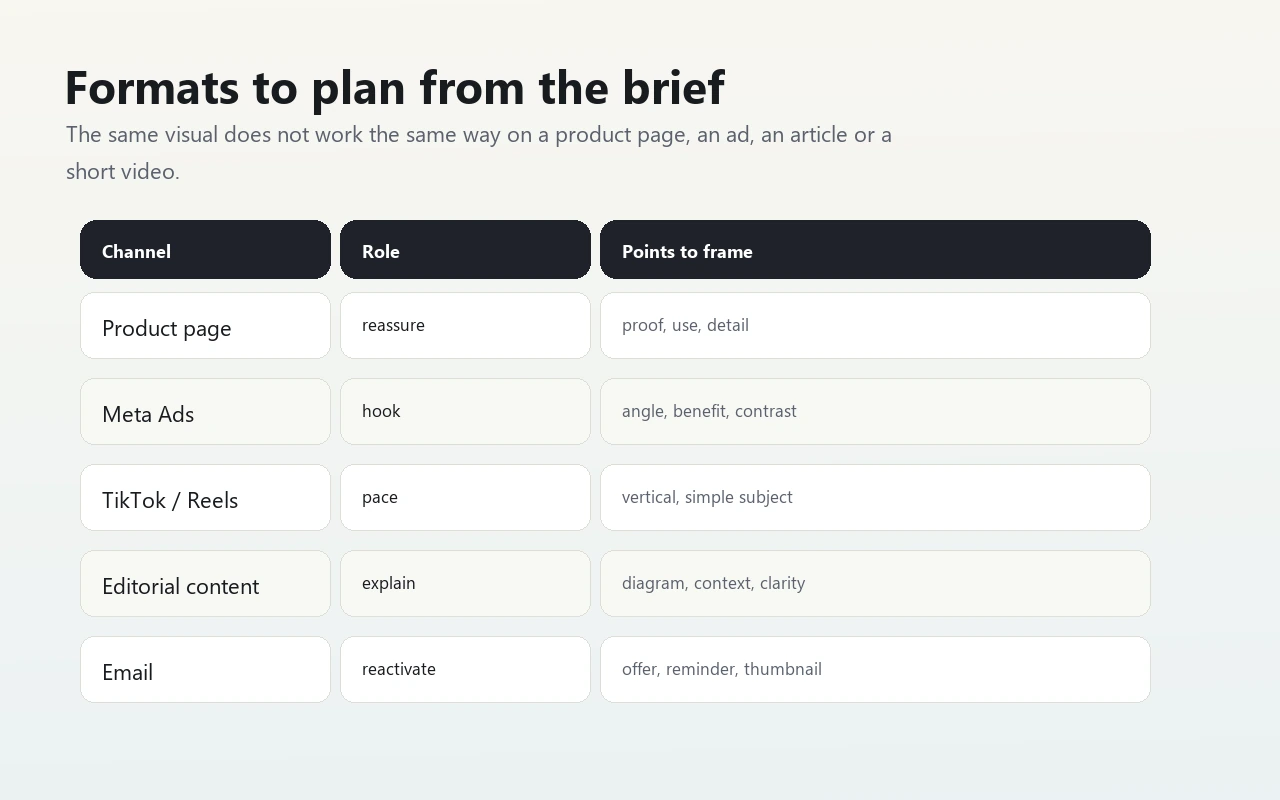
Think channel before production
A product-page image, a Meta ad, a video cover and an editorial illustration do not need the same composition.
View UGC creatives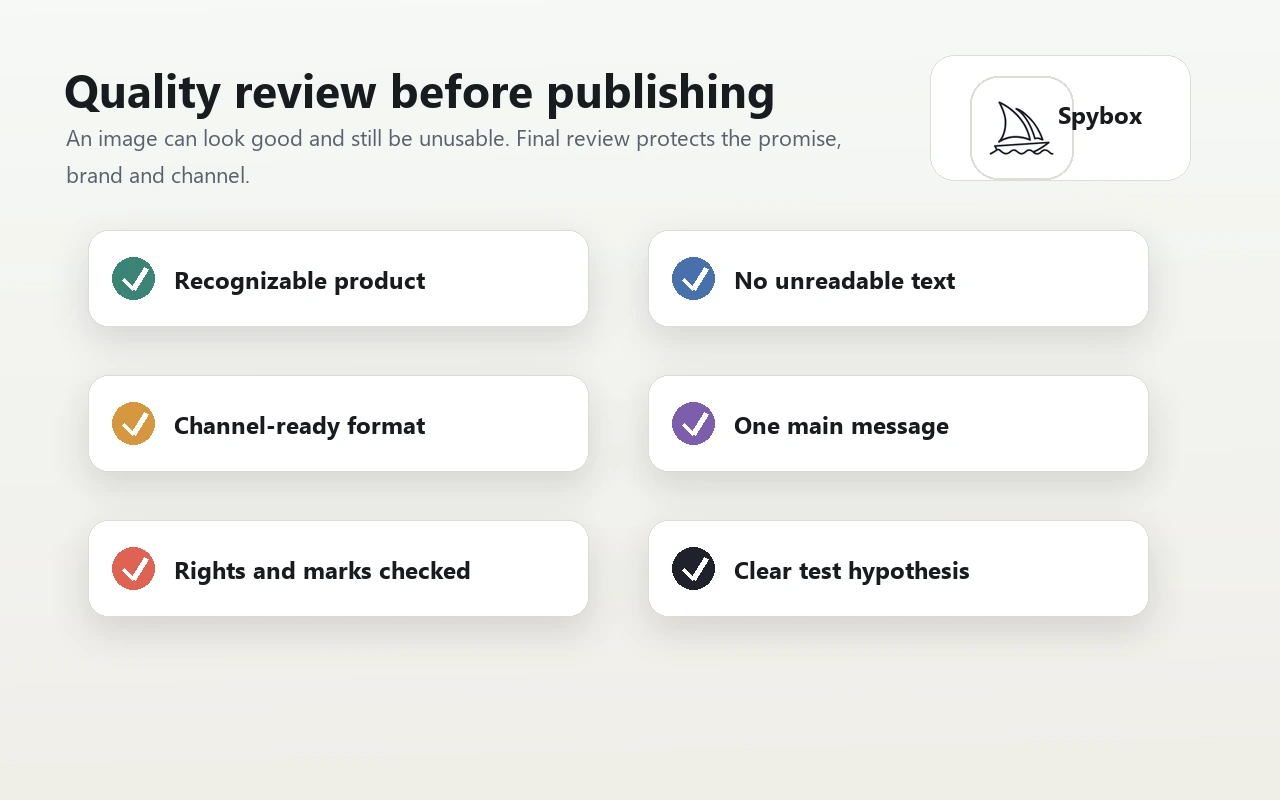
Review before publishing
Final review catches misleading details: poor product representation, unreadable text, weak format, unclear rights or a visual too far from the offer.
View Spybox methodWho gets the most value from Midjourney
Midjourney is strongest for teams that need to explore a visual direction quickly before producing, testing or briefing.
Ecommerce operator
Prepare usage scenes, collection moods, secondary visuals or banners when supplier photos are not enough.
Dropshipper
Test several visual angles around a product before investing in a shoot, production session or ad batch.
Paid social agency
Explore client directions: premium mood, problem-solution scene, seasonality, product framing or campaign world.
Content creator
Prepare covers, sets, transition images, moodboards and visual bases for social or video formats.
Content consultant
Illustrate a guide, explanation, method or long page with a visual that does more than decorate.
Local brand
Test a visual direction suited to the market, price level, color system and communication style.
A 6-step Midjourney method
The best result rarely comes from one isolated request. It comes from a clear chain connecting signal, context, variants and visual review.
Start from a signal
Pick a concrete input: recurring product, active ad, niche angle, customer objection, required format or page to illustrate.
Define the deliverable
Name the expected output: landing hero, product scene, ad image, video cover, editorial illustration or client moodboard.
Frame the direction
Specify audience, country, channel, format, style, realism level, elements to avoid, later text placement and the image's role.
Produce several families
Create truly different paths: studio, lifestyle, premium, demonstration, problem-solution, seasonal, usage or comparison.
Select without attachment
Keep images that help the decision. A beautiful but confusing image should not make the cut.
Finish elsewhere when needed
Use Canva for text and formats, Runway for motion, or a designer when the brand requires strict finishing.
Turn a signal into a visual decision
Midjourney pays off when every image answers a hypothesis. The matrix below avoids producing a gallery with no decision behind it.
A product appears in Minea or ShopHunter
Market interest exists, but available visuals may be weak or too close to competitors.
Create three directions: real use, main benefit and premium image, then compare against the product page.
An angle repeats in Foreplay or AdSpy
The attention structure works, but direct copying would be risky and weak.
Reuse the principle, then change scene, product, composition and proof.
A page lacks an explanatory image
The text is doing too much work and the reader may drift.
Create a clear illustration that shows the mechanism, context or practical step.
A brand prepares a seasonal campaign
The topic needs a consistent mood, setting and quality level.
Build a moodboard and two visual families before moving into final production.
An image looks strong but misleading
It draws attention but may overpromise the product or create an impossible expectation.
Refine the direction, remove false details and return to a more credible scene.
Match Midjourney to the right format
Format should be decided early. A vertical ad image does not read like a product-page visual or a guide illustration.
Product page
Show use, benefit, detail, context or collection mood.
The visual clarifies the offer without replacing real product proof.
Meta Ads
Test an attention angle, visual promise or problem-solution scene.
The image remains readable in small view and leaves room for later text.
TikTok or Reels
Create a cover, first frame or base image to animate.
The main subject is vertical, simple and understood in one second.
Editorial content
Illustrate a method, comparison, explanation or use case.
The image helps understanding instead of acting as decoration.
Client presentation
Give a visual direction to a concept before production.
The output shows a clear intention and stays distinct from competitor references.
Combine it with other Spybox tools
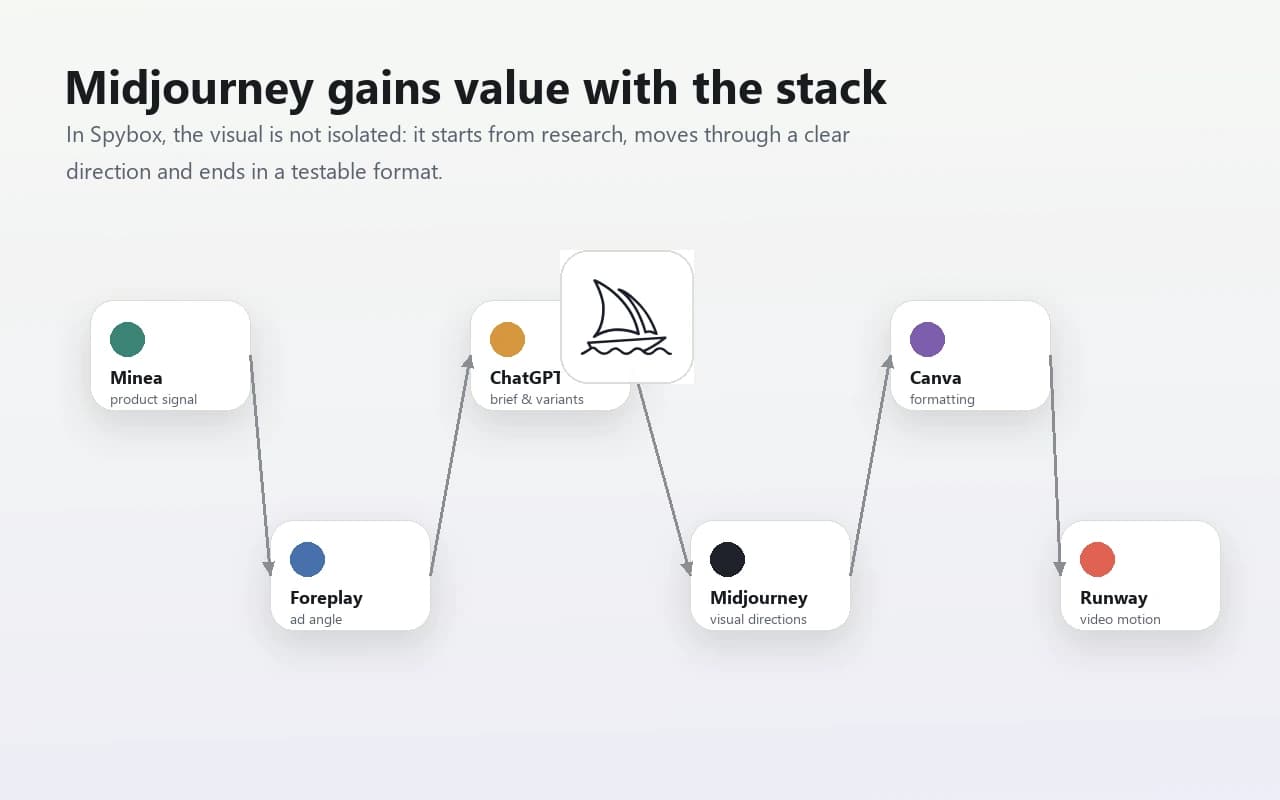
Midjourney is stronger when it receives signals from other tools and sends a visual base to be formatted, tested or animated.
Canva
Add text, brand system, format, thumbnails, banners and clean variants after visual selection.
Foreplay
Study ad angles and build an original direction from a market signal.
Minea
Start from a product or niche signal, then produce more differentiated usage scenes.
ChatGPT
Turn the idea into a visual instruction, campaign angle, text variants and a follow-up brief.
Runway
Animate a selected image, create a short shot or prepare a video base from a stable visual direction.
Submagic
Finish short formats with subtitles, rhythm and editing elements after visual production.
Creative chain
Give Midjourney a precise role
Midjourney should not absorb the whole production. It works best when the team needs to explore, compare and choose a visual direction.
Before Midjourney
Minea, ShopHunter, Foreplay, AdSpy
Identify the product, angle, objection, season, channel and type of scene to explore.
During Midjourney
Explore, Create, Style Explorer, Edit
Compare directions, refine the output, use visual references and keep the useful variants.
After Midjourney
Canva, Runway, Creatify, Submagic
Format, add text, animate, edit, subtitle and prepare the real test.
Questions before keeping an image
What decision does this image help make?
If the answer is vague, the image may only be decorative. It should help test an angle, explain an offer or frame a direction.
Is the product or subject credible?
Details, proportions, use cases, materials and expectations must remain compatible with what will actually be sold or presented.
Is the channel clear?
A vertical ad, a banner, a thumbnail and an editorial visual require different compositions.
Can the brand own it?
Style, colors, finish level and mood should match the brand position.
Quality review before export
The review must be concrete. It is not about liking an image, but checking whether it can live in a campaign, page or presentation.
The main subject is understandable at first glance, even on mobile.
The image does not contain unreadable text, invented logos or details that alter the promise.
Visual references do not lead to copying a brand, artist or competitor too closely.
The format matches the final channel: vertical, square, horizontal, banner or thumbnail.
The realism level fits the use case: a real product often still needs photo proof.
Rights, faces, marks, recognizable characters and platform rules are checked.
Style Explorer
Style Explorer helps find visual families. The clean use is to capture a direction, then produce an original scene for your own offer.
Edit
Editing helps refine a selected direction: adjust, reframe, import a base image or prepare a more usable asset.
Limits to know
Results may vary by version, settings, account, generation mode and features available at the moment of use.
A beautiful image can be commercially weak if it does not show the benefit, use case or objection being handled.
Sensitive details need review: hands, objects, text, logos, proportions, packaging and expressions can be wrong.
For an existing product, Midjourney is mostly useful for concept exploration. Real photos are often still needed for proof.
Midjourney plans, public visibility and features such as Stealth Mode depend on the official terms and plans in force.
FAQ
Is Midjourney included in Spybox?
Spybox highlights Midjourney in its AI and creative stack. As with every premium tool, exact availability depends on the dashboard, credits and configuration offered when you use it.
Should I use Midjourney alone or through Spybox?
Midjourney alone can be enough for someone whose main need is image creation. In Spybox, the value is connecting it with product research, competitor ads, copy, design and video.
Are Midjourney images ready to publish?
Not automatically. They need review, cropping, rights checks and channel adaptation. An image can be a base, direction or test asset, but it does not replace human control.
How is it different from Canva?
Midjourney explores and generates visual directions. Canva is more useful for formatting, adding text and brand elements, preparing exports and creating variants.
Use Midjourney inside a wider stack
Spybox connects product research, ad intelligence, AI text, images, design and video so you can move from idea to campaign faster.
Open Spybox