

T2V / I2V
text or image to video
The Hailuo 2.3 page presents generation from a text description or a single image, with a Fast mode for quicker image-to-video iteration.
Start/End
depends on active model
MiniMax announced Start and End Frame for Hailuo 02. On Hailuo 2.3, exact capabilities depend on the selected model and active plan.
100 000
SBC credits/month
In the Spybox offer at 29,99 €/mois, with access to a 90+ premium-tool stack depending on available credits.
Hailuo helps when a strong image needs motion. A product photo can show a simple gesture. A Midjourney visual can become a vertical opening shot. An ecommerce scene can be tested as a short clip before deciding whether it deserves a shoot, a heavier edit or a family of variants.
The useful move is not to create video for its own sake. In Spybox, Hailuo comes after the signal: a product found in Minea, an angle seen in Foreplay or PiPiAds, a visual direction prepared in Midjourney or Recraft, then finishing in ElevenLabs, Submagic, Canva or Runway depending on the format.
The public Hailuo 2.3 page highlights text-to-video, image-to-video, a Fast mode for iteration and improvements around motion, style and facial emotion. MiniMax's October 28, 2025 page also emphasizes physical actions, stylization, micro-expressions and better response to motion instructions.
Hailuo and MiniMax sources used : Hailuo 2.3, Image to Video, MiniMax Hailuo 2.3.
The point not to miss
A Hailuo clip can look appealing and still be useless if the product deforms, the motion pulls attention away from the offer, the text becomes unreadable or the ending frame says nothing. The output should help a marketing decision, not just look attractive.
Visual references
Understand Hailuo before spending renders
The visuals below combine public Hailuo/MiniMax captures and Spybox diagrams. They connect visible features to simple decisions: source, motion, model, format, companion tools and final review.
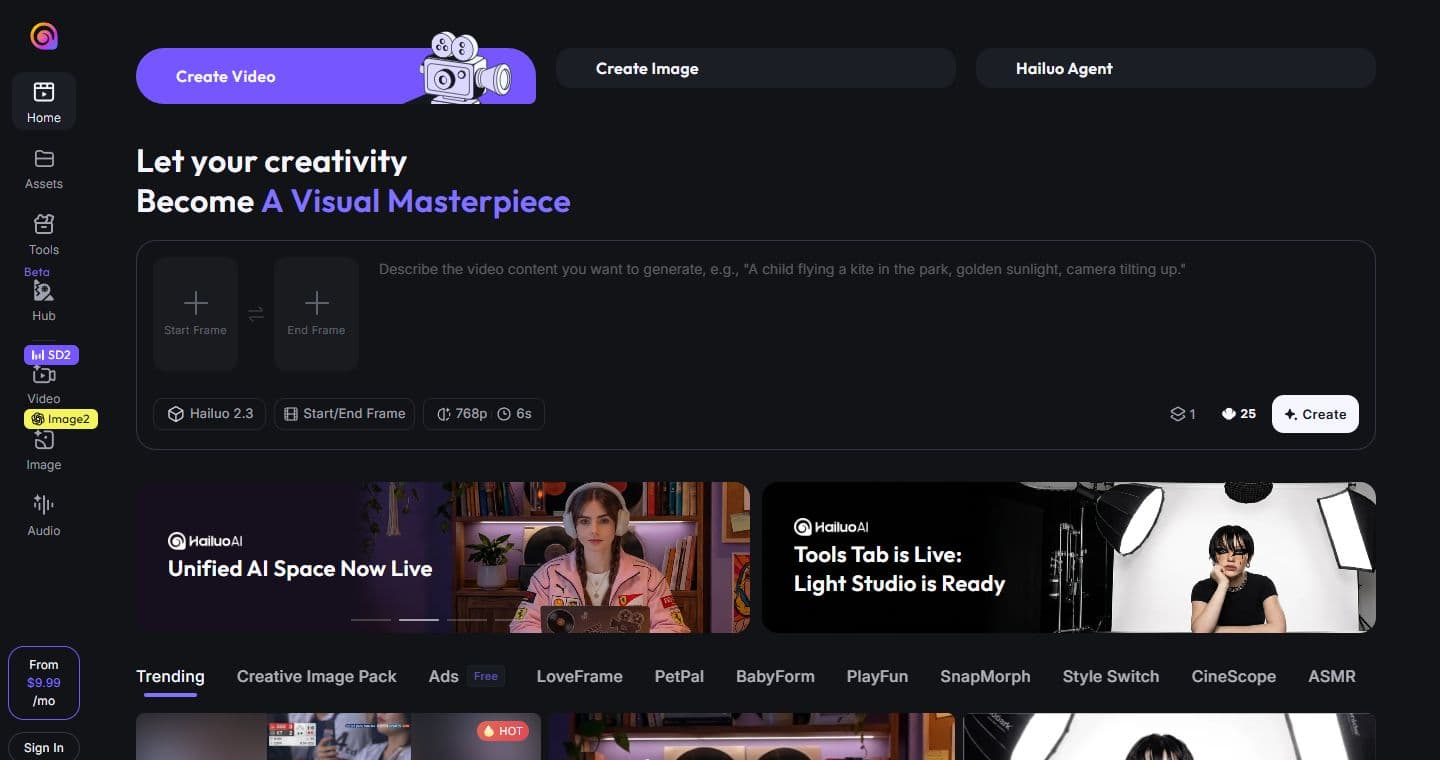
Create video, image or agent
The Hailuo home page shows Create Video, Create Image and Hailuo Agent. For Spybox, that places the tool in a wider visual production flow than a single clip.
Official Hailuo AI page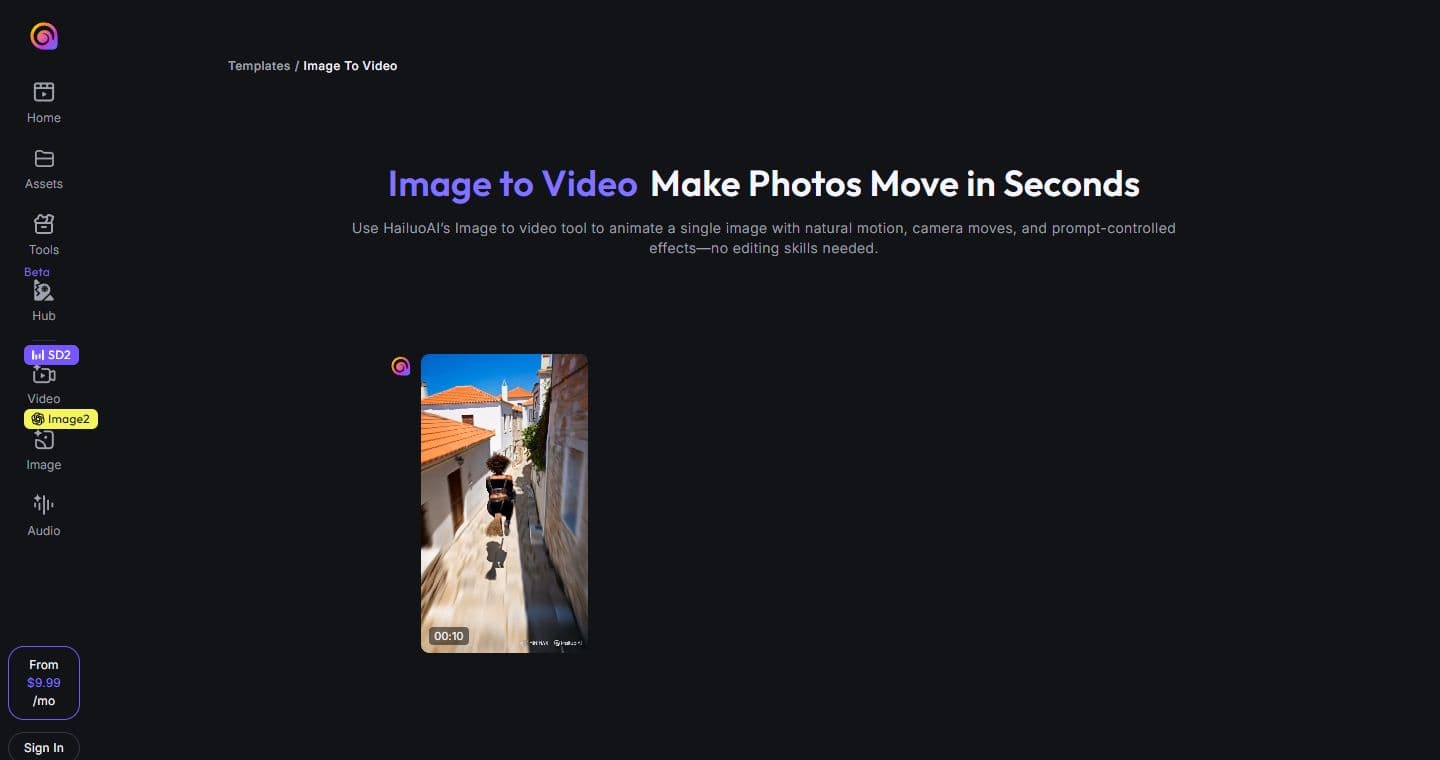
Animate a clear image
The Image to Video page emphasizes the starting image: clear subject, good lighting, natural motion, simple camera movement and export for social or sales pages.
Official Image to Video page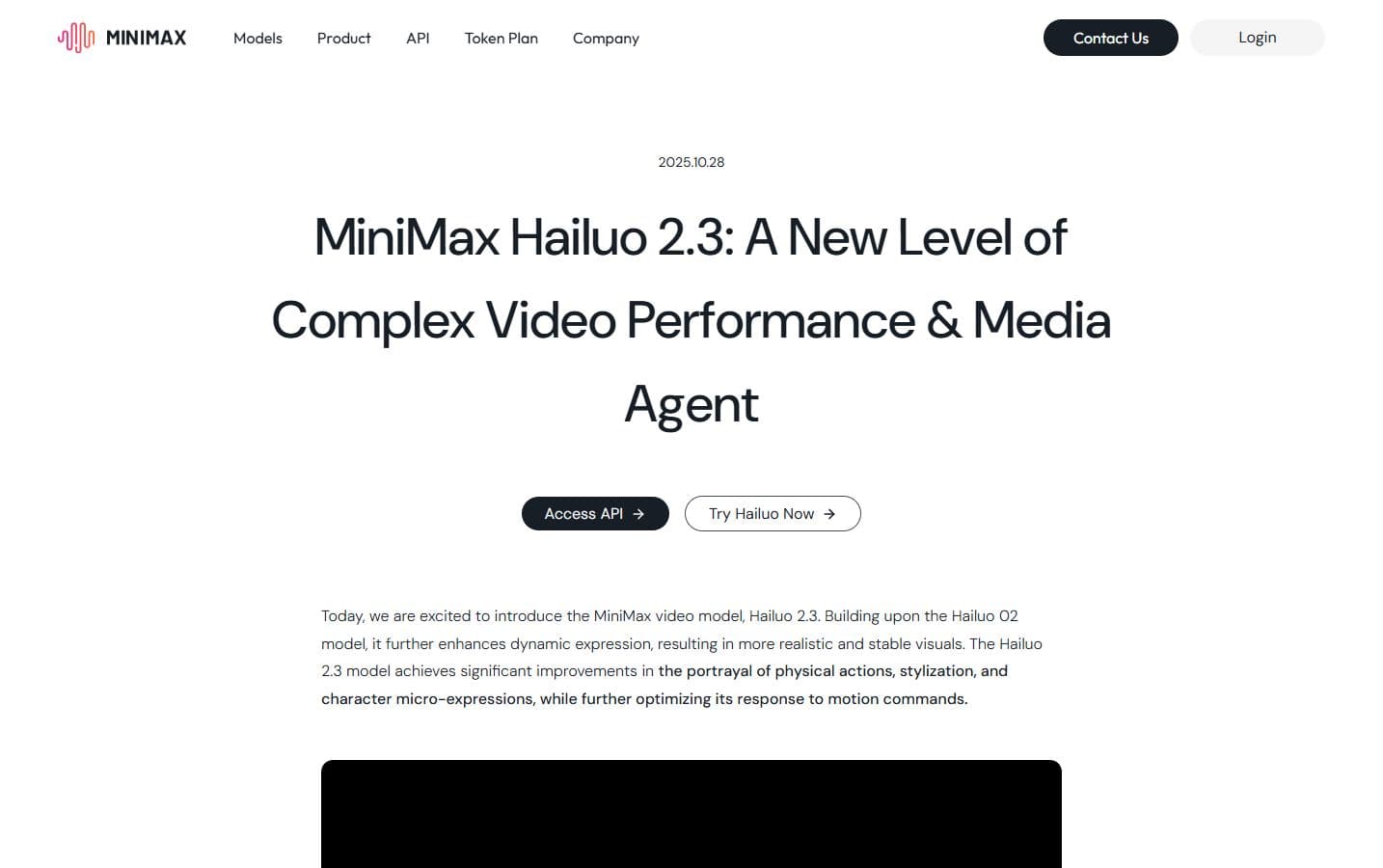
Hailuo 2.3 and more stable output
MiniMax presents Hailuo 2.3 as an improvement in physical motion, stylization, expressions and response to motion instructions.
MiniMax Hailuo 2.3 announcement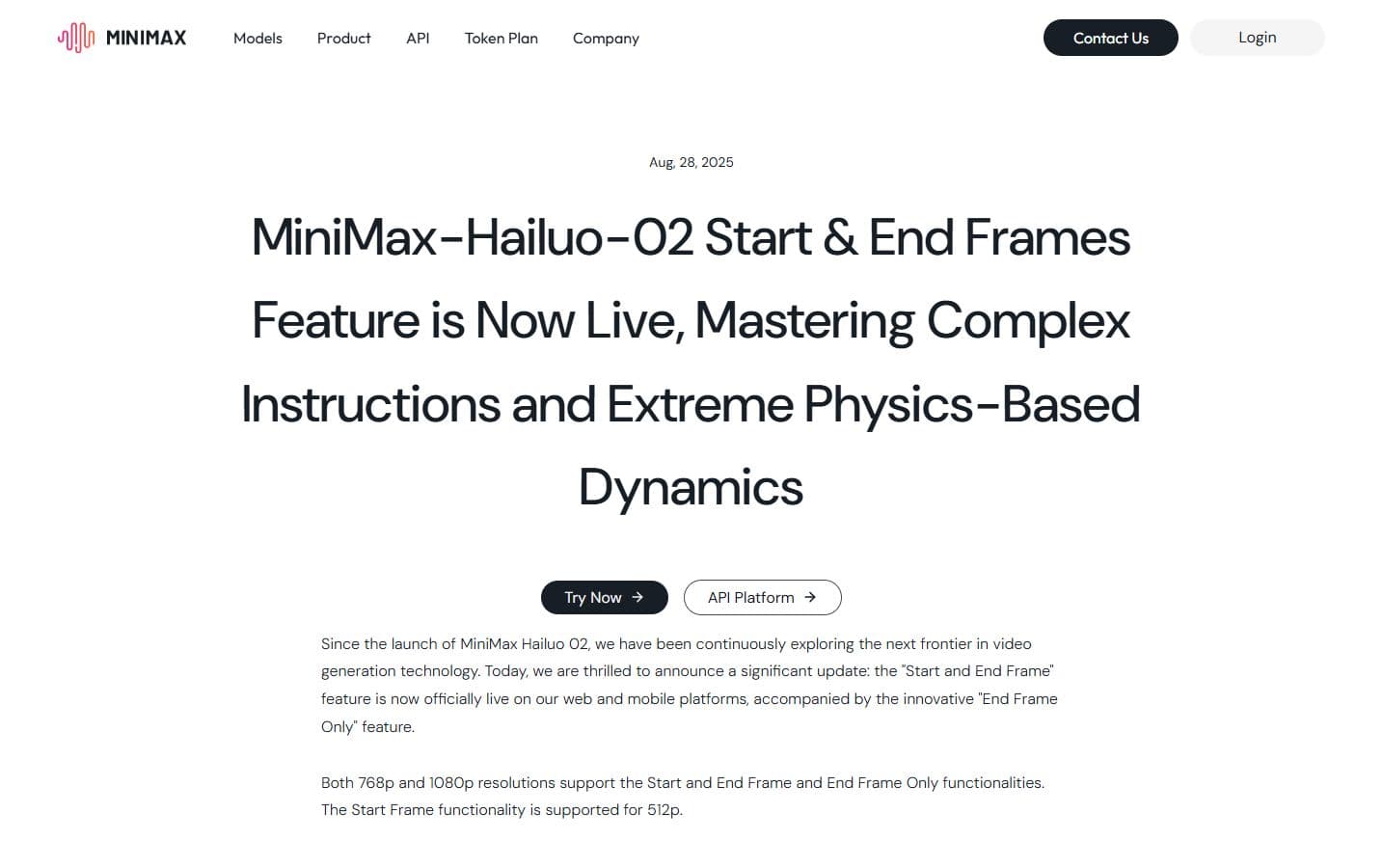
Start and End Frame to watch
MiniMax announced Start and End Frame for Hailuo 02. It matters when the beginning and ending image need to stay precise, such as a product transition.
MiniMax Start and End Frame announcement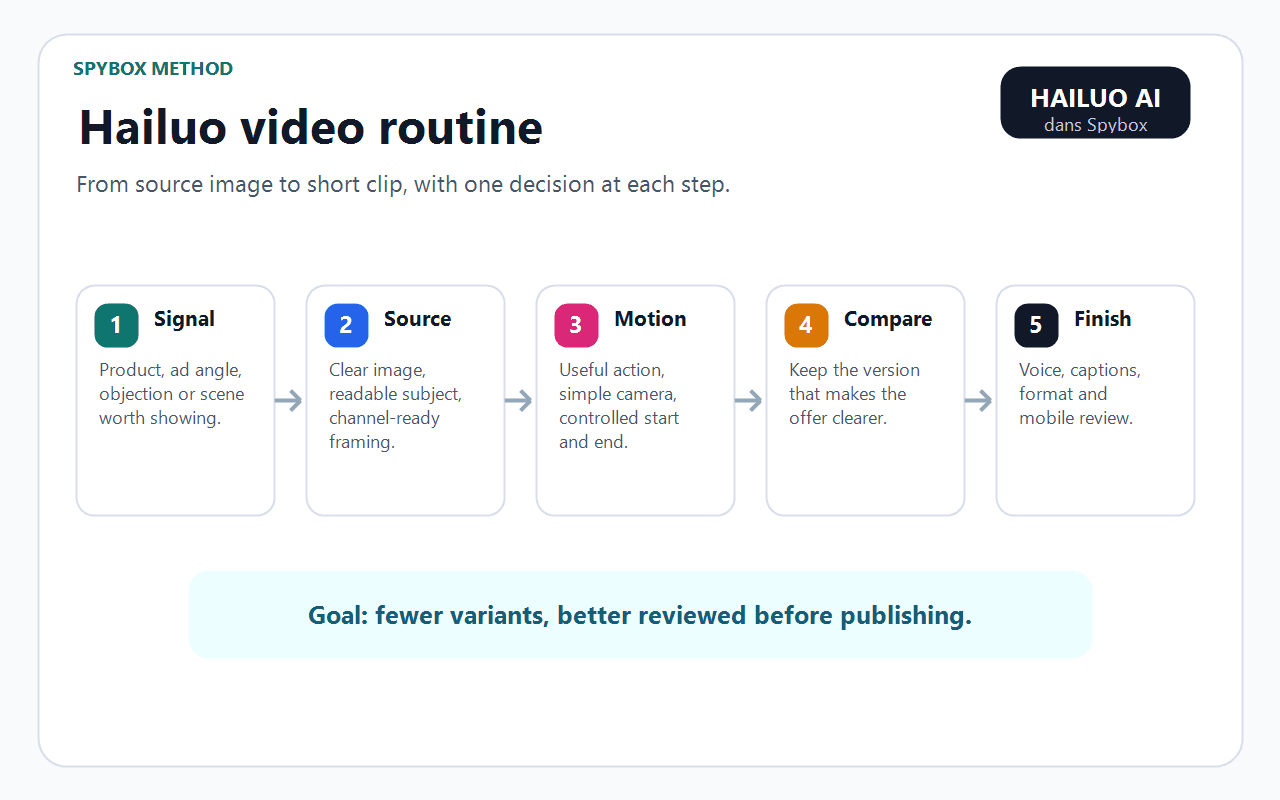
The Spybox routine
The diagram summarizes the order of work: signal, source, motion, comparison, finishing. It avoids spending attempts without knowing what to keep.
See AI video tools
Choose the use case
Hailuo is more useful when motion serves a need: product, social ads, transition, product page, agent or storyboard.
See UGC creatives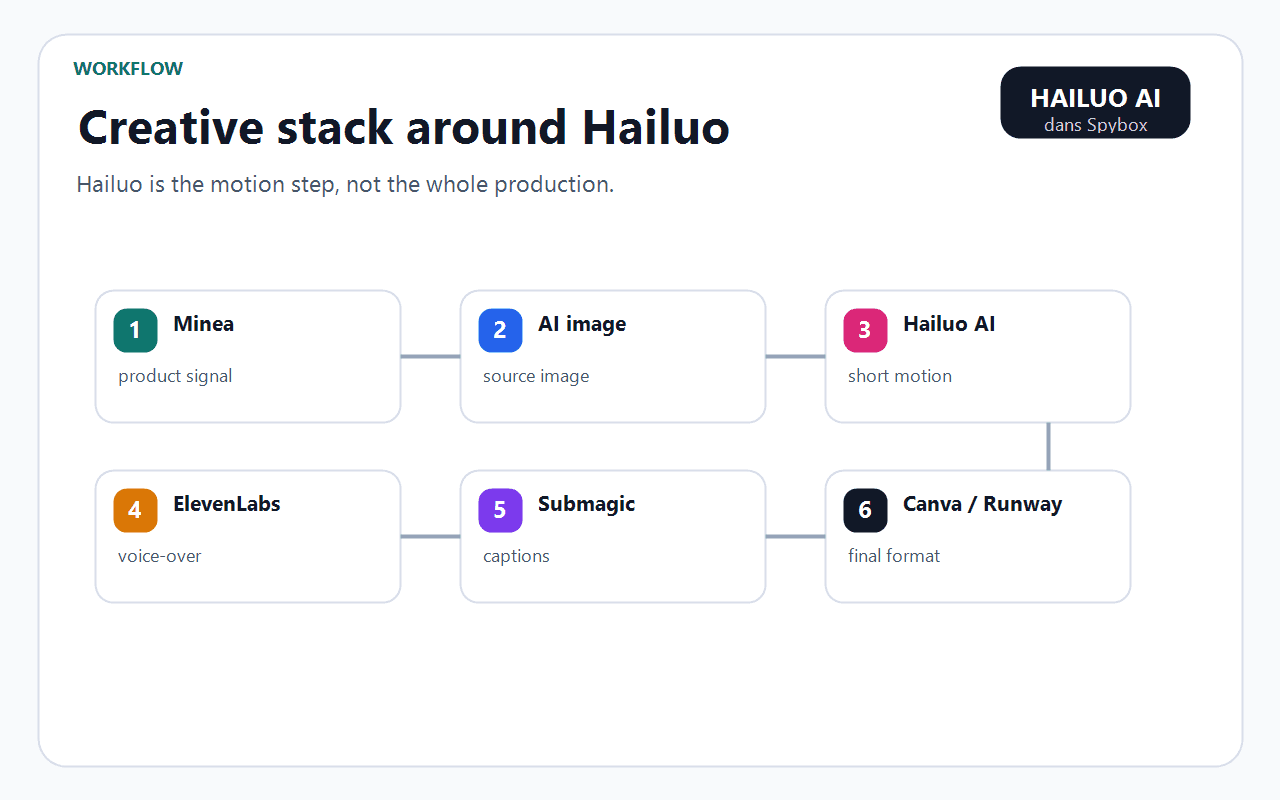
Connect Hailuo to the stack
Hailuo does not replace research, source image, voice or captions. It becomes valuable when each tool keeps its role.
See the AI image stack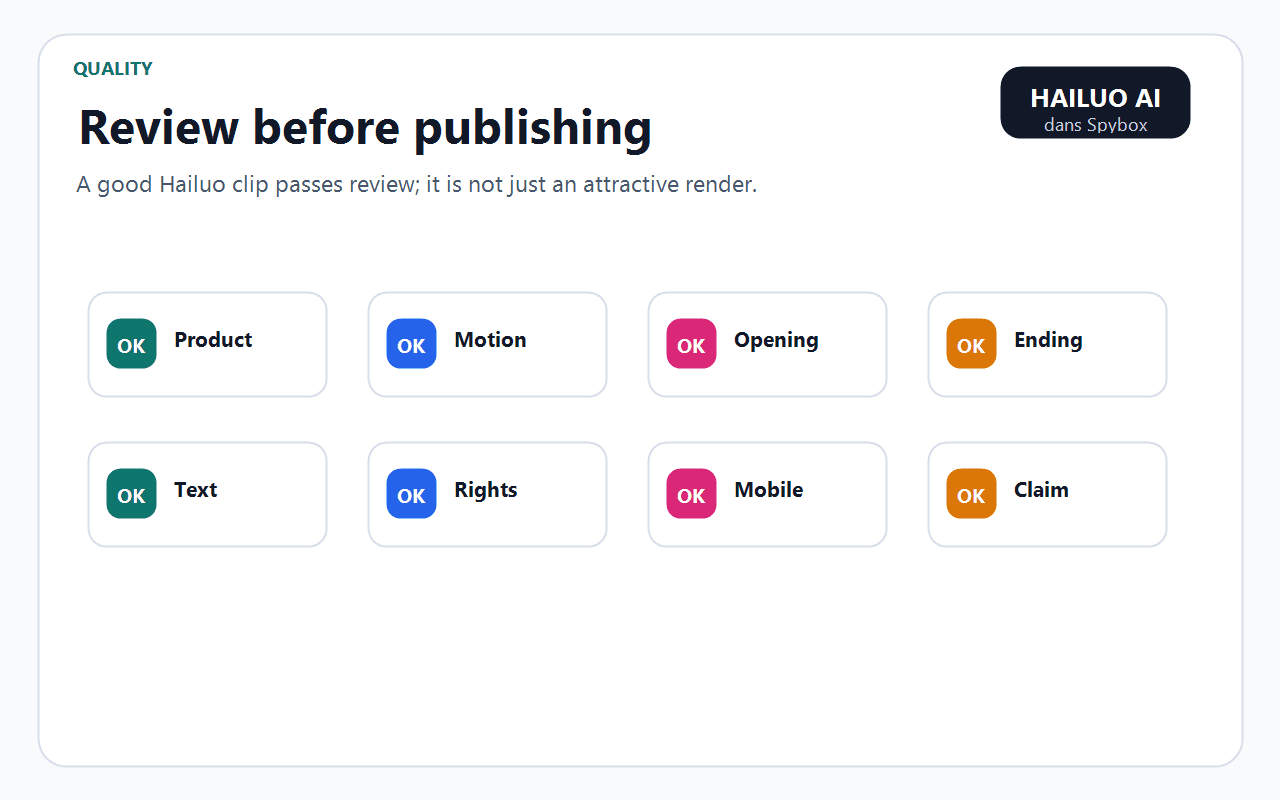
Review before publishing
Product, motion, opening, ending, text, rights, mobile and claim: these points decide whether the clip can be published or should be remade.
See AI video productionWho Hailuo AI really helps inside Spybox
Hailuo mainly helps people who already have an image, product or scene to test. It is less about inventing the starting idea and more about adding motion to a clear source.
Ecommerce operator
Turn a product photo into a short demonstration: rotation, usage, texture, packaging, transformation or key detail.
Dropshipper
Test a creative angle without arranging a shoot, then keep outputs clean enough for an early campaign.
Social ads agency
Compare Hailuo, Kling and Runway on the same source image to choose the most stable engine for the expected motion.
Content creator
Turn a static visual into a short sequence for Reels, TikTok, Shorts, teaser, animated thumbnail or story.
Conversion consultant
Add an explanatory video to a product or sales page when the photo alone does not answer the objection.
Creative lead
Preview a shot or transition before validating a style, scene, framing or full production.
A 6-step Hailuo method
The method is intentionally short. AI video costs more than an image, so it is better to arrive with a clean source and a clear shot intention before creating variants.
Start from a useful signal
Found product, repeated ad, customer objection, UGC angle, tutorial to clarify or strong visual that needs motion.
Prepare the source
Clear image, readable subject, adapted proportions, no tiny text, simple background and visible product detail.
Describe the motion
Subject, action, camera, speed, opening, ending, mood and duration. Precise instructions avoid attractive but irrelevant outputs.
Generate short
Test a short shot first. Short clips are easier to judge, correct, caption and compare.
Compare with another engine
If the motion feels unstable, run the same source through Kling, Runway or Kie AI to find a better base.
Finish only the right output
Add voice, captions, editing, format and compression after product, rights, readability and claim review.
Signal, reading, action matrix
Hailuo is more valuable when each output answers a question. This matrix helps decide what to do after the first clip.
The product deforms
The source or motion is too ambitious for this output.
Simplify the action, reframe the image, or compare stability in Runway/Kling.
The motion steals attention
The clip becomes decorative instead of explaining the offer.
Reduce camera movement, return to a product gesture or remake a shorter shot.
The ending is weak
The opening works, but the clip does not land on a useful image.
Test a more precise ending frame or use Start/End if the active model supports it.
The first frame explains everything
The product or angle is clear before motion even starts.
Keep the clip for social ads, then use Submagic for captions and rhythm.
The output looks good but off-brand
The style is overriding commercial consistency.
Return to Recraft, Canva or Midjourney for a tighter source before relaunching Hailuo.
Formats where Hailuo is most useful
Hailuo should be chosen according to the final format. A TikTok shot, a product page and a storyboard do not need the same amount of motion.
TikTok / Reels
Create a short visual opening from a product image or AI visual.
Readable first second, vertical format, simple motion, fast captions.
Meta Ads
Test several creative angles without multiplying shoots.
Recognizable product, sober claim, useful variation versus other ads.
Product page
Show usage, size, texture, transformation or a detail hard to see in a photo.
The clip answers a buying objection, not just an aesthetic need.
Storyboard
Preview a scene before editing, filming or heavier production.
The scene validates framing or transition even if the final output will be remade.
Short tutorial
Illustrate one step when a still image lacks clarity.
Action understandable without sound, matching voice and captions after editing.
Tools to combine with Hailuo AI
Hailuo becomes more valuable when surrounded by the right tools. The best video output often starts before Hailuo and finishes elsewhere.
Kling AI
Compare image-to-video and short motion on the same source image.
Runway
Test other video shots, more advanced finishing or a base to edit next.
Higgsfield
Choose a more precise camera move when the shot needs direction before editing.
Kie AI
Decide between video, image, audio and LLM models before spending credits.
Midjourney
Create a strong visual source to animate with Hailuo.
Recraft
Prepare cleaner brand visuals, objects, styles and assets before animation.
ElevenLabs
Add a clear voice-over after validating the short clip.
Submagic
Caption, cut, pace and export social ad formats.
Canva
Adapt the final output into a creative, story, banner or product page asset.
Video stack
Where Hailuo belongs in a Spybox routine
Hailuo sits at the motion step. Before it, you need to know what to show. After it, you need to know what to keep, how to finish it and where to publish it.
Research
Minea / Foreplay
Find the product, angle, objection or format that deserves a short video.
Source
Midjourney / Recraft
Create or clean the image that will become the starting point for motion.
Motion
Hailuo AI
Turn the source into a short clip, transition or visual demonstration.
Comparison
Kling / Runway / Kie AI
Try another engine if the output lacks stability or natural motion.
Audio
ElevenLabs
Add voice, narration or local version only after the visual has passed review.
Finishing
Submagic / Canva
Caption, resize, compress and prepare the final file.
Review before publishing
AI video can look polished while hiding a painful detail. Final review should be simple, visual and channel-oriented.
The product remains recognizable from beginning to end.
Motion supports the main argument instead of hiding it.
The first frame works without sound on mobile.
The ending leaves a useful image for the next step.
Hands, faces, logos and text do not create visual discomfort.
Voice-over or captions do not promise anything the offer cannot prove.
Image, brand, music and person rights match the intended use.
The final output matches the channel: 9:16, 1:1, 16:9, product page or story.
Limits to keep in mind
Hailuo AI in Spybox FAQ
Is Hailuo AI mainly for image-to-video?
That is the clearest use case for many Spybox users: start from a clean image, add short motion, then compare the result. Hailuo also covers generation from a described scene depending on available models.
Should I choose Hailuo, Kling or Runway?
The simplest answer is to test the same source on two engines when the subject matters. Hailuo can work well for certain motions or styles, Kling for other image-to-video outputs, Runway for certain shots and finishing needs.
Does Hailuo 2.3 include Start and End Frame?
The public Hailuo 2.3 page says the 2.3 series generates I2V from a single starting image, while MiniMax announced Start and End Frame for Hailuo 02. Check the active model before promising that workflow.
Which tool should come after Hailuo?
Submagic for captions and social rhythm, ElevenLabs for voice, Canva for format adaptation, Runway or Kie AI if the output needs to be compared or reworked.
Is Hailuo enough for a ready-to-publish ad?
Not alone. It provides a clip or visual base. You still need to review product consistency, rights, claim, sound, captions, format and relevance for the publishing channel.
Test Hailuo inside a broader video stack
Spybox gives access to 90+ premium tools with 100 000 SBC credits/month. The point is to connect research, image, video, voice, captions and review in one routine.
See Spybox pricing